Why Creators Are Using VEED For Video Editing
 By Rachel Jerris
 Software
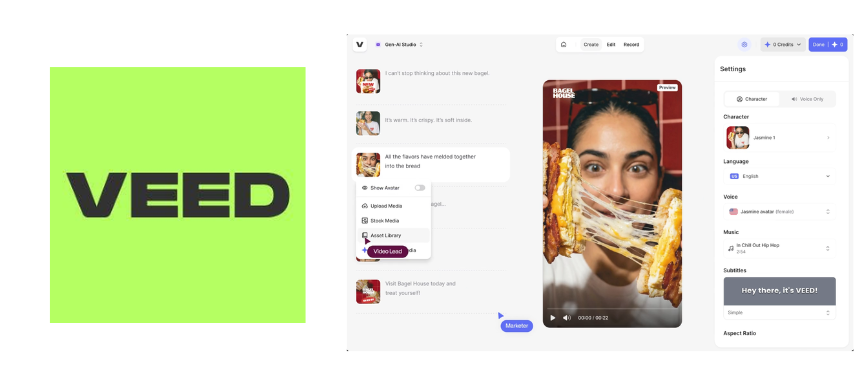
Turn raw clips into polished content without downloading heavy editing software. VEED gives creators an online video editor for cutting clips, adding captions, resizing videos, recording content, and preparing posts for different platforms. As video becomes a daily part of social media, marketing, and education, many creators want a faster way to edit. Here’s why VEED is becoming a go-to choice.
Create Suite: From Blank Idea to Finished Video Faster
VEED’s Create Suite gives creators a faster way to record, script, generate, and present video content without moving between several tools. Instead of starting with a camera setup, separate writing app, editing software, and captioning tool, creators can use VEED to handle more of the production process in one online workspace. For busy marketers, educators, social media managers, and business owners, that can make video creation feel less like a production day and more like a workable content routine.
Recorder: Capture Content Right From the Browser
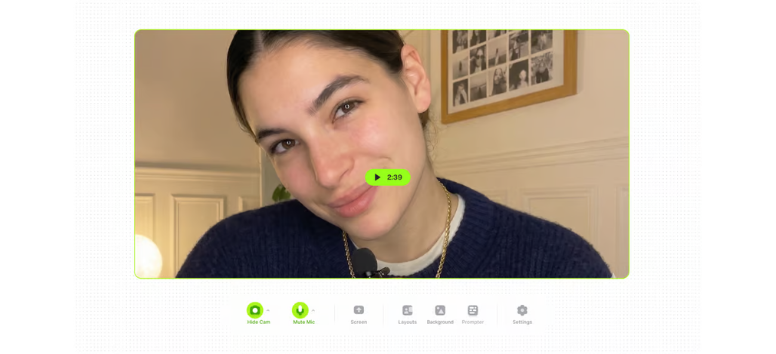
Record tutorials, presentations, product demos, training videos, and online course content directly in VEED without downloading extra software. The Recorder supports webcam recording, screen recording, or both together, making it useful for creators who need to explain, teach, review, or demonstrate something on camera.
Once the recording is done, creators can trim clips, add subtitles, clean up the flow, and polish the video in the same platform. That means fewer file transfers and fewer delays between recording and publishing.
Use VEED’s Recorder to capture your next tutorial, demo, or lesson while the idea is still fresh.
Script Generator: Turn Rough Ideas Into Ready Video Outlines-https://www.veed.io/tools/script-generator 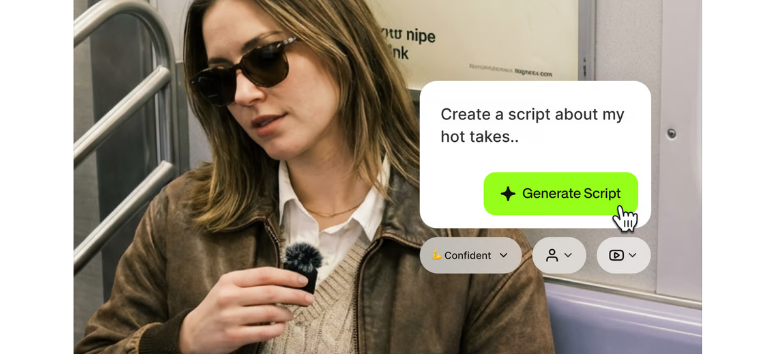
Plan stronger videos with VEED’s AI Script Generator, a tool that creates scripts from a short prompt. It can help shape hooks, key points, and calls-to-action for formats like TikTok, Instagram Reels, YouTube, tutorials, explainers, and product videos.
For creators who get stuck at the writing stage, this tool can provide a clear starting point. Scripts can also be refined to match a brand voice, then used with narration, captions, stock footage, or other VEED tools to create a full video.
Try VEED’s Script Generator when you have the topic but need a stronger structure before recording.
Video GPT: Generate Videos Without Raw Footage 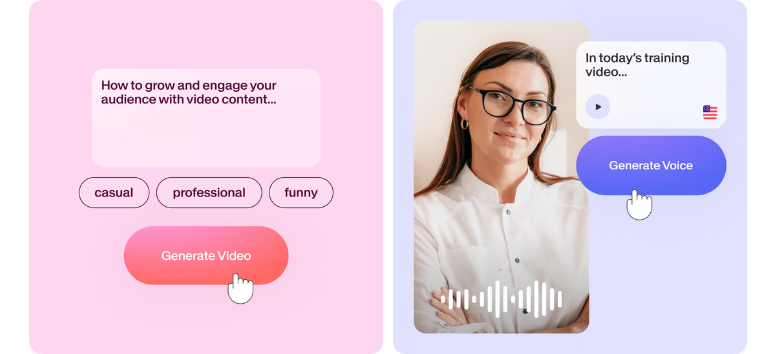
Create polished videos from text, images, or simple ideas with VEED’s Video GPT. This tool helps creators turn a concept into a complete video, which can be useful when no original footage is available or when the project needs to move quickly.
Video GPT can support fast content production with features such as background removal, transitions, platform resizing, and noise reduction. Marketers can use it for campaign clips, educators can use it for lesson support, and creators can use it for quick explainers, short-form videos, and social content.
Turn your next idea into a video draft with VEED’s Video GPT and refine it for your target platform.
AI Avatars: Present Content Without Filming Yourself-https://www.veed.io/ai/avatars
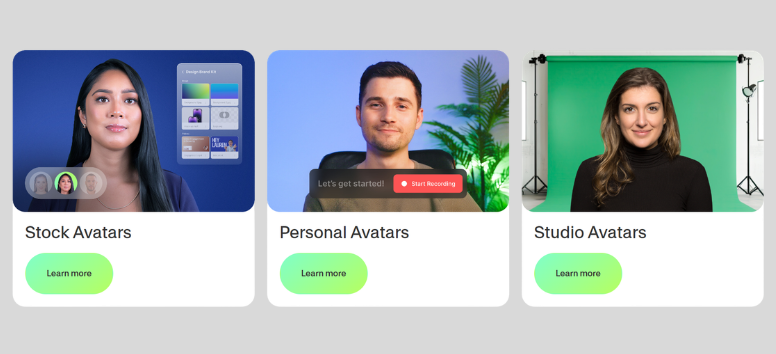
Produce presenter-style videos with VEED’s AI Avatars, which can speak generated scripts using lifelike voices and facial movements. This is useful for creators who need to publish video content but may not want to appear on camera for every project.
AI Avatars can also help teams create content for different languages, markets, and audiences without scheduling a new shoot each time. For training videos, product explainers, internal updates, and educational content, avatars can add a human-style presentation without the usual filming setup.
Choose a VEED AI Avatar to present your next script and create a video without setting up a camera.
Edit Suite: Polish Videos Without Fighting Complicated Software
Refine raw footage faster with VEED’s Edit Suite, a set of browser-based tools made for creators who need clean videos without a heavy editing setup. These tools cover the core parts of post-production, from trimming and resizing to subtitles, translations, audio cleanup, and visual adjustments. For creators making social videos, tutorials, ads, lessons, or brand content, VEED keeps the editing process easier to manage from one online workspace.
Video Editor: Shape Raw Clips Into Platform-Ready Content 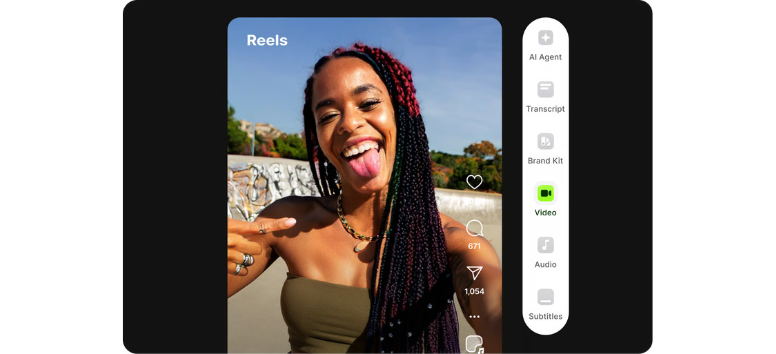
Edit videos directly in your browser with VEED’s drag-and-drop video editor. Creators can trim clips, cut unwanted parts, crop frames, merge footage, add filters, apply transitions, and adjust audio without opening complex desktop software.
The editor is also useful for repurposing content across platforms. A creator can resize one video for TikTok, Instagram, YouTube, LinkedIn, or website use, then adjust the format before exporting. VEED also includes helpful tools such as background removal, noise reduction, and audio adjustments, which can make a simple recording look and sound more polished.
Open VEED’s Video Editor to cut, resize, and clean up your next video before it goes live.
Translations: Take One Video to More Audiences 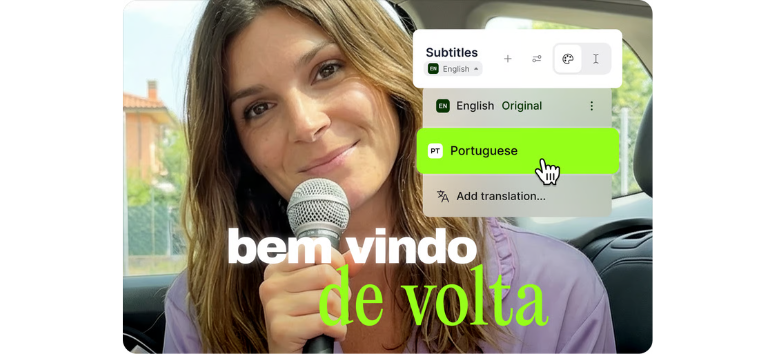
Reach viewers in more languages with VEED’s AI-powered translation tools. Instead of creating a new video from scratch for each audience, creators can translate subtitles into multiple languages and edit the results for accuracy.
This is helpful for educators, businesses, coaches, influencers, and brands that want to share content across regions. A tutorial, product demo, course lesson, or social video can serve a wider audience when captions are translated clearly. Since translations can be reviewed and adjusted, creators also have more control over tone, meaning, and local context.
Use VEED’s translation tools to adapt your next video for viewers beyond your main language.
Subtitles: Make Every Video Easier to Watch-https://www.veed.io/tools/add-subtitles 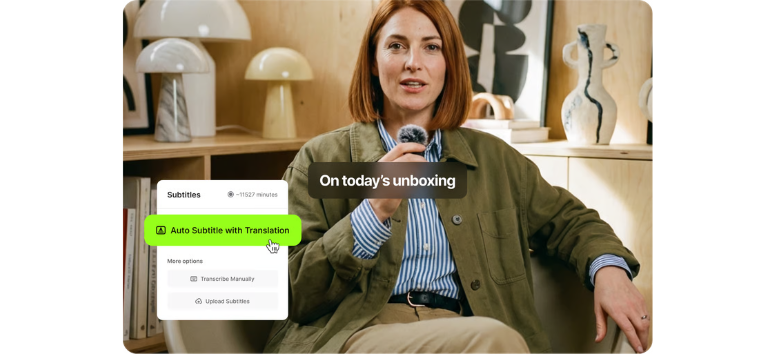
Add captions faster with VEED’s automatic subtitle generator. The tool uses speech recognition to generate subtitles, helping creators avoid the slow, manual transcription process. Once generated, subtitles can be customized with different fonts, colors, sizes, and placement to match the video's style.
Subtitles also make content more accessible and easier to follow, especially for viewers watching without sound. On social platforms, captions can help people understand the message right away, even before they turn the audio on. For tutorials, explainers, interviews, and short-form videos, clear subtitles can keep viewers watching longer.
Generate subtitles with VEED to make your next video clearer, more accessible, and easier to watch anywhere.
Publish Suite: Share Videos Without Losing Control of the Experience
Publish finished videos more easily with VEED’s Publish Suite, which helps creators host, share, and display video content after editing. Instead of exporting a file and depending only on third-party platforms, creators can use VEED’s video player and hosting tools to distribute content in a cleaner, more controlled way. For marketers, educators, business owners, and content teams, this can make publishing feel more organized from upload to viewer access.
Video Player: Show Videos in a Branded Viewing Space 
Present videos on websites, blogs, landing pages, or campaign pages with VEED’s embeddable video player. Creators can use it to showcase tutorials, product demos, testimonials, course previews, internal updates, and branded content without sending viewers away from their own site.
The video player also supports customization, including branding options such as logos, colors, and playback controls. For businesses, this helps create a more professional viewing experience than a plain video embed. Adaptive playback can also help videos load more smoothly across devices, while performance insights can guide creators on what viewers watch, skip, or finish.
Embed VEED’s video player on your next page to give viewers a smoother, more branded way to watch.
Video Hosting: Keep Your Content Organized and Easy to Share 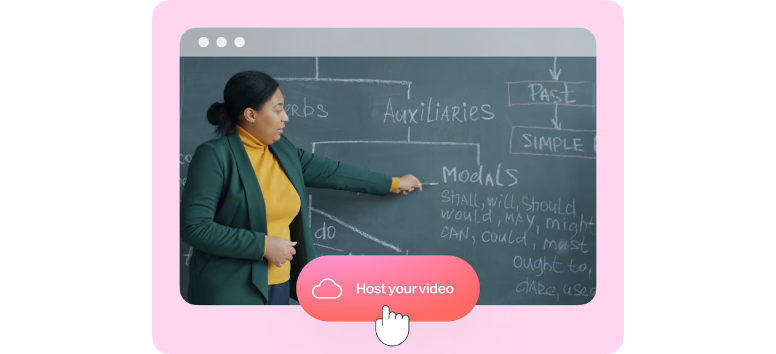
Host videos securely with VEED’s cloud-based video hosting tools. Creators can upload finished videos, create shareable links, and distribute content through email, social media, presentations, websites, or client updates without relying only on platforms like YouTube or Vimeo.
VEED’s hosting tools are useful when creators need more control over access. Privacy options such as public, private, or password-protected sharing can help manage who sees each video. This is especially helpful for online courses, client projects, internal training, paid content, and business presentations that should not always sit in a public feed.
Upload your next finished video to VEED and share it with the right audience using a secure link.
AI Features: Create Smarter Videos With Less Manual Work
Speed up video production with VEED’s AI features, which help creators write, edit, translate, present, and generate videos from one online workspace. Instead of handling every task by hand, creators can use AI to remove repetitive steps and focus on the message, audience, and final output. For marketers, educators, coaches, content teams, and social media creators, these tools can support a faster video workflow from idea to export.
Avatars and AI Voices: Add a Presenter Without Filming
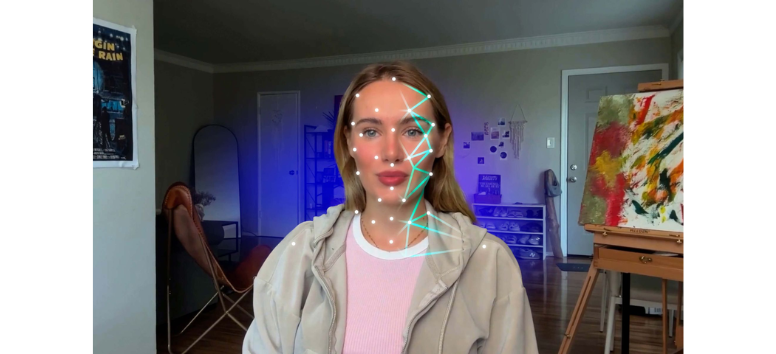
Create presenter-style videos with VEED’s AI avatars and AI voices. These digital presenters can deliver scripts with realistic voice options, facial movements, and language support, which is helpful for creators who need video content but do not want to record themselves each time.
AI avatars can work well for explainer videos, product walkthroughs, training modules, course lessons, onboarding content, and marketing campaigns. Creators can write or generate a script, choose an avatar, select a voice, and produce a video that has a clear speaker without setting up lights, cameras, or a studio.
Choose a VEED AI avatar and turn your next script into a presenter-led video without filming from scratch.
AI Editing: Cut Down the Slow Parts of Post-Production

Edit faster with VEED’s AI editing tools, which can help with trimming, background removal, noise reduction, resizing, subtitles, and translations. These features are useful when creators need to clean up raw footage quickly and prepare it for different platforms.
AI editing can also help identify key moments in longer footage, which is especially useful for interviews, webinars, podcasts, tutorials, and recorded lessons. Instead of spending hours manually reviewing clips, creators can move faster from raw recordings to polished short-form or long-form content.
Use VEED’s AI editing tools to clean, resize, subtitle, and prepare your next video with less manual work.
AI Generation: Turn Text Prompts Into Video Drafts

Generate video content from text prompts, ideas, or scripts with VEED’s AI generation tools. This can help creators move from a blank page to a workable video draft faster, especially when there is no raw footage available.
VEED’s AI generation features can combine scripts, visuals, narration, captions, and editing elements into polished outputs that can be adjusted for brand style and platform needs. Marketers can use it for campaign videos, educators can use it for lessons, and social media creators can use it for quick content ideas that need to become publishable fast.
Enter your next idea into VEED’s AI tools and shape it into a video draft ready for editing, branding, and publishing.
Build a smoother video workflow with VEED’s editing, AI, publishing, hosting, and video player features. Creators can record, subtitle, translate, resize, polish, host, and share videos from one browser-based platform instead of getting slowed down by traditional editing software.
Create content for social media, marketing, education, or business with tools that match today’s fast video demands. Explore VEED today and take your next video project from idea to publication.