The Guide to Launching Your First Member Area (The Smart Way to Build Recurring Revenue on Squarespace)
 By Jake Taylor
 Services
A Member Area turns a website into more than a place to browse. It creates a private space where customers access exclusive content, tools, or services in exchange for ongoing access. For modern businesses, this model supports recurring revenue, bringing predictable income and making long-term planning easier. Instead of relying on one-off sales, relationships grow over time. With Squarespace Member Areas, creators, coaches, service providers, and small businesses can launch subscription-based experiences without complex setups or technical friction.
Why Member Areas Are a Game-Changer
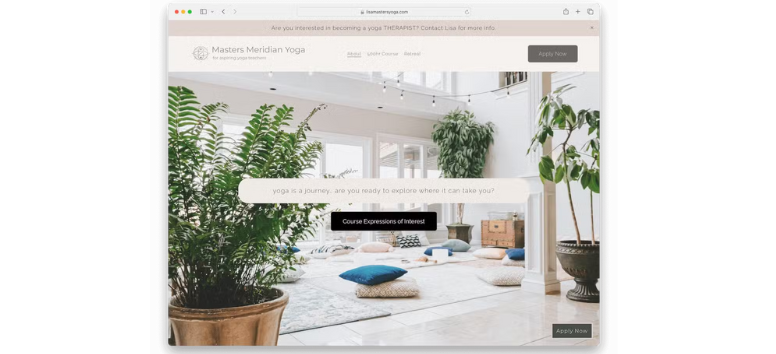
Recurring Revenue Model
A Member Area reshapes how income works by moving businesses away from one-time sales. Memberships support stability, planning, and long-term growth while increasing the value of each customer relationship. As subscriptions become more common, audiences now expect ongoing access instead of single transactions.
-
Predictable income stream: Memberships create steady, repeat revenue.
-
Customer lifetime value increases: Longer relationships often lead to higher overall spend.
-
Industry trend: The subscription economy has grown rapidly, reflecting this shift in buyer behavior.
If predictable income matters to your business, building a Member Area with Squarespace is a strong place to start.
Community Building
Beyond revenue, Member Areas create connection. Gated content gives members a reason to stay, while shared spaces help them feel part of something meaningful. That emotional link often matters more than discounts or promotions.
-
Exclusive content fosters loyalty: Members value access that others don’t have.
-
Engagement drives retention: Interaction reduces churn and strengthens trust.
-
Psychological effect of belonging: Community builds identity and attachment.
If your goal is deeper engagement, a Member Area built on Squarespace makes maintaining connections easier.
Scalability

Member Areas grow without adding complexity. Once content exists, it can reach more people without increasing effort. That efficiency supports expansion without stretching your time or resources.
-
Digital memberships scale efficiently: One system serves unlimited members.
-
Automation reduces manual effort: Billing and access run smoothly in the background.
-
Global reach: Online delivery removes geographic limits.
To scale without burnout, launch a Member Area that grows alongside your business using Squarespace.
Examples of Use Cases
Member Areas adapt to many industries. From education to fitness to creative work, this model supports structured access and ongoing value. The flexibility makes it easy to match your offer to your audience.
-
Online courses for structured learning
-
Premium blogs with exclusive insights
-
Fitness programs with guided plans
-
Consulting packages with tiered access
-
Creative communities for collaboration
Whatever your niche, you can shape a Member Area that fits by building it on Squarespace.
Preparing for Your First Member Area
Define Your Value Proposition

A Member Area works best when the value is obvious. People sign up when they clearly see what makes access special and how it helps them move forward. A focused promise removes guesswork and positions the membership as a solution, not an extra expense.
-
Exclusivity drives sign-ups: Unique access increases perceived value.
-
Solve a specific problem: Clear outcomes make the offer easier to say yes to.
-
Clarity reduces hesitation: Members understand exactly what they’re paying for.
If you want to present your offer with confidence and clarity, structure your value proposition using Squarespace.
Choose Your Pricing Strategy

Pricing shapes how people perceive your Member Area. Flexible options help match different comfort levels and commitment styles. When pricing feels fair and intentional, decision-making becomes easier for potential members.
-
Subscription tiers encourage flexibility: Multiple levels fit different needs.
-
One-time access appeals to cautious buyers: Lifetime options reduce commitment anxiety.
-
Bundled offers increase perceived value: Combined content feels more complete.
To set up pricing that feels organized and transparent, build your membership plans directly with Squarespace.
Content Planning

Content is the backbone of any Member Area. Variety keeps things interesting, while consistency reassures members they’ll keep receiving value over time. When content feels intentional, engagement stays high.
-
Variety keeps members engaged: Different formats support different preferences.
-
Consistency builds trust: Regular updates signal reliability.
-
Interactive formats boost retention: Live sessions strengthen connection.
If you want a system that supports structured, ongoing content, manage your Member Area content with Squarespace.
Audience Research

Understanding your audience shapes everything. Feedback helps you design an offer people actually want and are willing to pay for. The better you know your members, the easier it is to refine your approach.
-
Know what customers value: Research reveals demand.
-
Price sensitivity varies: Insights prevent overpricing or underpricing.
-
Feedback loops refine strategy: Ongoing input keeps your offer relevant.
To turn insights into action smoothly, build and adjust your Member Area inside Squarespace.
From Setup to Subscription: Building Your First Member Area on Squarespace

Step-by-Step Setup
Getting started with a Member Area should feel structured, not intimidating. Squarespace Member Areas is a paid add-on that lets you create gated content, sell memberships, and manage exclusive access directly inside your site. Everything lives in one system, so setup feels logical instead of fragmented.
-
Navigate to Member Areas: Open the Pages panel, click the + icon, and select Member Site.
-
Create a new area and assign content: Add courses, blogs, or resources that stay hidden behind a paywall.
-
Set pricing tiers and access rules: Offer free or paid memberships and control what each tier can access.
Start building your first gated section confidently with Squarespace.
Integration with Squarespace Commerce

Monetization works best when checkout feels familiar. Member Areas connects directly with Squarespace Commerce, so memberships use the same checkout flow as products. This consistency reduces confusion and keeps trust intact during payment.
-
Seamless checkout: Memberships follow the same purchase experience as store items.
-
Payment processing: Accept credit cards, PayPal, and Apple Pay through a secure system.
If you want selling access to feel as smooth as selling products, handle it all inside Squarespace.
Customization Options
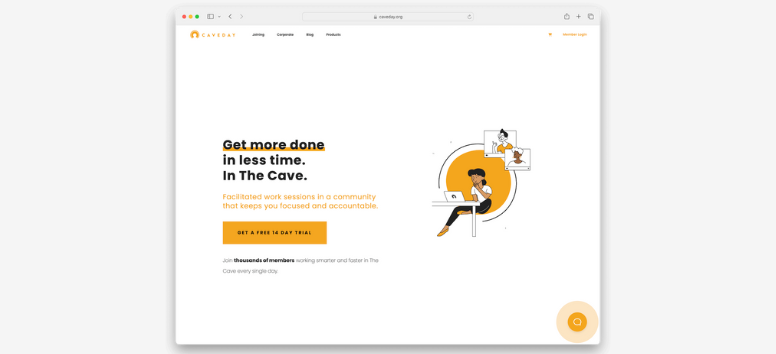
Design consistency matters, even behind a paywall. Member-only pages use the same design tools as the rest of your site, so branding stays cohesive and professional. Visitors never feel like they’ve entered a disconnected space.
-
Branding flexibility: Match fonts, colors, and layouts to your identity.
-
Layout control: Design gated pages just like public pages.
Create a member experience that looks intentional from start to finish using Squarespace’s design tools.
Content Delivery
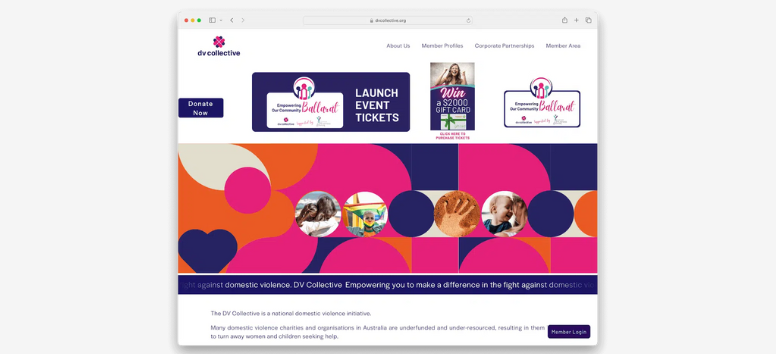
A Member Area shines when content feels organized and accessible. You can deliver value in many formats, making it easier to support different learning styles and preferences. Everything stays in one protected space.
-
Upload multimedia: Share videos, PDFs, templates, or gated blog posts.
-
Course-style delivery: Ideal for lessons, newsletters, or resource libraries.
If your content deserves structure and protection, deliver it cleanly through Squarespace.
Security & Access Control
Trust depends on strong access control. Member Areas include built-in authentication, so only approved members see protected content. You don’t need extra tools to manage logins or permissions.
-
Built-in authentication: Logins and access are handled automatically.
-
Paywall enforcement: Content stays hidden until the correct plan is active.
For secure, worry-free membership management, keep everything inside Squarespace.
Designing a Member Area That Converts
Squarespace Templates

Templates shape first impressions fast. Squarespace offers layouts designed for memberships, with built-in sections for gated content, pricing tiers, and sign-up flows. This structure helps visitors understand the value quickly and reduces hesitation before joining. Consistent design also signals credibility, which matters when asking for ongoing commitment.
-
Optimized layouts for memberships that support conversion paths
-
Responsive design included for smooth access on any device
-
Customization flexibility to align fonts, colors, and layouts with your brand
To start with a layout that’s already conversion-ready, explore membership templates on Squarespace.
User Experience (UX)
A strong UX keeps members engaged after they sign up. Clear navigation helps users find what they paid for without frustration, which directly impacts satisfaction and retention. When everything feels intuitive, members stay active longer.
-
Easy navigation reduces friction and improves content discovery
-
Strong CTAs drive engagement by guiding next actions
-
Mobile responsiveness is critical for retention and usability
Design member journeys that feel effortless by structuring your UX inside Squarespace.
Onboarding Flow
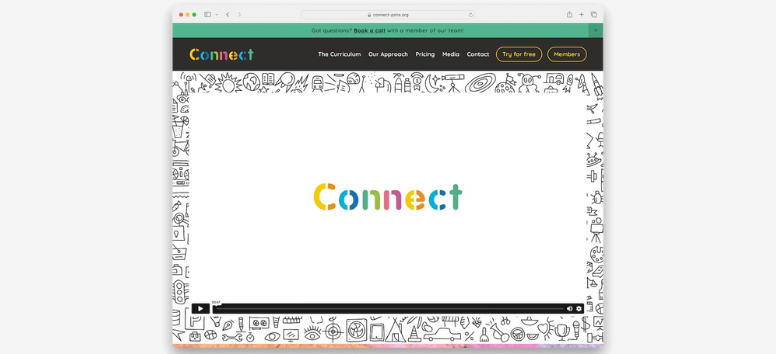
Onboarding sets the tone for the entire membership experience. Welcome emails and simple instructions reassure new members that they made the right choice. Early clarity prevents confusion and builds confidence from day one.
-
Welcome emails set expectations and explain what’s available
-
Tutorials ease adoption and encourage early engagement
-
Community guidelines foster trust and respectful interaction
Create smooth onboarding experiences that feel organized and welcoming with Squarespace tools.
Retention Strategies
Retention depends on consistent communication. Regular updates remind members of ongoing value and keep your offer top of mind. When engagement drops, churn often follows, so staying visible matters.
-
Squarespace Email Campaigns for newsletters and updates
-
Consistent engagement keeps members active over time
-
Personalization increases loyalty through relevant messaging
Keep members connected and invested by managing retention directly through Squarespace.
Upselling Opportunities
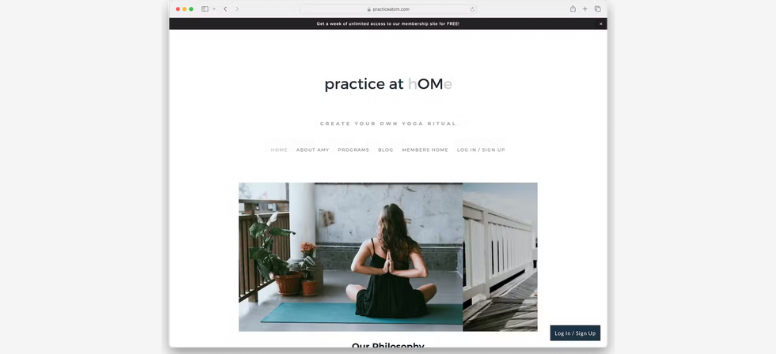
Upselling works best inside the member experience. When upgrades appear at the right moment, they feel helpful instead of intrusive. Context and timing make all the difference.
-
Promote higher-tier memberships with clear added value
-
Add-on services boost revenue without new customer acquisition
-
Contextual upselling works best when tied to user progress
Turn your Member Area into a growing revenue hub by structuring upgrades thoughtfully with Squarespace.
Marketing & Growing Your Member Area
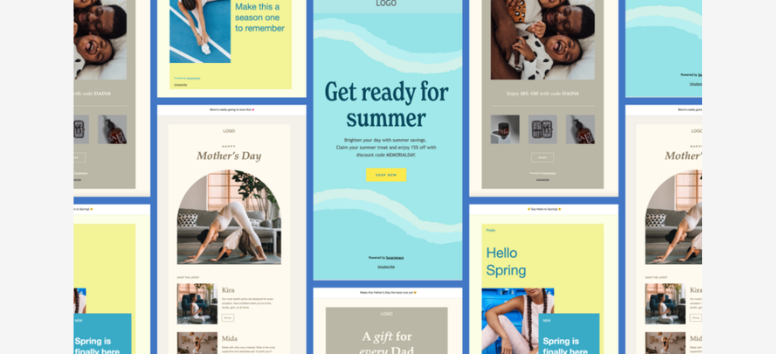
Squarespace Email Campaigns
Email keeps your member area visible long after sign-up. Built-in email tools let you send branded messages that feel consistent with your site, without relying on extra platforms. Announcements for new content, updates, or limited offers remind members why they joined in the first place.
-
Built-in email marketing for polished newsletters
-
Promote launches and updates through automated sends
-
Segmentation boosts relevance by targeting specific tiers
If you want email outreach that stays connected to your site, manage campaigns directly with Squarespace.
SEO & Blogging
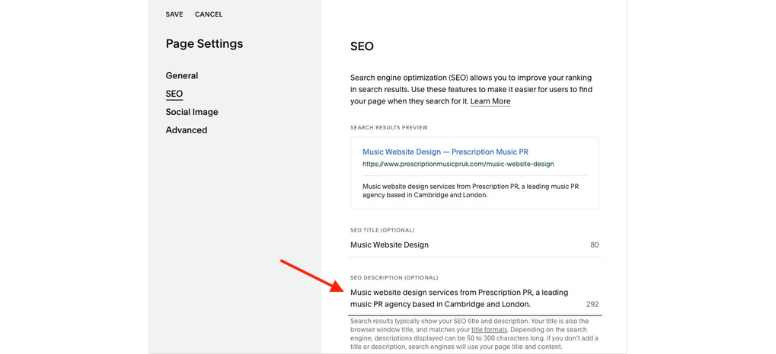
Organic traffic fuels long-term growth. Blog content optimized for search helps attract visitors who are already looking for solutions you offer. When posts hint at deeper value inside your member area, curiosity turns into sign-ups.
-
Drive organic traffic with keyword-focused content
-
Squarespace SEO features support visibility and structure
-
Content marketing synergy teases exclusive member benefits
Use blogging as a steady entry point that leads readers naturally toward membership.
Social Media Integration
Social media expands reach beyond your site. Native integrations make sharing updates, previews, and testimonials simple, while keeping branding consistent. These touchpoints reinforce trust before visitors ever reach your paywall.
-
Native integrations with major social platforms
-
Visual storytelling highlights gated value
-
Cross-channel consistency strengthens recognition
When social and site messaging align, growth feels more natural and less forced.
Referral Programs
Referrals tap into trust you can’t buy. Existing members recommending your content often convert better than cold traffic. Even simple incentives can turn satisfied members into advocates.
-
Word-of-mouth growth powered by peer trust
-
Low-cost acquisition compared to paid ads
-
Squarespace flexibility allows manual or third-party tracking
Encourage sharing and let your community help fuel expansion.
Analytics & Insights
Growth improves when it’s measured. Analytics reveal what drives sign-ups, where engagement drops, and which efforts actually convert. These insights help refine messaging rather than guess.
-
Squarespace Analytics dashboard tracks performance
-
Track churn rates to improve retention
-
Measure campaign effectiveness across channels
Use real data to guide smarter decisions and keep your member area moving forward.
Member Areas offer a practical way to create recurring revenue while strengthening long-term relationships with your audience. They turn expertise, content, or services into ongoing value instead of one-time transactions. With Squarespace, everything lives in one place, from design and commerce to memberships and analytics, so growth feels manageable, not overwhelming. Start small, launch your first Member Area, learn from real engagement, and scale steadily as your community grows.