Teal Review 2026: Is This AI Resume Builder Worth It for Job Seekers?
 By Noah Roni
 Software
Tailoring a resume for one job is manageable. Tailoring it for 10 openings while tracking deadlines, contacts, interviews, follow-ups, and different resume versions gets messy much faster.
Teal brings those tasks into one career platform. Its tools cover resume creation, job-description matching, application tracking, cover letters, interview practice, and networking organization.
This Teal review looks at what you can do for free, what Teal+ adds, how the main tools work together, and where the platform still has limitations. The real value is not simply having another AI writer. It is keeping more of an active job search connected in one workspace.
Create a free Teal account and explore the resume and job-search tools before deciding if you need Teal+.
Affiliate Disclosure: We may earn a commission from qualifying links in this article. This does not affect the price you pay.
What Is Teal?
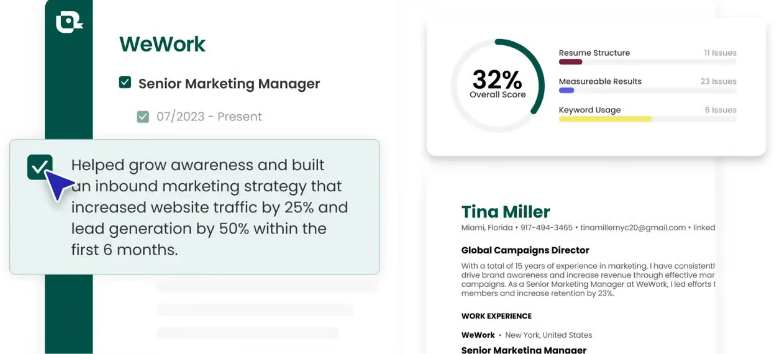
Organize more of your job search without relying on separate resume files, spreadsheets, browser bookmarks, and notes.
Teal is an online career platform built around two major workflows: creating job-specific application materials and managing opportunities from discovery through interviews and follow-ups.
Its current tools include:
- AI resume creation and editing
- Resume analysis
- Job-description keyword matching
- Multiple resume versions
- Job application tracking
- Chrome-based job saving
- AI cover letter generation
- AI interview practice
- Contacts, notes, email templates, and application checklists
The free version is more substantial than a basic trial. It currently includes unlimited resume creation and unlimited job tracking, plus limited access to keyword matching, AI writing, analysis, templates, and interview practice.
Explore Teal’s free job-search workspace before paying for advanced features.
How Does Teal Work?
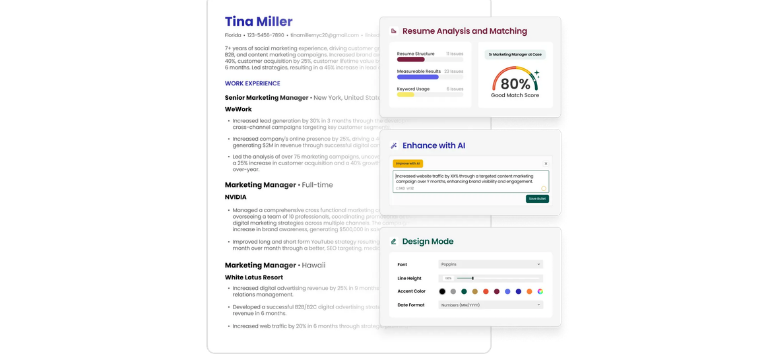
Start with the experience you already have instead of rebuilding your career history manually.
Teal currently lets you import a .docx or .pdf resume, pull information from a LinkedIn profile URL, paste career history as text, or start with an empty resume.
From there:
- Create or import your career history.
- Build a resume in the Resume Builder.
- Save or paste a target job description.
- Connect the job to the resume.
- Review analysis, keyword, and Match Score information.
- Edit the resume for the specific opportunity.
- Export the finished resume as a PDF.
- Save the opening in the Job Tracker.
- Update the application as it moves through different stages.
The connection between the resume and saved job is important. Instead of tailoring a document in isolation, Teal keeps the job description, resume version, contacts, notes, and follow-up activity linked to the opportunity.
Build your first resume in Teal and connect it to a role you actually plan to apply for.
Teal’s Main Features
Teal AI Resume Builder
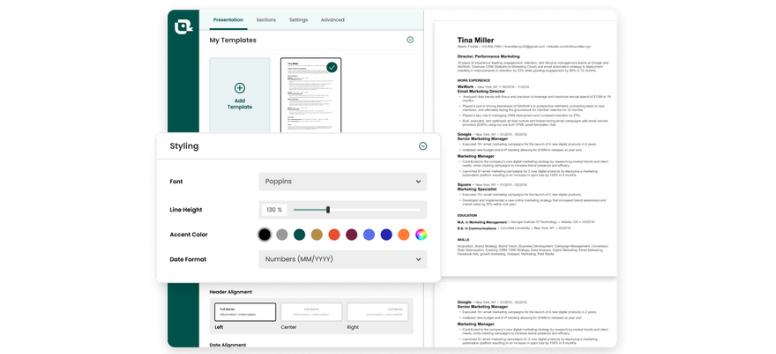
Build multiple targeted resumes without creating a completely separate document every time a promising opening appears.
The Teal AI resume builder combines a structured resume editor with AI writing tools for summaries, bullet points, skills, and related application content. You can import existing information, rearrange sections, switch templates, adjust formatting, and create unlimited resume versions.
Teal currently allows unlimited PDF exports even on the free plan. Its templates are designed around ATS-friendly formatting, although no resume format can guarantee that an applicant will pass every employer's screening system.
Try the Teal Resume Builder with one target role before creating additional versions.
Resume Analysis and Scoring
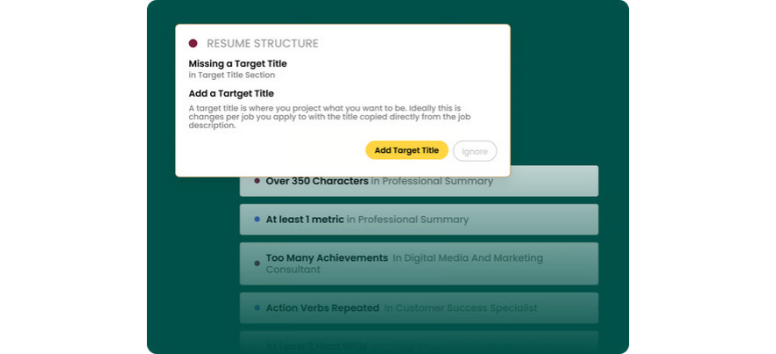
Review the resume for structural and content issues before sending it.
Teal's Analyzer assigns a Resume Score and highlights formatting, structure, keyword use, content quality, and missing elements. The free plan shows basic issues, while Teal+ unlocks its advanced analysis.
Treat the score as editing guidance rather than a hiring prediction. A higher score cannot guarantee an interview, and hiring decisions depend on far more than an automated resume assessment.
Run your current resume through Teal’s analysis tools and review the suggestions individually before accepting them.
Job-Description Keyword Matching
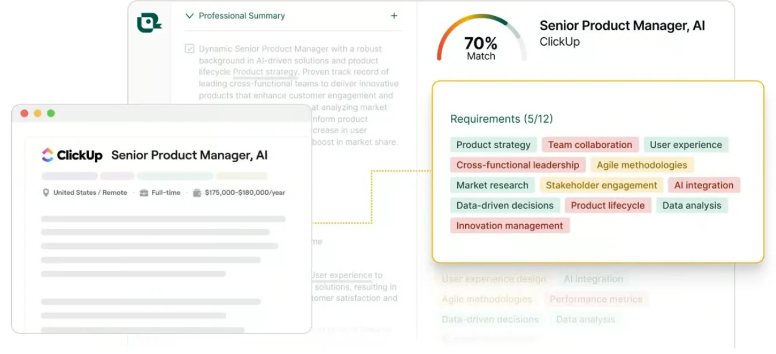
Connect a resume with a saved vacancy to see how its language lines up with the role.
Teal identifies keywords and skills from the job description and calculates a Match Score. This can make tailoring easier when several similar roles emphasize different qualifications.
Free users currently see the top five keywords. Teal+ unlocks the full surfaced keyword list and custom keywords.
Use the suggestions selectively. Adding a keyword only makes sense when it accurately represents your experience or skills.
Match your resume to a real job description and use the missing-keyword information as an editing prompt, not a script.
Multiple Resume Versions
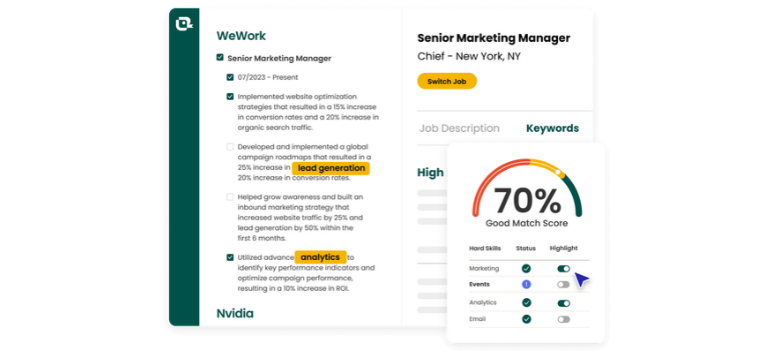
Create separate versions for different roles without rebuilding your career history from scratch.
Unlimited resume creation is available on the free plan. That makes Teal useful for career changers and applicants targeting several job families, since one master set of experience can support multiple tailored documents.
A marketing role can emphasize campaigns and analytics, for example, while a project-focused version can surface coordination, budgets, stakeholders, and delivery experience.
Create distinct resume versions when different opportunities call for genuinely different emphasis.
Teal Job Application Tracker
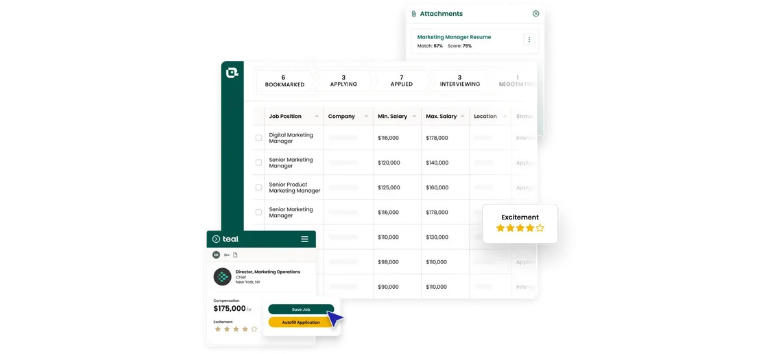
Replace the application spreadsheet with a workspace tied directly to each opportunity.
The Teal job tracker stores saved roles and lets users move them through job-search stages. Individual opportunities can include the saved description, related resume, contacts, notes, checklists, interview information, and follow-up resources.
Teal Free includes unlimited job tracking, so this feature doesn't require Teal+.
It becomes particularly useful once applications move beyond simply “applied” and begin generating recruiter conversations, assessments, interviews, and follow-ups.
Save active opportunities in the Teal Job Tracker and update each one as your application progresses.
Teal Job Search Chrome Extension
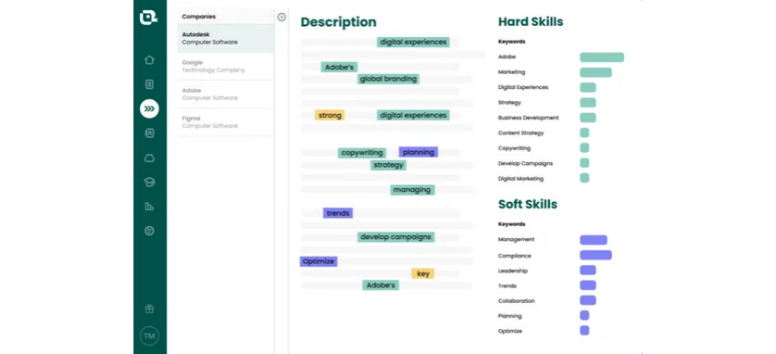
Save interesting jobs while browsing instead of copying every listing into the tracker manually.
Teal's Chrome extension can capture roles from supported job boards and send them into the Job Tracker. Teal currently says the extension works across more than 40 job boards.
The extension is designed for Google Chrome on desktop and laptop devices. You can still access Teal through other browsers, but the extension has that more specific requirement.
Saving the full job description is useful because listings can disappear while an application or interview process is still active.
Install the Teal Chrome extension if job boards are where most of your search begins.
AI Cover Letter Generator
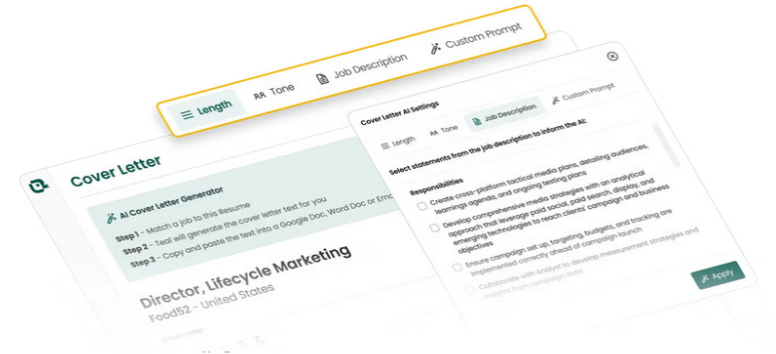
Turn the resume and target job description into a starting draft instead of opening a blank document for every application.
Teal's Cover Letter Generator pulls from the user's resume and selected job information to create role-specific copy.
Free members currently receive limited AI cover letter generation, while Teal+ includes unlimited AI cover letter generation.
The draft still deserves a manual edit. Check facts, remove language that doesn't sound like you, and add context AI cannot infer from the resume alone.
Generate a first cover-letter draft in Teal, then personalize the final version before submitting it.
AI Interview Practice
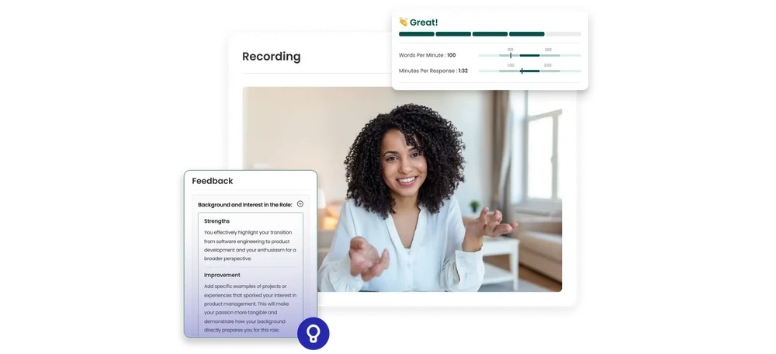
Practice responses using the job information already saved in Teal.
AI Interview Practice can generate role-specific sessions based on the selected job description. Current tools include different interview formats, video recording, live transcripts, feedback, and progress tracking.
Free users currently receive limited interview practice, while Teal+ unlocks unlimited interview practice.
Feedback is useful as another practice input, but it should not replace employer research, conversations with real people, or preparation for the specific interview format.
Run a practice interview against one of your saved opportunities and review your responses before the real conversation.
Contacts, Notes, and Application Checklists
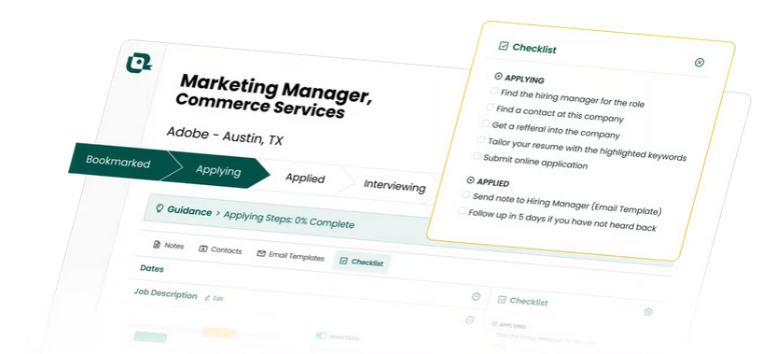
Keep the human side of the search attached to the job itself.
Teal lets you associate contacts with opportunities, record notes, use job-stage checklists, connect specific resumes, and access email templates for outreach and follow-up.
That can be valuable when several recruiter names, referrals, interview dates, or follow-up commitments start overlapping.
Contacts can also be organized separately in Teal's Contacts Tracker, including networking goals and follow-up information.
Add contacts and notes to active applications so useful context does not disappear into email threads or separate documents.
Teal Free vs. Teal+: What Do You Get?
Test the core workflow before deciding whether the premium tools justify another subscription.
The current Teal free vs Teal+ structure looks like this:
|
Feature
|
Teal Free
|
Teal+
|
|---|---|---|
|
Resume creation
|
Unlimited
|
Unlimited
|
|
Job tracking
|
Unlimited
|
Unlimited
|
|
Resume templates
|
10
|
Full library
|
|
Keyword matching
|
Top 5 keywords
|
Full list + custom keywords
|
|
Resume analysis
|
Basic
|
Basic + advanced
|
|
Bullet analysis
|
Limited credits
|
Unlimited
|
|
Resume bullet AI
|
Limited credits
|
Unlimited
|
|
Professional summary AI
|
Limited credits
|
Unlimited
|
|
Cover letter AI
|
Limited credits
|
Unlimited
|
|
Interview practice
|
Limited access
|
Unlimited
|
|
Email templates
|
Limited
|
Unlimited
|
|
Design controls
|
Basic
|
Basic + advanced
|
Teal does not require a credit card to start the free plan. It also does not currently offer a traditional Teal+ free trial that automatically begins billing later. Instead, limited access to premium-style AI tools is built into the free version.
Start with Teal Free and upgrade only after you know which limits are actually slowing down your search.
Teal Pricing: How Much Does Teal+ Cost?
Choose a billing period based on how actively you expect to use the advanced tools.
Current Teal pricing for Teal+ is:
- $13 every 7 days
- $29 every 30 days
- $79 every 90 days
The feature set is the same across those Teal+ billing periods. The difference is how long access runs before the next charge.
Recurring subscriptions continue until canceled. Teal states that cancellation takes effect at the end of the current billing period, so users retain paid access through that period.
For someone doing an intense job-search push, shorter access may make sense. Someone expecting several months of applications could find a longer billing cycle easier to manage.
Review Teal+ pricing only after testing the free version with your real application workflow.
Who Is Teal Best For?
Consider Teal when organization and repeated tailoring take up a noticeable part of your job search.
It makes particular sense for:
- Active applicants managing many openings
- Career changers targeting different role types
- Recent graduates building professional resumes
- People replacing application spreadsheets
- Applicants creating several targeted resume versions
- Users who want resumes and application tracking connected
- Job seekers who regularly write cover letters or prepare for interviews
Someone submitting one application every few months may not need every Teal+ feature. The free version could cover the essential resume and tracking workflow.
Use Teal to remove repeated work from your search, not to add another tool you have to manage.
Start with the free version rather than treating Teal+ as the default.
For many job seekers, Teal Free already covers the two strongest parts of the platform: unlimited resumes and unlimited application tracking. That is enough to test the core workflow with real vacancies before spending anything.
Teal+ becomes more compelling when an active search involves frequent resume tailoring, repeated keyword analysis, AI writing, advanced resume feedback, or regular interview practice. Removing those limits can matter more when you apply several times per week.
Occasional applicants may find the free plan sufficient.
The strongest case for Teal is not any single AI feature. It is the way the Teal AI resume builder, keyword matching, Teal job tracker, saved job descriptions, contacts, notes, cover letters, and interview tools connect around the same opportunities.