Start Strong: The Essential 5-Step Squarespace Setup Checklist for New Businesses
 By Rubi Northon
 Services
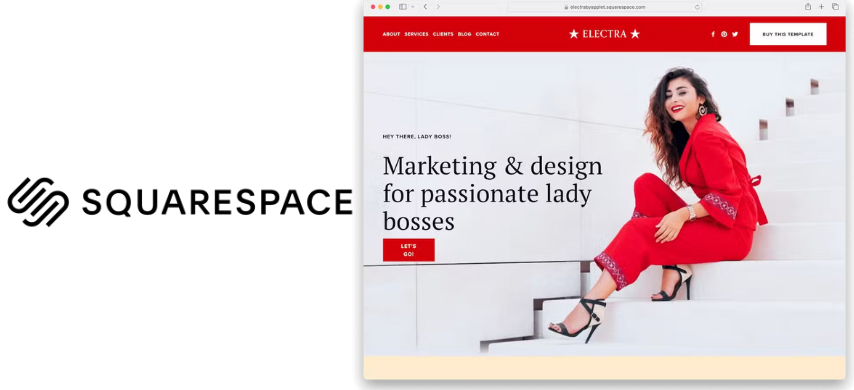
Time matters when you are launching a business, and your website should support that pace, not slow it down. Squarespace makes sense for new businesses thanks to its professional templates and streamlined all-in-one platform. But even simple tools need a smart setup to avoid wasted hours later. This five-step checklist breaks the process into a focused roadmap so you can launch efficiently and avoid costly mistakes.
Choose the Right Template - Where Design and Strategy Meet
How Templates Shape Look, Feel, and Experience
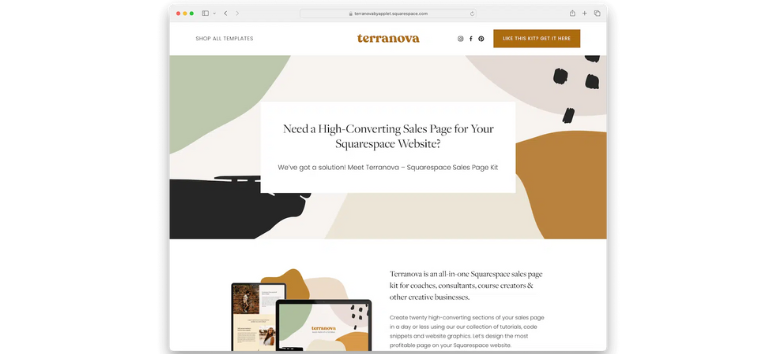
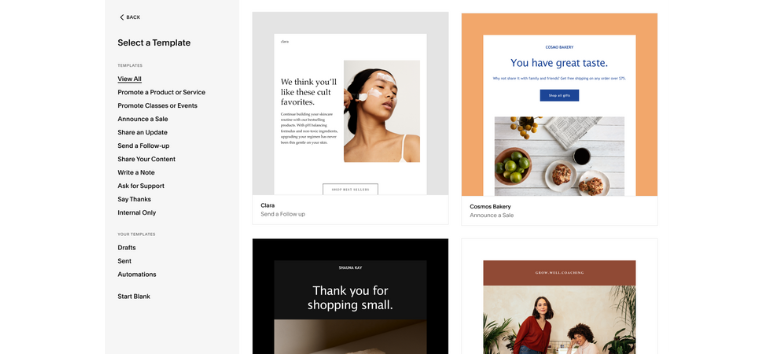
Templates set the foundation for how a website looks and functions from the first click. On Squarespace, templates define layout, typography, color schemes, and navigation style, shaping first impressions instantly. They also influence how visitors move through your content. Clean, minimalist templates emphasize whitespace and clarity, while bold, image-forward designs place visuals at the center of the experience. Consistency across pages builds brand recognition and professionalism, while customization options allow flexibility without sacrificing structure.
Key elements templates control include:
-
Visual identity through layout, fonts, and color flow
-
User experience through spacing, hierarchy, and navigation
-
Brand consistency across all pages
-
Design flexibility through editable fonts, colors, spacing, and blocks
A photographer often benefits from full-bleed image galleries, while a law firm usually needs a structured, text-focused layout with clear navigation.
What to Consider Before Choosing a Template
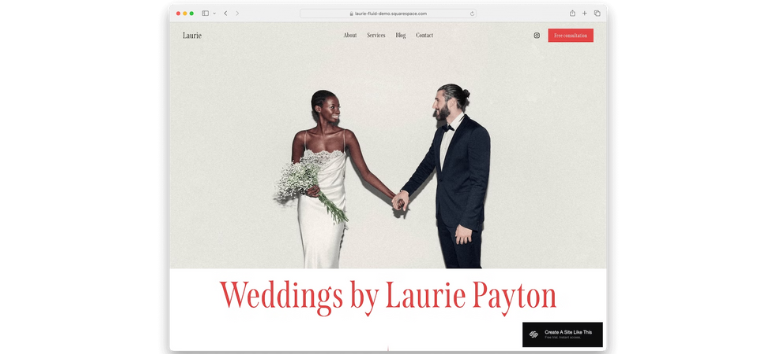
The right template supports your business goals, not just your aesthetic preferences. Industry, brand personality, and functionality should guide your decision.
Industry alignment:
-
Creative fields benefit from visual-first templates with portfolio grids
-
Professional services perform better with clean layouts and strong text hierarchy
-
Hospitality and restaurants need templates with menus, maps, and reservations
-
E-commerce businesses require optimized product catalogs and checkout flows
Brand personality cues:
-
Minimal brands thrive with whitespace and simple typography
-
Bold brands stand out with vibrant colors and dynamic layouts
-
Luxury brands rely on refined spacing and elegant fonts
Functionality must-haves:
-
E-commerce tools for products, inventory, and payments
-
Portfolio features like galleries and lightbox displays
-
Blogging layouts with strong text formatting and navigation
-
Event and community tools such as calendars and RSVP forms
How to Preview and Customize with Confidence
Before committing, preview templates using demo content to visualize real-world use. Test mobile and tablet views carefully, since most traffic now comes from phones. Experiment with the style editor to explore font, color, and spacing options. Focus on structure rather than demo images, and remember that Squarespace allows private template switching before going live.
Choose a Squarespace template that supports your core needs first, then refine the design to make it unmistakably yours.
Set Up Your Branding - Build Trust Before You Say a Word
Why Consistent Branding Builds Credibility and Recognition
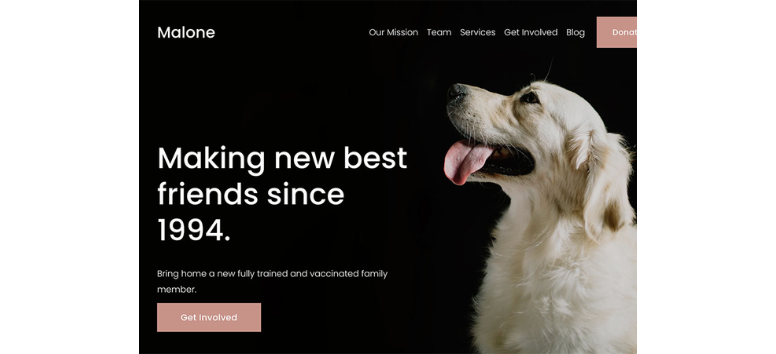
Branding is often the first signal visitors use to decide if a business feels trustworthy. On Squarespace, consistent branding helps your site look polished, intentional, and professional from the first visit. When the same logo, colors, and fonts appear across every page, visitors feel reassured that your business is established and reliable.
Consistency also strengthens recognition. Repeated exposure to the same visual elements helps people remember you, much like how major brands become instantly recognizable through design alone. Beyond visibility, branding creates an emotional connection. Colors, typography, and imagery influence how people feel when they interact with your site, and consistency ensures those feelings remain steady.
Key benefits of consistent branding include:
-
Increased trust through a cohesive, professional look
-
Stronger brand recall through repeated visual cues
-
Clear differentiation in competitive industries
-
Emotional alignment through intentional design choices
A wellness coach, using soft pastels and gentle fonts, reinforces calm and trust, while a tech startup, using bold colors and modern typography, signals innovation and energy. Audit your site visuals now and remove anything that breaks consistency or weakens trust.
How to Customize Your Branding Inside Squarespace
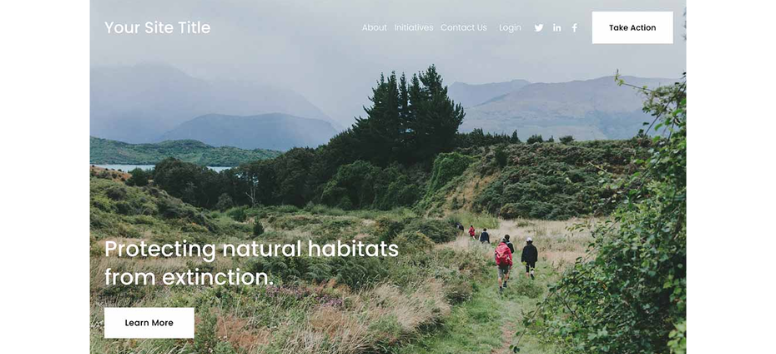
Squarespace makes branding customization accessible even for non-designers. Logo setup begins in the Design settings, where high-resolution logos with transparent backgrounds deliver the cleanest results. Fonts play a major role in brand personality, and Squarespace offers curated font packs along with Google and Adobe Fonts. Limiting font choices keeps your site visually unified and easy to read. Color settings allow you to define a site-wide palette, ensuring buttons, headers, and accents stay consistent across pages.
Branding elements you can customize include:
-
Logo size, placement, and scaling for desktop and mobile
-
Primary and secondary fonts with adjustable spacing and weight
-
A site-wide color palette that controls backgrounds and accents
-
Button and header styling that reinforces brand identity
For example, a law firm may rely on classic serif fonts for authority, while a sustainable brand may use earthy greens and neutral tones to reflect its values. Set your fonts and colors site-wide first so every new page stays on brand automatically.
Align Branding with Your Business Identity and Audience
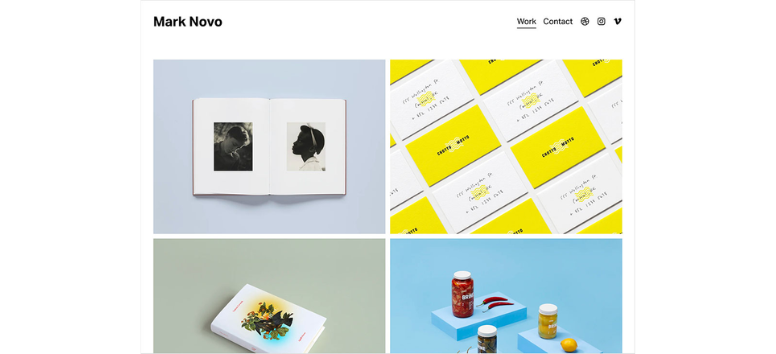
Strong branding reflects who you are and who you serve. Understanding your audience helps guide visual decisions, from color intensity to typography style. Younger audiences often respond to playful, bold designs, while professional audiences prefer clean, minimalist layouts. Branding should also support your mission.
A nonprofit focused on community may use warm, inviting visuals, while a fintech startup may lean toward sleek, modern aesthetics. Consistency across platforms matters just as much. When your website matches your social media and emails, your brand feels unified and credible.
Ways to keep branding aligned include:
-
Designing with your target audience’s preferences in mind
-
Translating your mission into visual cues
-
Matching website branding with external channels
-
Previewing designs and gathering feedback before finalizing
Think of branding as your digital handshake. It should instantly communicate who you are and why your business deserves attention. Preview your branding across devices and platforms, then refine it until it clearly reflects your purpose and audience.
Configure Essential Pages - Build a Site That Guides Visitors Naturally
Home Page - Your Digital Front Door

Your home page is often the first interaction visitors have with your business, so clarity matters from the start. It should communicate who you are, what you offer, and what visitors should do next within seconds. On Squarespace, the home page works best when it balances strong visuals with simple messaging. Avoid overwhelming visitors with long text blocks. Instead, focus on scannable sections that guide attention and build confidence fast.
Key elements every strong home page needs:
-
A clear headline that states your value proposition
-
A compelling hero image or short video
-
Primary CTA buttons that lead to key actions
-
A brief overview of products or services
A bakery, for example, might feature fresh bread imagery, a short tagline like “Handcrafted goodness daily,” and a clear “Order Online” button. Review your home page today and make sure a first-time visitor understands your offer in five seconds or less.
About Page - Build Trust and Human Connection

The about page gives your business a human voice. Visitors come here to understand your story, values, and purpose before deciding to trust you. A strong about page feels conversational and honest, not overly polished or corporate. This is where you explain why your business exists and what makes it different.
Effective about pages often include:
-
A short origin story explaining how you started
-
A clear mission or guiding belief
-
Team photos or brief bios to add personality
A fitness coach, for example, may share a personal transformation story paired with a friendly photo to build relatability and trust. Rewrite your about page so it sounds like a real conversation, not a company brochure.
Products or Services Page - Showcase What You Offer

This page helps visitors decide if your solution fits their needs. Clarity, organization, and simplicity matter more than clever wording. Group offerings into logical categories and make it easy to compare options. Use visuals to support decisions, not distract from them.
High-performing product or service pages include:
-
Clearly labeled categories or packages
-
High-quality images or icons
-
Short descriptions focused on benefits
-
Transparent pricing when possible
A skincare brand might pair product photos with short benefit-driven descriptions like “Hydrates dry skin” and direct purchase buttons. Simplify your offerings and guide visitors toward one clear next action on this page.
Contact Page - Make Communication Easy
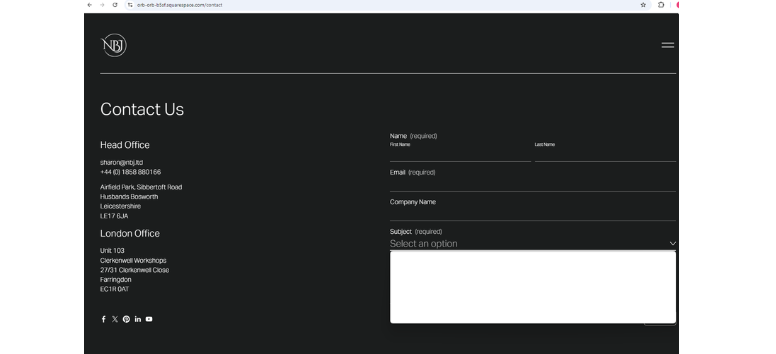
Your contact page removes friction. Visitors should never struggle to figure out how to reach you. Keep forms short and offer multiple contact options without cluttering the page.
Essential contact page elements include:
-
A simple contact form with minimal fields
-
Business email and phone number
-
Physical address and map if relevant
-
Links to social media profiles
A local café, for example, may include a map, a reservation phone number, and a short catering inquiry form. Shorten your contact form and test it to ensure reaching you feels effortless.
Blog Page - Optional but Powerful
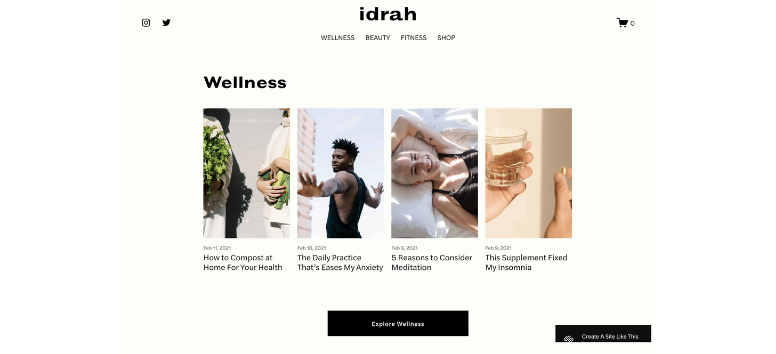
A blog builds authority, supports SEO, and keeps your site active. Even occasional posts signal credibility and expertise. Organization matters just as much as content quality.
Strong blog pages typically feature:
-
Posts organized by categories or tags
-
Clear, search-friendly headlines
-
Social sharing options
A marketing agency may publish case studies and insights to attract qualified leads over time. Commit to a realistic publishing schedule, even if it’s just one post per month.
Navigation and Layout Best Practices

Clear navigation helps visitors move confidently through your site. Fewer links and consistent menus reduce confusion and improve engagement.
Navigation best practices include:
-
A simple top menu with 4–6 main links
-
Consistent menus across all pages
-
Clear headings or breadcrumbs
-
Mobile-first design considerations
-
Strategically placed CTAs
Review your navigation menu and remove anything that does not serve a clear purpose.
Writing Copy That Keeps Visitors Engaged
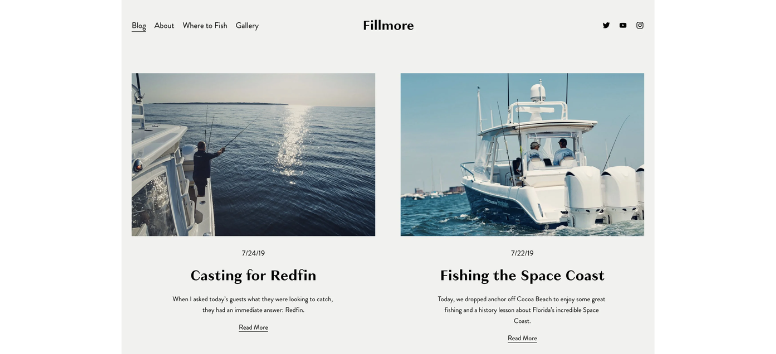
Good copy feels direct, helpful, and easy to read. Focus on benefits, use active voice, and break text into digestible sections.
Effective copywriting habits include:
-
Leading with benefits instead of features
-
Using short paragraphs and bullets
-
Writing directly to your ideal customer
-
Including clear CTAs
Instead of “Our products are high quality,” try “Experience skincare that nourishes deeply every day.” Edit one page today by replacing vague statements with clear, benefit-driven language.
Optimize for SEO and Mobile - Make Your Site Easy to Find and Use
Using Squarespace’s Built-In SEO Tools
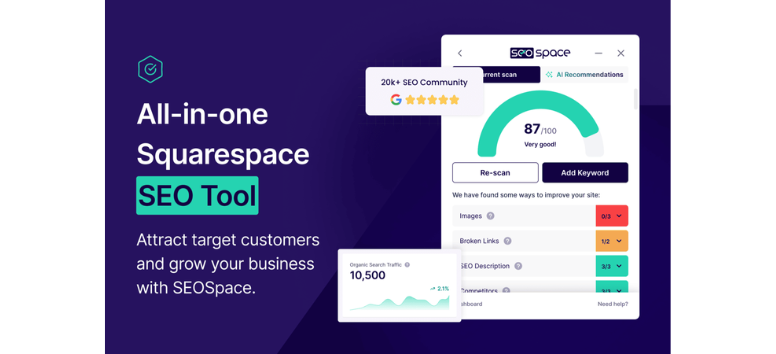
Search engine optimization starts with the basics, and Squarespace includes essential SEO tools built directly into every site. Page titles, meta descriptions, and image alt text help search engines understand what your pages are about and help users decide which result to click. These elements act as your site’s first introduction in search results. When written clearly and intentionally, they improve visibility and click-through rates without requiring advanced technical work.
Key SEO elements to optimize on every page:
-
Page titles that are descriptive, keyword-focused, and unique
-
Meta descriptions that summarize value and encourage clicks
-
Alt text that describes images clearly and supports accessibility
For example, replacing a generic title like “Home” with “Handmade Jewelry | Luna Designs” gives both users and search engines clear context. Review every published page and update titles, descriptions, and image alt text with clarity and intent.
Clean URLs and a Logical Site Structure
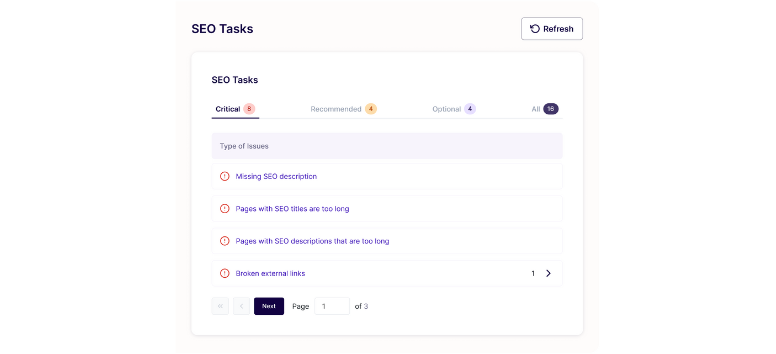
Search engines and visitors both prefer websites that feel organized. Clean URLs help users understand where they are, while a clear structure helps search engines crawl your site efficiently. Squarespace generates SEO-friendly URLs automatically, but editing them for clarity improves results. Logical page hierarchy and internal linking also guide visitors deeper into your site while strengthening SEO signals.
Best practices for URLs and structure:
-
Keep URLs short, readable, and keyword-focused
-
Avoid random numbers or filler words in page slugs
-
Organize pages logically from general to specific
-
Use categories and tags for blog posts
-
Link related pages together to build relevance
Linking from an about page to a services page, for example, encourages exploration and reinforces topic connections. Audit your URLs and internal links to ensure every page feels connected and purposeful.
Why Mobile Responsiveness Matters More Than Ever

Most visitors now browse on phones, which makes mobile usability non-negotiable. Squarespace templates are mobile-responsive by default, but layout choices still affect the experience. A site that looks good on desktop but feels cluttered or hard to tap on mobile can drive visitors away quickly. Mobile-friendly design keeps users engaged and supports stronger search performance.
Mobile optimization best practices include:
-
Testing your site on phones, tablets, and desktops
-
Ensuring buttons and CTAs are easy to tap
-
Breaking long text into short sections
-
Keeping navigation simple and accessible
A restaurant site, for instance, benefits from a mobile-friendly menu and a tap-ready “Call Now” button. Open your site on a phone today and fix anything that feels hard to read or use.
Quick Wins to Improve Search Visibility
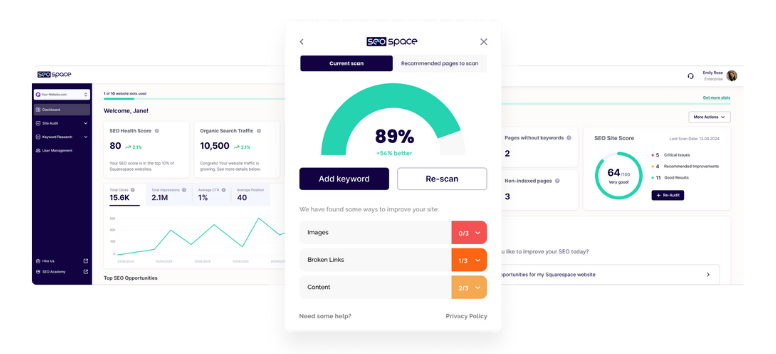
SEO progress does not always require major changes. Small, consistent actions often deliver meaningful results over time. Keyword placement, image optimization, security settings, and content updates all contribute to better visibility. Squarespace also generates a sitemap automatically and provides free SSL, both of which support stronger search performance.
Quick SEO improvements to prioritize:
-
Use keywords naturally in headings and copy
-
Compress images for faster loading
-
Add alt text to every image
-
Submit your sitemap to Google Search Console
-
Enable SSL for security and rankings
-
Publish blog content consistently, even monthly
A local yoga studio, for example, can attract nearby search traffic with posts like “5 Benefits of Morning Yoga in [City Name].” Choose one SEO task today and make it part of your weekly website routine.
Connect Business Essentials - Turn Your Website into a Working System
Setting Up Domain and Email Integrations
A custom domain and professional email address instantly elevate how your business is perceived. On Squarespace, you can purchase a domain directly or connect one you already own, keeping everything centralized. A branded domain makes your site easier to remember and signals legitimacy. Email integrations take this a step further. Using a professional address tied to your domain reinforces trust and keeps communication consistent across your brand.
Key domain and email setup considerations include:
-
Choosing a short, memorable domain aligned with your business name
-
Avoiding numbers or unnecessary symbols that confuse visitors
-
Setting up professional email addresses instead of generic providers
-
Using Google Workspace or Microsoft 365 for email, calendars, and documents
A consulting firm using yourfirm.com with hello@yourfirm.com immediately appears more established than one relying on a personal Gmail account. Secure your custom domain and set up a professional email before sharing your site publicly.
Adding Analytics for Smarter Decisions
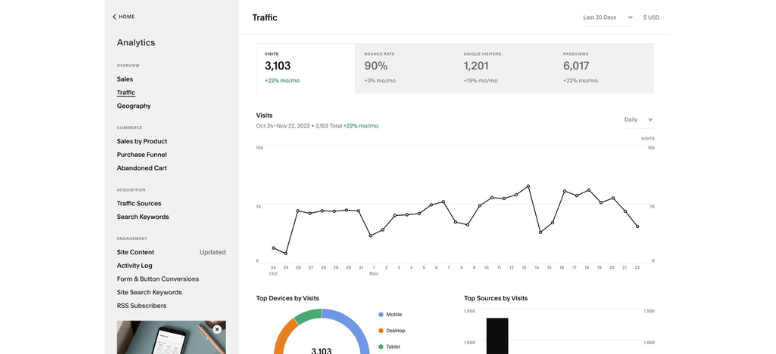
Understanding how visitors interact with your site helps you make informed improvements. Squarespace Analytics provides a built-in overview of traffic sources, popular pages, and sales performance, making it ideal for quick daily checks. For deeper insights, integrating Google Analytics unlocks detailed data on audience behavior, demographics, and conversions. Together, these tools help you spot patterns and refine your strategy over time.
Analytics tools help you track:
-
Where visitors come from
-
Which pages perform best
-
How users move through your site
-
What content or products drive results
A blogger, for example, can identify which posts attract the most traffic and create more content around similar topics. Connect analytics tools now so real data guides every future update.
Configuring E-Commerce Features When Needed
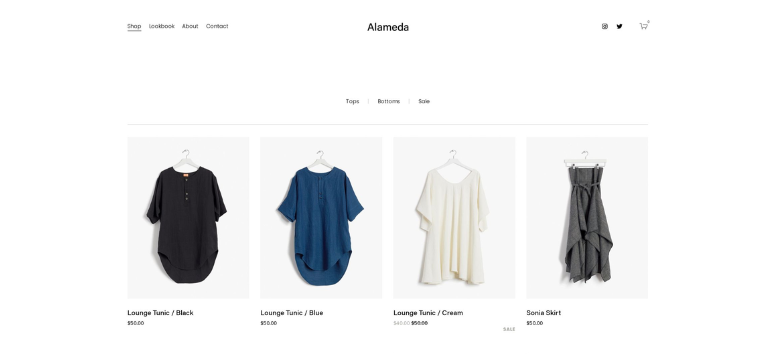
If you sell products or services online, the e-commerce setup must feel seamless and reliable. Squarespace supports secure payments through Stripe, PayPal, and Apple Pay, allowing customers to check out with confidence. Shipping options can be customized with flat rates, weight-based pricing, or carrier calculations. Inventory tools help you track stock levels and manage product variations efficiently.
Important e-commerce setup steps include:
-
Selecting payment methods your audience prefers
-
Setting shipping rules that encourage larger orders
-
Monitoring inventory and setting low-stock alerts
-
Testing checkout flow on mobile and desktop
An online clothing boutique, for instance, can manage sizes and colors while offering free shipping on orders over a set amount. Complete a test purchase to confirm your checkout experience feels smooth and intuitive.
Linking Social Media for Cross-Promotion

Social media connections help extend your reach beyond your website. Squarespace lets you link to major platforms and share updates directly, keeping your branding consistent everywhere your audience interacts with you. Social icons placed in headers or footers make it easy for visitors to follow and engage.
Benefits of social media integration include:
-
Increased traffic back to your site
-
Consistent brand presence across platforms
-
Simplified content sharing
A restaurant, for example, can post daily specials on Instagram while linking back to its website for reservations. Connect your social accounts and add visible icons so visitors can engage with you anywhere.
A great website is built through clear decisions, not endless tweaks. By following these five steps, you give your Squarespace site structure, clarity, and purpose from day one. Templates, branding, pages, SEO, and integrations all work together to support your goals. Now take the leap. Use the checklist, hit publish, and let your website start working for your business.