Riverside Online Recording Platform Review
 By Noah Roni
 Software
Riverside is a browser-based recording platform built for creating high-quality audio and video content remotely. Originally launched in 2020, it allows podcasters, creators, and teams to record interviews, podcasts, and videos in studio-level quality without needing a physical setup.
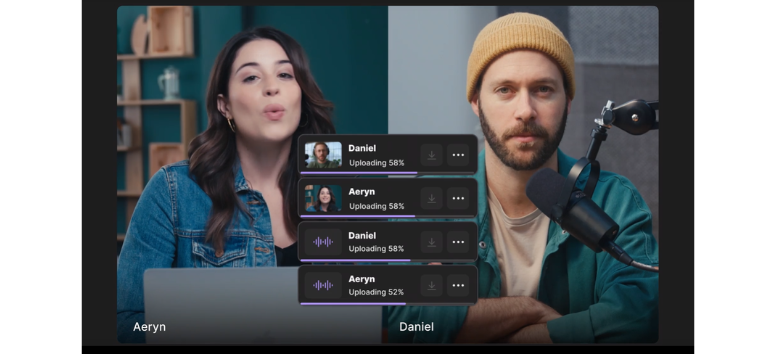
What sets Riverside apart is its local recording technology, where each participant’s audio and video are captured directly on their own device, then uploaded to the cloud. This approach helps maintain clear, high-resolution recordings, even if internet connections are unstable. The platform also includes built-in editing tools, AI features, transcription, and the ability to record separate tracks for each participant, giving creators more control during post-production.
This review looks at how Riverside performs in real-world use, from recording quality to workflow efficiency, and how it fits into modern content creation. If you’re aiming to produce professional-level podcasts or videos without the complexity of traditional setups, Riverside is worth exploring.
Studio Quality Anywhere - Riverside Recording That Delivers
Local Recording That Keeps Quality Intact
Riverside records audio and video directly on each participant’s device instead of relying on live internet transfer. This approach keeps quality stable even when connections drop or lag. Your files stay clear, consistent, and ready for editing without the usual compromises that come with cloud-only recording.
It removes the stress of unstable connections and gives you more confidence during sessions. You focus on the conversation, not the signal. Start recording with Riverside and keep your quality intact from the first take.
Audio and Video Without Compromise
Riverside captures uncompressed audio in 48kHz WAV format and supports up to 4K video with a constant frame rate. Each track is recorded separately, giving you full control during editing. You get clean, detailed files that reflect the setup you bring into the session.
This level of quality supports podcasts, interviews, and video content that need clarity and precision. It keeps your output consistent across projects. Record with Riverside and get professional-grade audio and video every time.
Seamless Recording for Everyone Involved
Hosts can create studios, invite guests instantly, and organize recordings in one place. Guests join through a simple link with no downloads required, making the process easy even for non-technical users. Live audiences can also join or stream sessions directly.
Everything comes together in a smooth workflow, from setup to recording to cloud access after the session ends. It keeps production simple without losing control. Use Riverside to streamline your recording process and collaborate with ease.
Edit Like You Think - Riverside’s Smart Editing Workflow
Text-Based Editing That Feels Natural
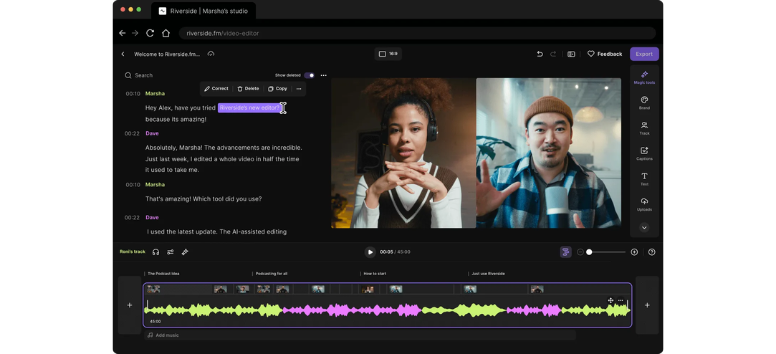
Riverside turns your recording into a full transcript, letting you edit audio and video the same way you edit a document. You can delete words, trim sections, and clean up silences by working directly on text instead of timelines.
This makes editing faster and easier to follow, especially for long recordings. It reduces the learning curve while keeping control in your hands. Start editing with Riverside and turn your transcript into polished content in minutes.
Timeline Control with Built-In Precision
For deeper edits, Riverside provides a full timeline with color-coded speakers, chapters, and per-track controls. You can adjust volume, fix crosstalk, mute sections, and switch layouts to shape how your content looks and sounds.
Each track stays separate, giving you flexibility without losing structure. It keeps your workflow organized while allowing detailed adjustments. Use Riverside’s timeline tools and fine-tune every part of your recording with ease.
AI Tools That Speed Everything Up
Riverside’s AI features handle repetitive editing tasks like removing filler words, cutting silences, and improving audio clarity. It can also generate show notes, captions, and highlight clips for social sharing.
These tools reduce editing time while helping you move from raw recording to finished content faster. It keeps production moving without extra steps. Create faster with Riverside’s AI tools and publish content without slowing down.
Go Live Without Limits - Riverside Livestreaming Studio
Stream Directly from Your Browser
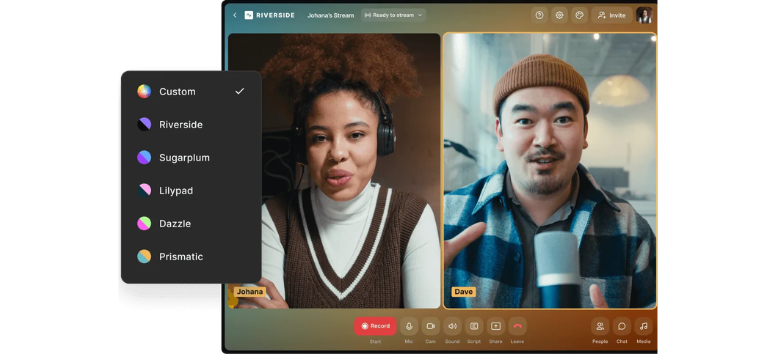
Riverside turns your recording setup into a full livestreaming studio that runs entirely in your browser. No downloads, no plugins, no extra setup. You can go live instantly while maintaining a smooth workflow from start to finish.
This simplicity makes it easier to focus on your content instead of technical steps. Everything stays accessible, whether you’re hosting a webinar, podcast, or live event. Start livestreaming with Riverside and go live without setup delays.
High-Quality Streaming That Stays Stable
Riverside supports livestreaming in up to 1080p, delivering clear visuals and consistent performance. It also optimizes your stream in real time, helping maintain stability even during connection issues.
At the same time, your session records locally in high quality, so you don’t lose clarity after the stream ends. This keeps your content ready for reuse and editing. Stream with confidence and keep your content sharp from live to playback.
Reach More Viewers with Multistreaming
You can broadcast to multiple platforms at once by linking your social channels or using custom RTMP destinations. This expands your reach without requiring separate setups for each platform.
Audience interaction also stays simple, with all chats managed in one place. It helps you stay engaged while keeping your stream organized. Expand your audience and stream to multiple platforms with Riverside.
Full Production from Live to Content
Riverside connects your livestream to a complete production flow. You can record, edit, and repurpose your content without moving files between tools. AI features help generate clips, captions, and show notes quickly.
You can also customize your studio with branding, layouts, and on-screen elements to match your style. It keeps your content consistent across formats. Turn your livestreams into content and build your workflow with Riverside.
Webinars That Keep Working - Riverside’s All-in-One Webinar Engine
Plan and Host Without the Usual Friction
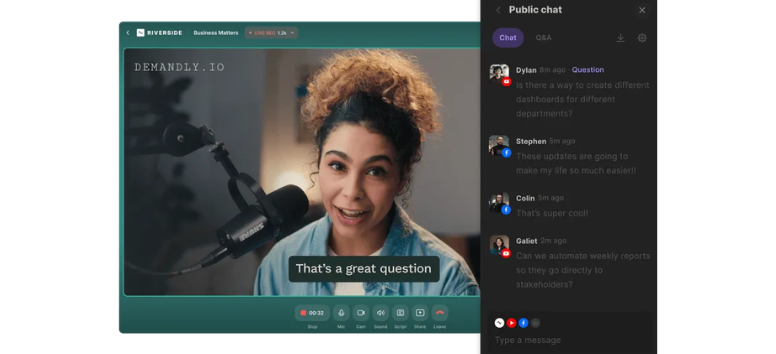
Riverside brings planning and hosting into one place, letting you schedule webinars, send invites, and manage up to 10,000 attendees directly from your browser. You can customize layouts, branding, and even assign a producer to handle technical details during the session.
This setup keeps everything organized before you go live, so your focus stays on delivery. It simplifies coordination while keeping control in your hands. Set up your next webinar with Riverside and manage everything from one platform.
High-Quality Streaming and Recording Combined
You can stream your webinar in HD while recording every moment in up to 4K video with clear, separate audio tracks. Even if connectivity fluctuates, Riverside optimizes performance to keep your session stable and usable afterward.
This dual setup ensures your live event also becomes high-quality recorded content ready for editing. It keeps your output consistent across formats. Host your webinar with Riverside and capture every detail in professional quality.
Engage Your Audience in Real Time
Riverside supports live chat, Q&A, polls, and call-ins, turning passive viewers into active participants. You can also upload pre-recorded content like presentations or demos and play them during the session.
These tools help maintain attention and create a more interactive experience. It keeps your audience involved from start to finish. Engage your audience and make your webinars more interactive with Riverside.
Repurpose Content Beyond the Live Event
After the webinar, Riverside’s built-in editing and AI tools help you turn recordings into clips, recaps, and social content. You can add captions, enhance audio, and create multiple formats without switching platforms.
This extends the value of each session, turning one event into ongoing content across channels. It keeps your workflow efficient from start to finish. Turn every webinar into long-term content and maximize your reach with Riverside.
Podcast Hosting That Does It All - Riverside’s All-in-One Publishing Hub
From Recording to Publishing in One Place
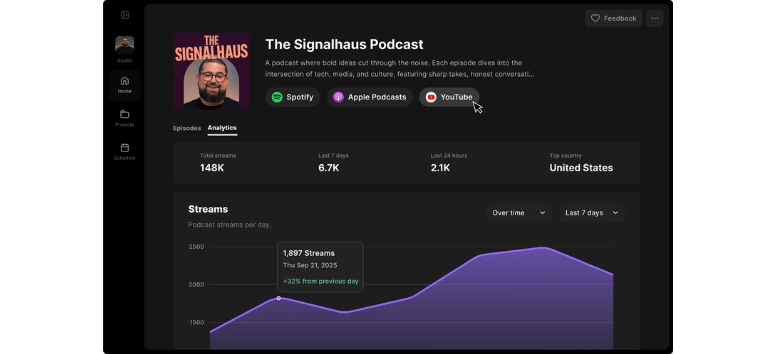
Riverside brings your entire podcast workflow into a single platform. You can record studio-quality audio, edit with built-in tools, and publish directly without switching between services. It also generates your RSS feed, making distribution to platforms like Spotify, Apple Podcasts, and YouTube seamless.
This setup removes the need for multiple tools and keeps your process streamlined from start to finish. It helps you stay focused on creating content, not managing systems. Start hosting your podcast with Riverside and simplify your entire workflow.
Built-In Tools for Growth and Promotion
Riverside includes AI-powered features that help you promote your podcast without extra effort. It can generate social clips, write show notes, and create supporting content like blog posts or captions. You also get transcriptions for every episode, ready to use or publish.
These tools make it easier to extend your content across platforms and reach more listeners. It keeps your promotion consistent without adding extra steps. Grow your audience with Riverside and turn every episode into shareable content.
Insights That Help You Improve
With built-in analytics, you can track episode performance, audience behavior, and platform distribution. Clear data helps you understand what works and where your listeners are coming from.
This visibility supports better decisions as you refine your content strategy over time. It keeps your podcast aligned with your audience’s interests. Track your performance and improve your podcast strategy with Riverside insights.
A Workflow That Keeps Moving
Riverside connects recording, editing, distribution, and promotion into one continuous flow. You can upload or record, edit with AI tools, publish instantly, and create promotional content without leaving the platform.
This reduces time spent on technical tasks and keeps your production cycle efficient. Everything stays organized in one place, ready for your next episode. Keep your podcast moving forward and manage everything in one place with Riverside.
Smart Features That Power Your Content - Riverside Tools Explained
Transcribing
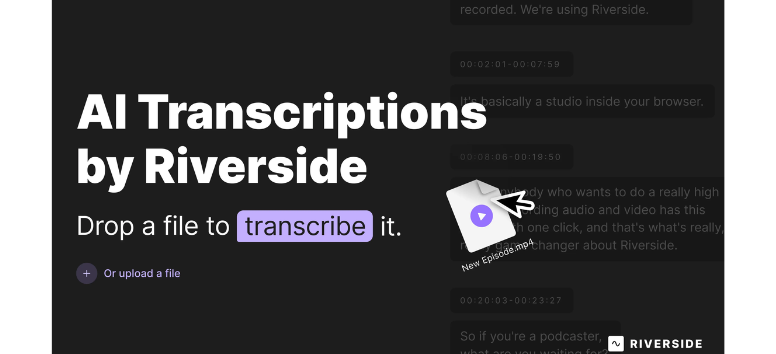
Riverside’s transcription feature converts spoken audio into text automatically, making your recordings searchable and easier to reuse. You can turn transcripts into blog posts, newsletters, or written summaries without starting from scratch. This adds structure to your content and opens more ways to publish and distribute your work across platforms.
The transcripts are exportable and easy to edit, giving you flexibility for different formats and audiences. It helps extend the value of every recording beyond audio or video. Start using Riverside transcription and turn your recordings into written content instantly.
Magic Clips
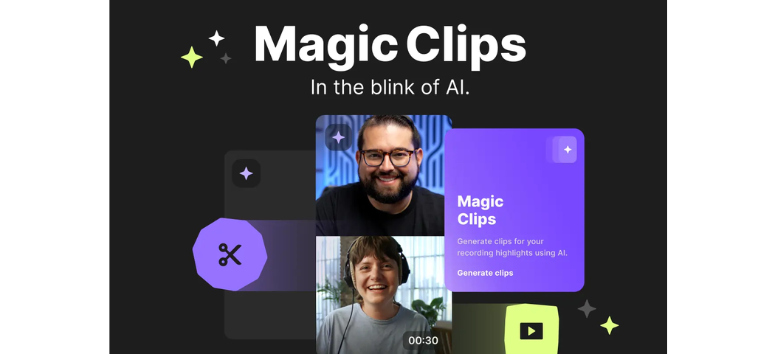
Magic Clips identifies key moments in your recordings and turns them into short, shareable videos. It removes the need to manually review long sessions, helping you find highlights faster. These clips are formatted for platforms like TikTok, Instagram, and YouTube Shorts, making distribution simple.
This feature supports consistent content output by giving you ready-to-share segments from a single recording. It keeps your workflow efficient while helping you stay active across channels. Create shareable highlights quickly with Riverside Magic Clips and expand your reach.
Captions
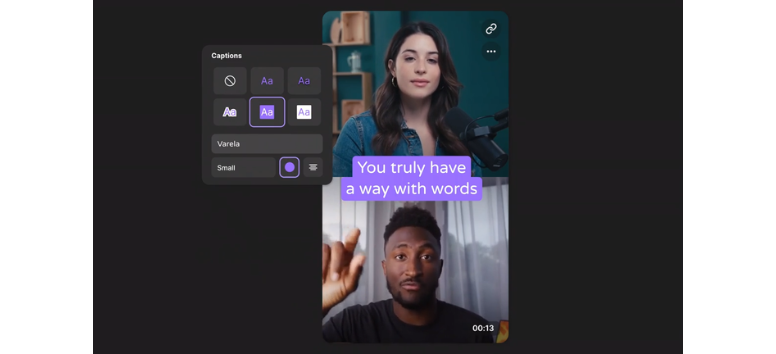
Riverside generates captions directly from your recordings, improving accessibility and making content easier to follow. Many viewers watch videos without sound, so captions help keep them engaged and informed. You can customize and export captions to fit different platforms.
This feature supports clearer communication while making your content more inclusive. It also helps with discoverability by adding searchable text to your videos. Add captions with Riverside and make your content easier to watch anywhere.
Magic Audio
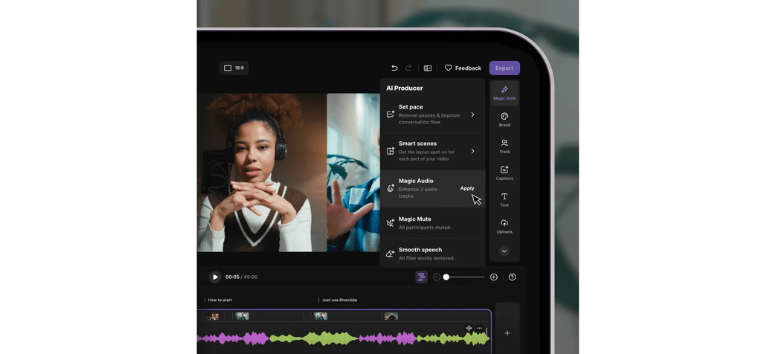
Magic Audio enhances your recordings by reducing background noise, balancing volume, and cleaning up unwanted sounds. It works automatically, making it useful for creators who don’t have advanced editing skills or professional setups.
The result is clearer, more consistent audio that improves the overall listening experience. It helps maintain quality across different recording environments. Improve your sound instantly with Riverside Magic Audio and keep your audio clean.
AI Show Notes
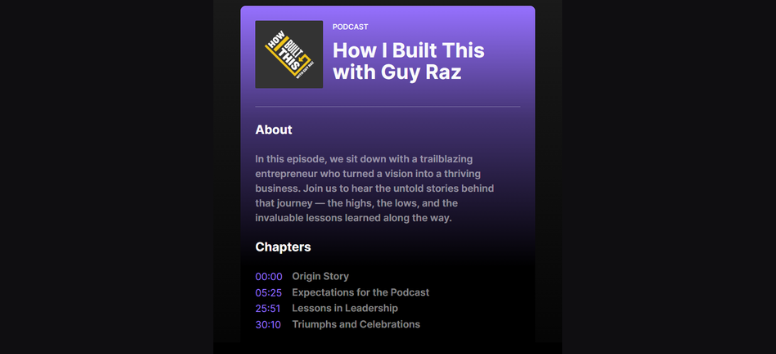
Riverside’s AI Show Notes feature creates structured summaries of your recordings, including key points, guest details, and timestamps. This removes the need to write descriptions manually and keeps your content organized.
These notes support better content discovery and provide useful context for listeners. They also help maintain consistency across episodes and platforms. Generate show notes with Riverside and keep your content clear and organized.
Async Recording
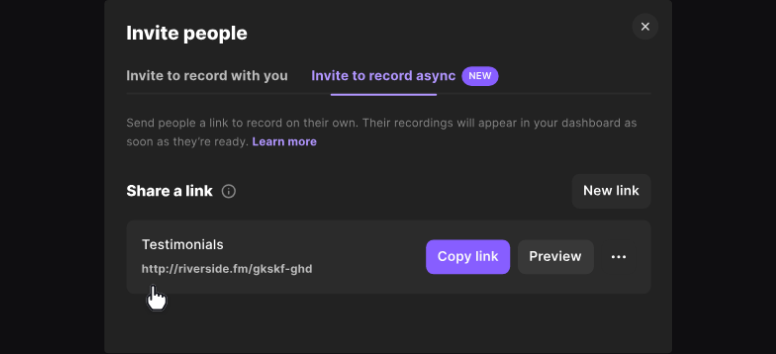
Async Recording allows participants to record at different times, which is useful for remote teams or scheduling conflicts. Riverside then combines these recordings into a single output without affecting quality.
This flexibility makes it easier to collaborate without requiring everyone to be present at once. It keeps production moving even when schedules don’t align. Record on your own schedule with Riverside Async Recording and stay flexible.
AI Co-Creator
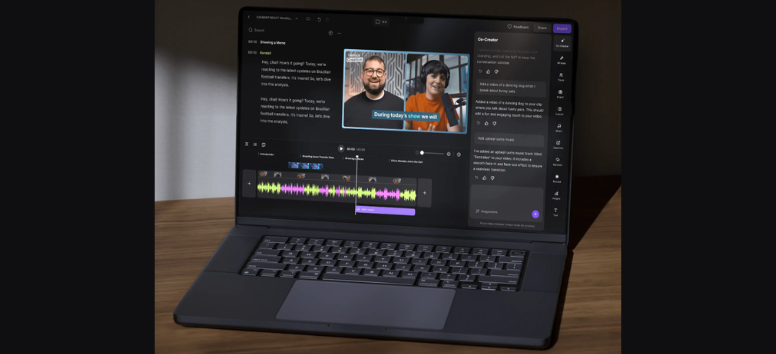
The AI Co-Creator helps turn long recordings into multiple content formats, including summaries, clips, and promotional posts. It acts as a support tool that reduces manual work during editing and repurposing.
This feature allows creators to focus more on planning and strategy while the system handles repetitive tasks. It keeps your workflow efficient and scalable. Use Riverside AI Co-Creator and turn one recording into multiple pieces of content effortlessly.
Riverside brings together recording, editing, streaming, and publishing into one platform that fits how modern creators actually work. Its local recording approach keeps quality consistent, while built-in AI tools help reduce the time spent on editing and repurposing. Instead of juggling multiple tools, everything stays connected in one workflow, making content production more efficient from start to finish.
For creators who want reliable quality and a smoother process without adding complexity, Riverside offers a practical solution that supports both creativity and consistency. If you’re ready to streamline your content workflow and produce high-quality audio and video with less effort, Riverside is worth trying.