Grammarly Write Better Instantly
 By Jack Dash
 Software
Writing today moves at a fast clip. Messages travel in seconds, reports shift across teams in minutes, and one small error can ripple far beyond the screen. In this pace, clarity turns into a daily skill rather than a rare gift. Grammarly works right in the middle of that motion, quietly scanning as sentences form. It watches patterns, flags slips, and guides wording while you stay focused on the idea rather than the fix. Keep reading and see how this quiet helper reshapes the way words come together.
The Quiet Fix Behind Stronger Writing
Every writer faces the same familiar hurdles. Grammar slips sneak into clean drafts, tone drifts away from intent, and sentences stretch longer than they should. Even seasoned professionals miss a comma or misjudge how a message sounds on the other end of the screen. These small issues stack up, shaping how your words are received more than most people expect.
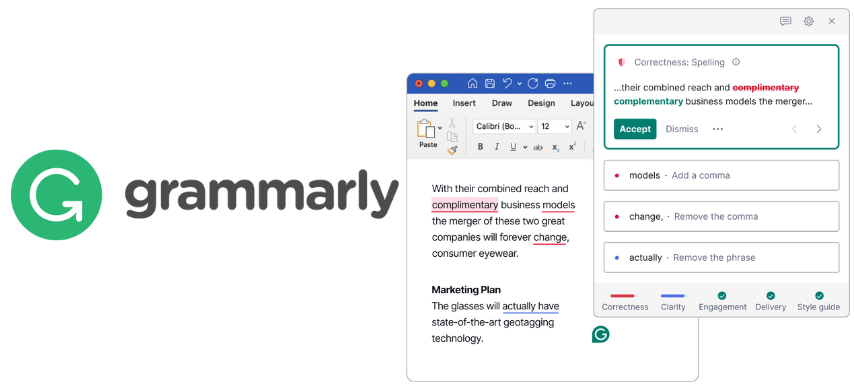
Grammarly moves through these problems in real time. It flags grammar and spelling issues as they appear, scans tone for shifts that could send the wrong signal, and trims wordy phrases into clearer lines. It also reshapes sentences where meaning feels fuzzy, tightening communication without pulling focus from the message itself.
Access plays a quiet role in its impact. Grammarly runs through web editors, desktop apps, mobile keyboards, and major browsers, following your writing across platforms with steady consistency. Try it where you write most and see the change for yourself.
Free Tools That Quietly Sharpen Every Line
Grammar and Spelling Checks: Your Always-On Safety Net
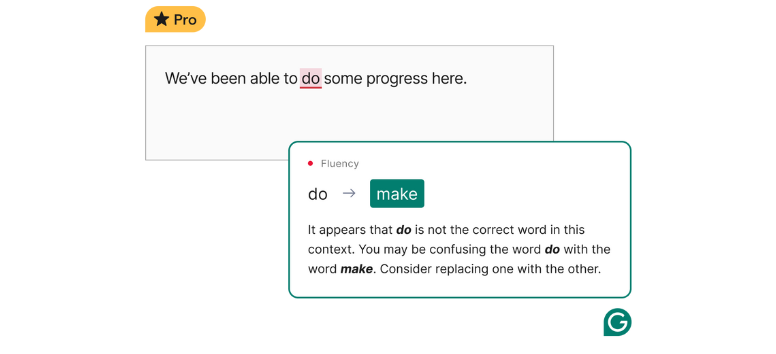
Grammarly Free monitors spelling, verb form, article use, and common grammar slips as words appear on screen. Corrections surface instantly inside browsers, desktop apps, and mobile keyboards. The process stays light and steady, so your thinking remains uninterrupted while surface errors quietly disappear. Switch it on and let every draft polish itself in real time.
Punctuation Corrections: Giving Every Sentence Its Breath
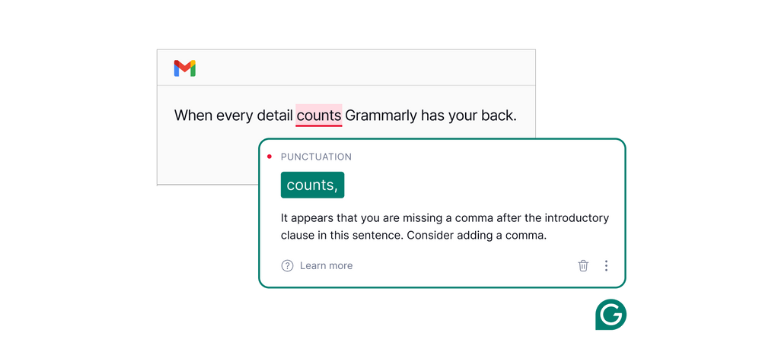
Punctuation shapes how readers pause, interpret, and react. The free version flags missing commas, misplaced apostrophes, and quotation errors as you type. Each suggestion comes with a brief explanation, which helps you build skills without slowing your workflow or breaking your editing rhythm. Let your next email pass through it and feel the difference in flow.
Basic Clarity Suggestions: Cutting Through the Fog
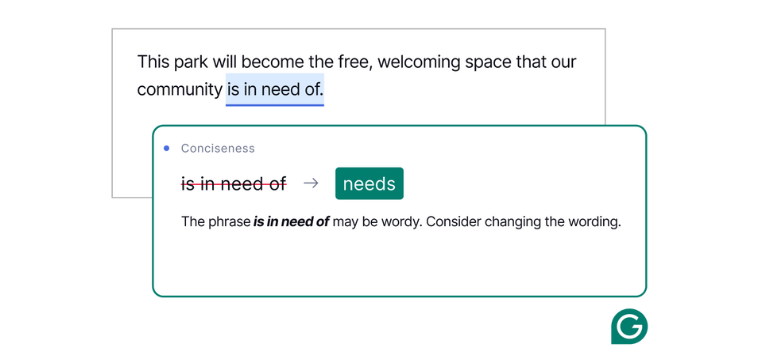
Clarity suggestions focus on sentences that feel crowded or difficult to track. Grammarly Free highlights awkward phrasing and extra words, then offers tighter alternatives that preserve your meaning. These adjustments support reading ease without forcing heavy rewrites or changing your natural voice. Try it on a dense paragraph and watch the structure settle.
Tone Detection: Limited but Insightful
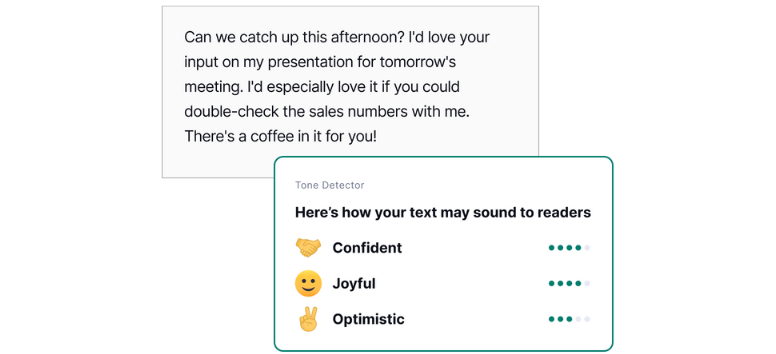
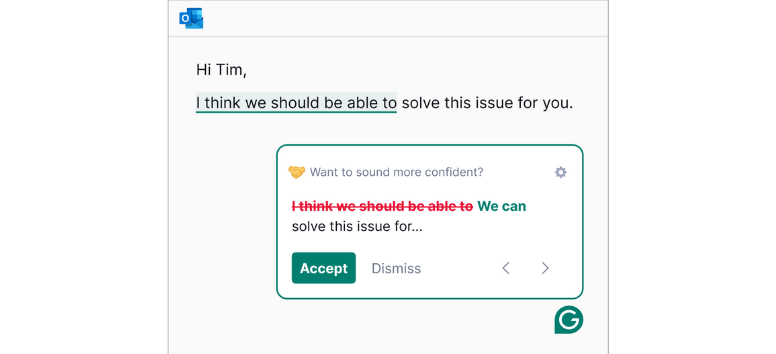
Tone detection reviews phrasing, word choice, and punctuation to estimate how a message may sound on the receiving end. Once enough text is present, it flags shifts toward formal, casual, or confident expression. The free version offers awareness that already helps avoid unintended emotional signals. Drop in a recent message and see how its tone reads.
Plagiarism Alerts: A Basic Line of Defense
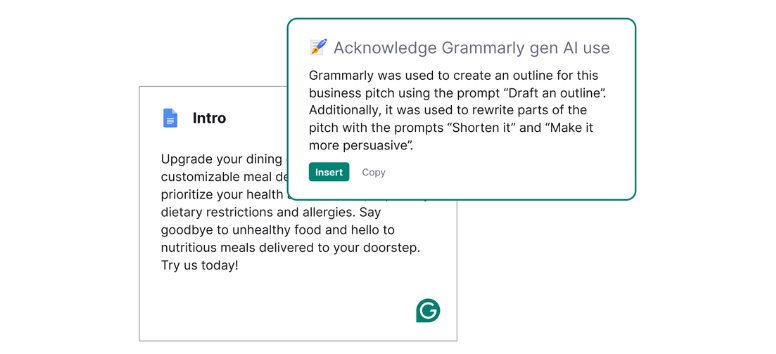
The free plagiarism check scans text against a wide web index and flags possible overlap with existing material. Details remain limited at this level, yet the alerts still act as an early warning. This quiet screening supports originality before content reaches a wider audience. Run your next draft through it for a quick originality scan.
Inside Grammarly Pro: Tools Built for Deeper Precision
Advanced Grammar and Style Checks: Precision at the Structural Level
Grammarly Pro expands beyond simple typo detection into the mechanics of sentence architecture. It identifies misplaced modifiers, run-on sentences, faulty parallelism, and advanced punctuation errors such as semicolon misuse, comma splices, and hyphenation mistakes. Passive voice is detected with suggestions for clearer construction. Each correction includes an explanation that links the rule to the revision, turning editing into a learning process rather than a blind fix.
This layer proves useful in long-form writing where sentence complexity increases. It also supports professional documents where precision carries legal, academic, or technical weight. These checks go line by line without disrupting writing flow. Activate Pro and run a structural scan on your longest draft.
Vocabulary Enhancement: Sharpening Word Choice with Context
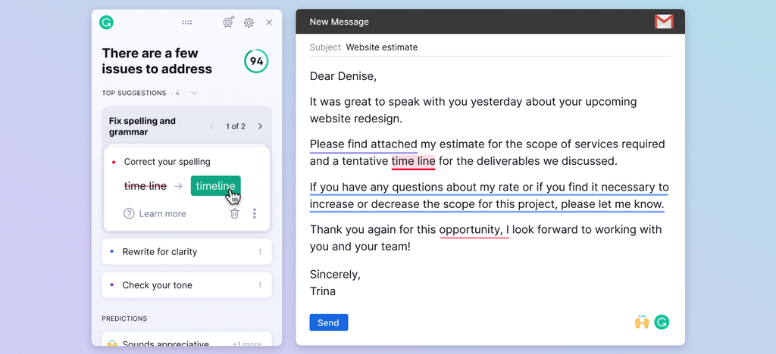
Vocabulary enhancement scans for repetition, weak phrasing, and imprecise diction. Grammarly Pro suggests alternatives based on sentence context rather than generic synonym lists. A casual sentence receives a different option than a technical paragraph or academic explanation. This avoids jarring word swaps that disrupt tone or distort meaning.
The system also refines precision by recommending terminology that fits the audience and intent more closely. Writers working on reports, essays, marketing copy, or creative work gain wider lexical control without manually searching reference tools. Subtle variation emerges across longer pieces where repetition often dulls impact. Apply it to a paragraph with repeated language and compare the shift.
Clarity and Concise: Reshaping Dense Sentences
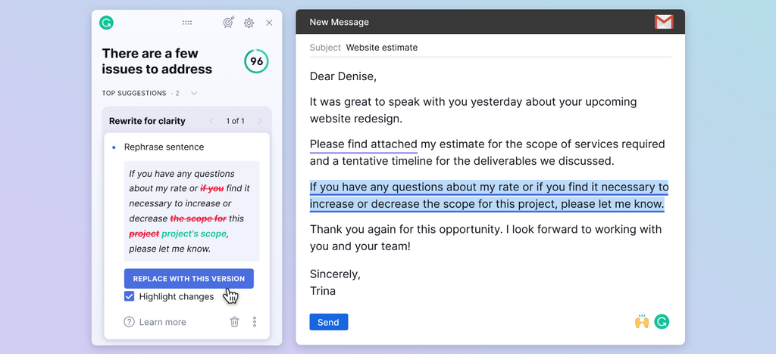
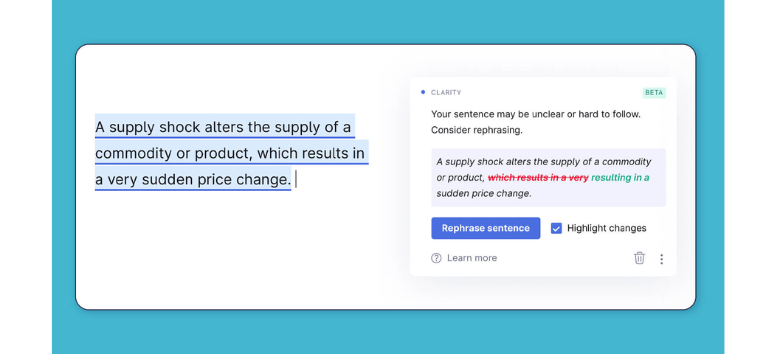
Clarity and conciseness tools examine layered phrasing that slows reading. Grammarly Pro identifies redundant constructions such as double qualifiers, inflated expressions, and unnecessary filler that stretches meaning thin. It proposes condensed alternatives while preserving semantic intent.
Beyond trimming, it also restructures dense sentences that obscure reference points or logic flow. This proves valuable in business, technical, and academic material where readability supports comprehension under time pressure. The goal stays focused on communication shape rather than stylistic decoration. Run a clarity pass on a page you find tiring to reread.
Tone Adjustments: Aligning Language with Audience Intent
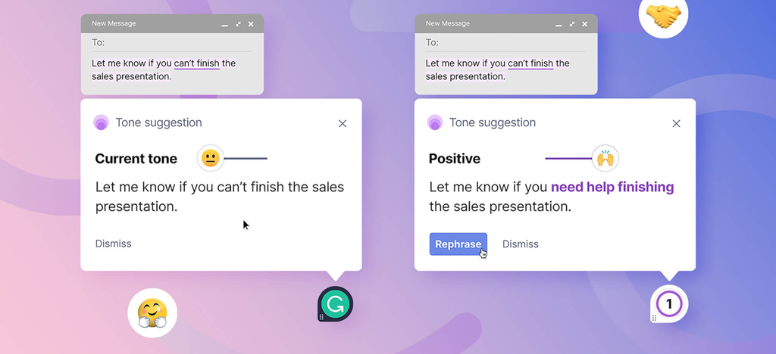
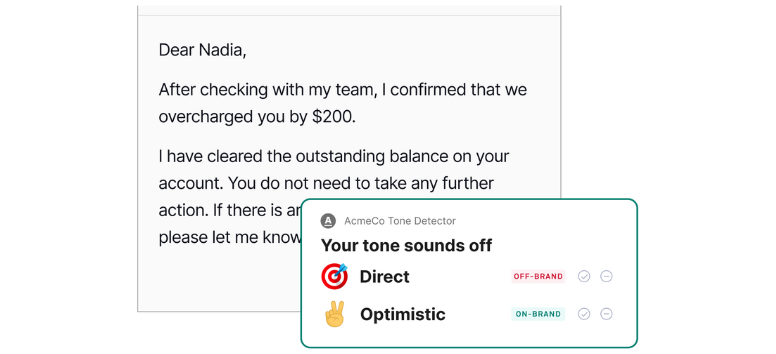
Tone adjustments analyze phrasing, punctuation, formality, and emotional signals to align writing with its intended audience. Grammarly Pro allows directional tone shifts such as formal, friendly, analytical, confident, or persuasive. The system flags tone drift within a single document, which often appears in long reports or collaborative writing.
This feature supports professional communication where unintended tone can affect interpretation, decision-making, or stakeholder trust. It does not rewrite content automatically. It proposes language changes that the writer can accept or reject based on situational judgment. Test a professional email and preview how tone adjustments respond.
Plagiarism Detection: Deep Originality Verification
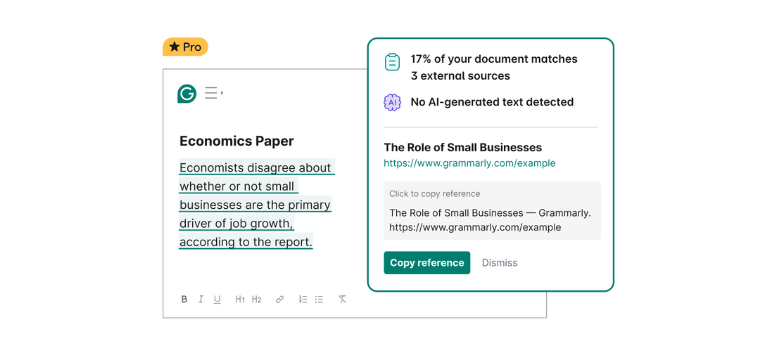
Grammarly Pro compares text against billions of indexed web pages, academic publications, and ProQuest databases. It highlights exact matches, partial overlaps, and paraphrased similarities. Each flagged instance includes citation paths to review source alignment.
This system supports academic integrity, publication review, and editorial screening. It also detects accidental similarity that can arise from commonly used phrasing or close paraphrasing. Writers retain control over revision choices after reviewing highlighted overlaps. Upload a final draft and perform a full originality inspection.
Genre-Specific Writing Suggestions: Context-Aware Editing
Genre-specific suggestions shift feedback based on document type. Academic mode emphasizes formality, citation alignment, and logical sequencing. Business mode prioritizes clarity, conciseness, and professional tone. Technical mode manages jargon density and readability. Creative mode focuses on variation, rhythm, and engagement flow.
These adaptive layers prevent uniform feedback from flattening stylistic purpose across different writing environments. A report receives a different edit logic than a story or proposal. This context awareness shapes feedback without forcing stylistic uniformity across genres. Set your document type and observe how recommendations change.
Full-Sentence Rewrites: Controlled Structural Recomposition

Full sentence rewrites use AI restructuring to adjust long, fragmented, or uneven sentences. Grammarly Pro proposes alternative constructions that preserve meaning while improving flow. This includes breaking overloaded sentences or merging short, disjointed ones.
The feature supports writers managing dense arguments, technical explanations, or multilingual drafting where sentence form often requires multiple revision passes. Each rewrite appears as an option rather than an automatic replacement, keeping authorial control intact at all times. Select a complex paragraph and review its rewrite options.
Citation Assistance: Automated Academic Formatting
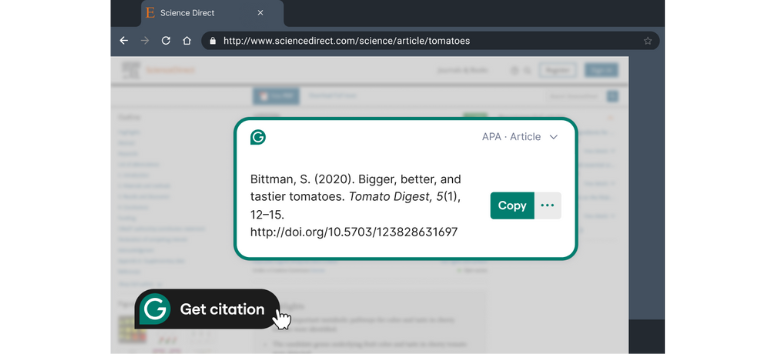
Citation assistance generates citations in APA, MLA, and Chicago styles directly from source inputs. Grammarly Pro formats both in-text citations and reference lists while maintaining consistency across a document. It reduces mechanical errors that appear during manual formatting under deadline pressure.
This feature supports students, researchers, and educators managing multiple sources across revisions. It also prevents small alignment errors that can invalidate academic submissions or editorial reviews. Style accuracy remains consistent even during late-stage edits. Insert a source and generate formatted citations instantly.
Instant Writing Control with Grammarly
Time Stays on Your Side
Grammarly Pro flags grammar, structure, and phrasing issues the instant they surface. Writers spend less time hunting for errors across multiple review rounds. Long reports, slides, and articles move faster from draft to final because surface cleanup happens while the ideas are still forming.
Professional Tone Becomes Consistent
Emails, reports, and presentations carry steadier language once tone shifts and uneven phrasing are corrected early. This consistency shapes how messages are received in formal settings where clarity and restraint matter more than personality or style flourishes.
Confidence Grows for Non-Native Writers
Repeated exposure to the corrected structure builds pattern recognition. Over time, sentence construction improves naturally as writers internalize usage corrections rather than relying on guesswork during composition.
Productivity Rises Across Teams
Drafting, revision, and final review compress into a tighter workflow. Fewer back-and-forth edits mean projects move forward with less friction and fewer delays.
Run one high-stakes document through Grammarly Pro and observe the workflow shift firsthand.
Writing today leaves little room for hesitation. Messages move fast, expectations stay high, and clarity carries weight in every setting. Grammarly fits into that pace without demanding attention, guiding grammar, tone, structure, and originality as ideas take shape. It stays present without getting in the way, which makes writing feel steadier over time. If your words matter at work, in school, or online, this is the moment to let Grammarly work quietly beside you as you write.