Ding International Mobile Top-Up Guide: How to Send Airtime, Data, and Gift Cards Abroad
 By Rubi Northon
 Electronics
Running out of mobile credit can cut off a call, delay a message, or leave someone without data at the wrong moment. That challenge becomes harder when the person who needs a recharge lives in another country. Ding offers a direct way to send prepaid airtime, mobile data, and supported digital gift cards across borders. The service covers more than 150 countries and works with hundreds of mobile operators. This guide explains how Ding international mobile top-up works, which features are available, and what users should check before confirming a purchase.
Send International Mobile Top-Ups to More Than 150 Countries
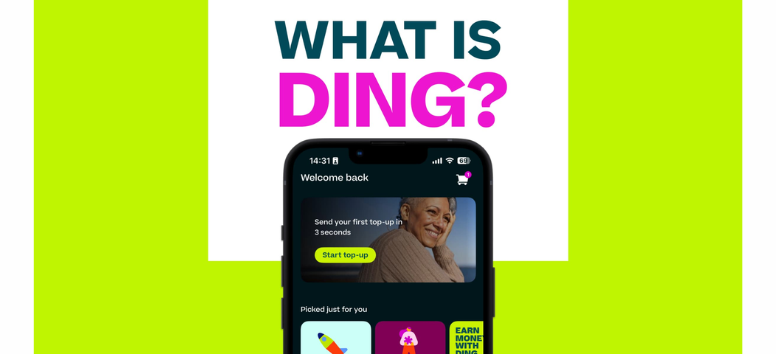
Ding connects senders with prepaid mobile numbers in more than 150 countries. Its coverage spans Africa, Asia, the Pacific, Europe, the Caribbean, and the Americas. That reach is relevant to overseas workers, international students, migrants, and travelers.
A top-up adds credit directly to a supported prepaid number. The recipient can then use that balance under the rules of their mobile plan. Depending on the carrier, the credit may cover calls, text messages, internet access, or another prepaid service. The sender does not need to transfer cash or ask the recipient to visit a store.
Country and operator availability can change, so users should confirm the destination and network before payment.
Need to recharge a phone abroad? Check the countries available through Ding and select the recipient’s destination.
Get Mobile Credit Delivered in Seconds
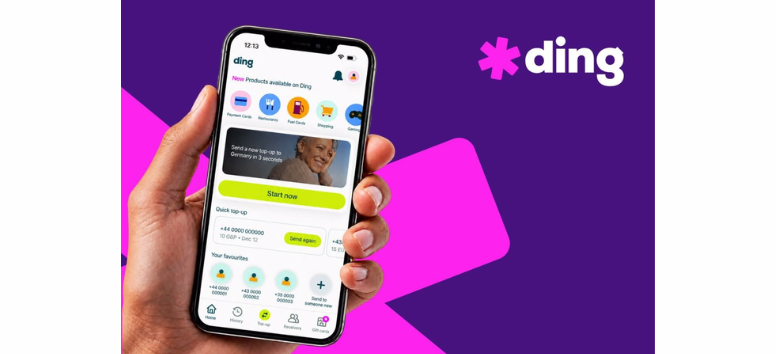
Speed carries real weight when someone needs to place a call, receive a message, or restore mobile data. Ninety-nine percent of online mobile recharges are delivered within about three seconds after a successful purchase. The credit moves through Ding’s connection with the recipient’s carrier and is added to the selected number.
This process can be useful during travel, family emergencies, or work shifts. Delivery still depends on successful payment, correct phone details, the carrier’s systems, and service availability. Delays may occur when a transaction needs review or a network has a technical issue.
Users should read the confirmation screen and check the transaction status before trying the same payment again. That small pause can prevent an accidental duplicate recharge.
When time matters, start an international top-up with Ding and review the number carefully before paying.
Reach More Than 700 Mobile Operator Networks

International top-up services are only useful when they support the recipient’s carrier. Ding currently works with more than 700 operator networks worldwide. The country directory includes major providers and regional carriers, with names such as Airtel, Claro, Digicel, Orange, Telstra, Vodafone, and China Mobile appearing in supported markets.
Coverage differs by country. Some destinations list several networks, while others may have one or two eligible operators. Recharge amounts and packages also depend on the carrier.
Entering the correct phone number helps Ding identify the relevant operator and available products. Users should still confirm the carrier, especially if the number was recently transferred between networks.
Know the recipient’s network? Browse Ding’s operator coverage before choosing a recharge.
Choose Airtime, Data Plans, or Operator Bundles

A standard mobile recharge adds credit to a prepaid balance. Ding also lists data plans and other network packages for selected operators. These offers may include a set amount of mobile data, calling minutes, text allowances, or a carrier promotion.
The right option depends on how the recipient uses the phone. A student may need data for class messages and research. A parent may rely more on voice calls. A traveler may need maps and messaging apps. The relevant package can be more precise than a general airtime amount.
Data packages are not available for every operator. When a direct data plan is unavailable, users can send regular credit. The recipient can then check if their carrier allows that credit to purchase data. The carrier controls eligibility, rates, validity periods, and usage conditions.
Looking for internet access instead of general airtime? Enter the mobile number on Ding to view eligible data plans and bundles.
Send Digital Gift Cards for Everyday Needs
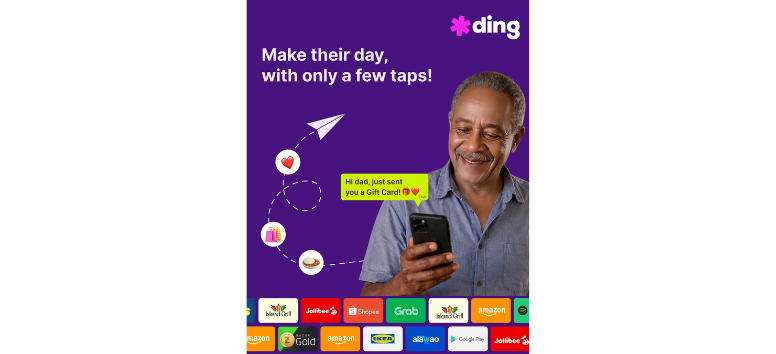
Ding’s services extend beyond mobile recharges. Its international gift card marketplace includes digital options for categories such as groceries, restaurants, utilities, shopping, entertainment, travel, gaming, healthcare, and payment cards. The selection changes by recipient country.
This format lets a sender choose a specific category. A grocery voucher can go toward food, while a utility card may help with an eligible household bill. Entertainment and gaming cards may suit birthdays. Each product has its own redemption rules, expiry details, locations, and country limits.
After purchase, Ding provides the gift card code and retrieval instructions on the confirmation screen. Delivery details vary by product, and the sender should confirm that the recipient can use the chosen card in the intended country.
Planning a practical gift from abroad? Explore digital gift cards on Ding and check the redemption terms before checkout.
Schedule Repeat Recharges With Auto Top-Up
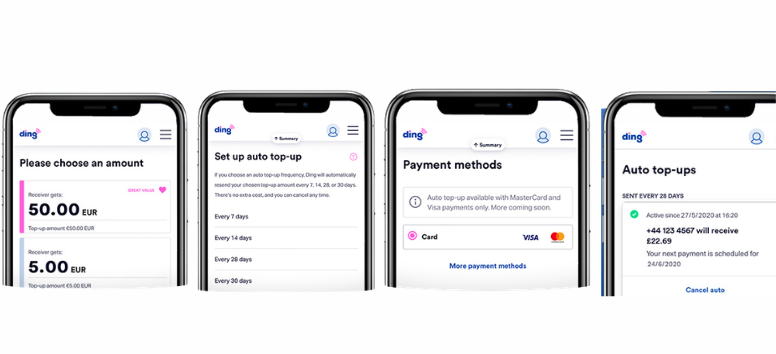
Ding’s Auto Top-Up feature lets eligible users schedule a recharge every 7, 14, 28, or 30 days through the app. Once active, the selected payment method is charged for each transaction.
Auto Top-Up can suit a relative’s phone or a personal travel line that needs regular credit. It is available only for selected operators, so the option may not appear during every purchase.
Users can manage or cancel an Auto Top-Up before the next payment is due. International recharge totals may change with foreign exchange rates, conversion fees, processing fees, or a revised product price. Reviewing future charges remains important, even after the schedule is in place.
Sending credit on a regular schedule? Use the Ding app to see if Auto Top-Up is available for the selected number.
Manage Recharges Through the Ding Mobile App
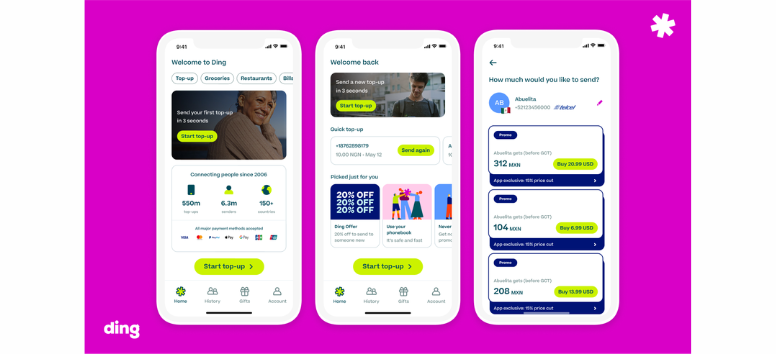
Ding is available through its website and mobile app. The app lets users enter numbers, review products, view purchase history, and repeat an earlier top-up.
Past transaction details can reduce repeated data entry, though each new order still needs an accuracy check. Phone numbers change, and a previous package may no longer suit the recipient.
The app also supports eligible gift card purchases and Auto Top-Up management. Feature access may vary by device, account location, operator, or app version.
Prefer handling recharges from your phone? Visit Ding to find the official app links and review the available services.
Let the Recipient Receive Credit Without Creating an Account

The person receiving a standard mobile top-up does not need to download the Ding app or create a Ding account. They do not need an internet connection for the balance to reach the prepaid number. Ding sends the recharge through its connection with the supported carrier, and the carrier applies it to the number.
This removes an extra task for people who use basic phones or have limited data. The sender needs the correct country, phone number, and operator details. After delivery, the recipient can check the balance through their carrier.
Gift cards follow a different process because the recipient may need a code, link, or redemption instructions. Users should distinguish a phone recharge from a digital voucher before placing the order.
Want to send credit without asking the recipient to register? Choose a mobile top-up through Ding and confirm the number before purchase.
Pay With Familiar Methods and Review the Final Cost
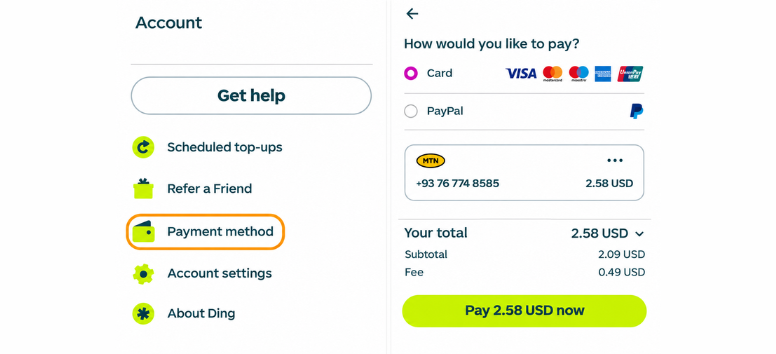
Ding supports major credit and debit cards, PayPal in many markets, and Apple Pay or Google Pay on eligible devices. Other options may appear in certain countries or app versions.
The final payment can include the recharge value, taxes, service charges, foreign exchange conversion, or a processing fee. The total is displayed before confirmation, allowing users to compare the payment with the value the recipient will receive.
Exchange rates and airtime conversion charges may affect international orders. Users should avoid assuming that the payment amount will equal the credit amount when two currencies are involved.
Ready to pay? Review the available recharge on Ding and inspect the full checkout total before confirming.
Use a Simple Three-Step Recharge Process
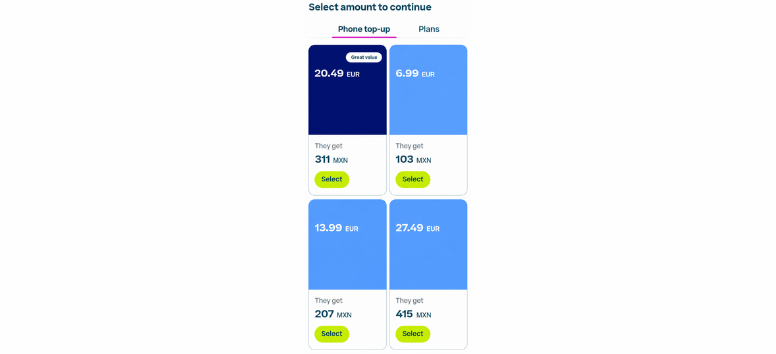
Sending an international mobile top-up through Ding follows three main steps. First, select the country and enter the prepaid phone number. Next, choose an available credit amount, data plan, or carrier package. Finally, select a payment method and review the order.
Accuracy still matters. A wrong digit may send credit to another valid number, and completed top-ups can be difficult to reverse. Check the country code, number, operator, package, currency, and final price. Confirm any recent carrier change with the recipient.
Ding has operated since 2006 and has completed more than 500 million top-ups. Its scale shows extensive use, while each transaction still depends on the information entered and the products available for the selected network.
Have the recipient’s details ready? Send a mobile recharge with Ding after one final check of the number and package.
Ding places mobile airtime, selected data packages, recurring recharges, and digital gift cards in one online service. Its reach across more than 150 countries and 700 operator networks is relevant to international families, travelers, students, and overseas workers.
Accurate details remain essential. Confirm the phone number, network, package terms, recipient country, and checkout total before paying. Data plans, payment methods, Auto Top-Up access, and gift card choices vary by market. A careful review takes less than a minute and can prevent a costly error.
If someone you know needs prepaid credit, visit Ding to check the available top-ups for their country and mobile network.