Complete Forms And Documents Effortlessly
 By Jake Taylor
 Services
Paperwork adds friction when every document requires multiple handoffs and tools. Files get downloaded, printed, scanned, signed, and sent back again, turning simple forms into multi-step tasks. pdfFiller shifts that entire process online, allowing documents to be filled out, edited, and signed in one place. Everything runs directly in the browser, keeping tools and files easy to reach without extra software.
Built for individuals and businesses, pdfFiller combines document editing with secure cloud storage and sharing controls. Forms stay accessible from anywhere, updates remain organized, and completed files move forward without delays. From basic form completion to more involved document workflows, paperwork stays clear, structured, and far easier to manage.
Edit PDF – Direct Control Over Documents Online
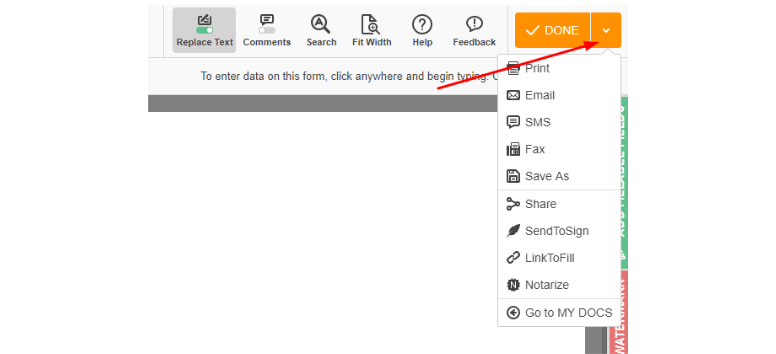
The Edit PDF feature in pdfFiller allows documents to be edited directly in the browser without downloads. It supports PDFs up to 100 MB and common formats such as DOC, DOCX, PPT, XLS, JPG, PNG, and TXT up to 25 MB. Users can add, remove, or modify text and images, draw or annotate on pages, and convert static files into interactive documents by creating or adjusting fillable fields.
Edited files can be exported into formats like Word, Excel, PowerPoint, or JPG, then downloaded, emailed, faxed, or shared securely. Documents can also be saved as reusable templates for repeated tasks. Use this feature to handle edits, form creation, and sharing from any device without breaking workflow.
Sign PDF – Secure Electronic Signatures With Legal Validity
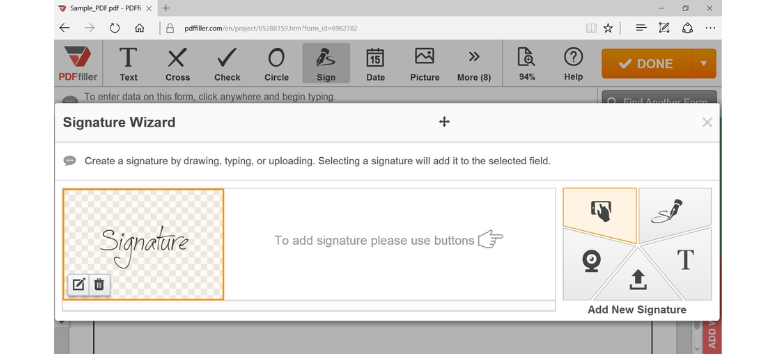
The Sign feature in pdfFiller enables users to add legally binding electronic signatures to PDFs and supported document formats. Signatures can be typed, drawn using a mouse or touchscreen, or uploaded as an image. Placement stays flexible, allowing signatures to be positioned anywhere on the document. The feature supports both individual signing and multi-party signature requests, making it suitable for contracts, agreements, and approval workflows.
Signed documents comply with ESIGN Act standards in the U.S. and eIDAS regulations in the EU, supported by audit trails that track signature activity. Files remain securely stored and can be shared instantly after signing. Use the Sign feature to finalize documents digitally without printing, scanning, or manual handling.
Request Signatures – Send Documents Out for Fast, Trackable Signing
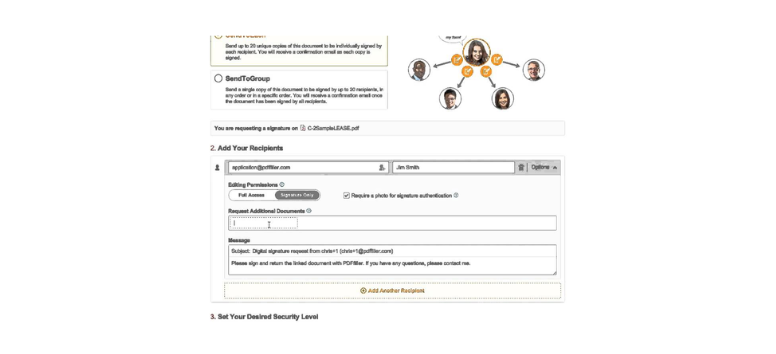
The Request Signatures tool in pdfFiller allows documents to be sent to one or multiple recipients for legally binding electronic signatures. Users upload or open a file, assign signer email addresses, and place signature fields exactly where each recipient needs to sign. Each signer receives a secure link, and signature progress can be tracked in real time, removing guesswork from approval and contract workflows.
All collected signatures comply with ESIGN Act and eIDAS regulations and include a detailed audit trail with time, date, and signer verification. Documents remain securely stored in the cloud, and notifications confirm when signatures are completed. Use Request Signatures to manage multi-party approvals efficiently while keeping visibility and control over every step.
Share – Controlled Document Access Without Attachments
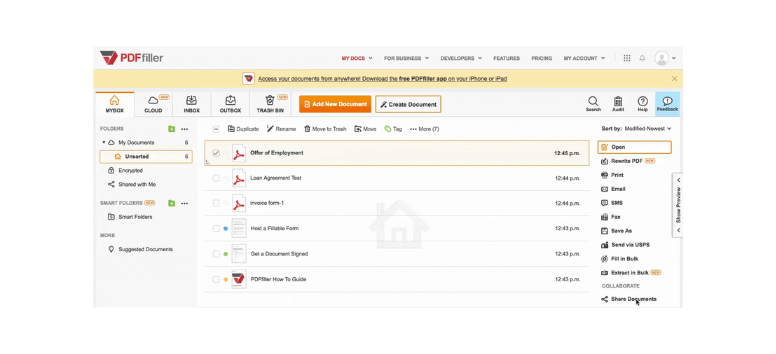
The Share tool in pdfFiller allows documents to be shared directly from the platform without downloading files or sending email attachments. Users can invite recipients by email or generate a secure shareable link, then assign specific permissions such as view-only access, editing rights, or form-filling access. Recipients can open the document through the link, with or without a pdfFiller account, depending on the settings chosen.
Shared files remain stored in pdfFiller’s secure cloud environment, where access levels can be changed or revoked at any time. Activity tracking shows when a document is opened, helping maintain visibility and control. Use Share to collaborate quickly while keeping document access precise and manageable.
Find Forms Online – Ready Documents Without the Search
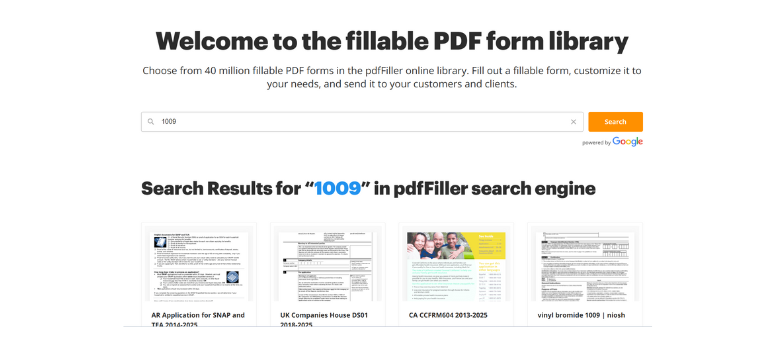
Find Forms Online inside pdfFiller provides access to a broad library of pre-built templates, including tax forms, contracts, HR paperwork, and official applications. Forms can be located using keywords, categories, or exact form numbers, then opened directly in the editor. Each document arrives standardized and prepared for digital completion, removing the uncertainty that comes with third-party downloads.
Working from a centralized form library saves time and reduces errors caused by outdated or unofficial versions. Files stay editable, progress can be saved, and completed forms remain ready for sharing or signing. Start paperwork with confidence by choosing forms designed for immediate use.
Merge – Combine Files Into One Clear Document
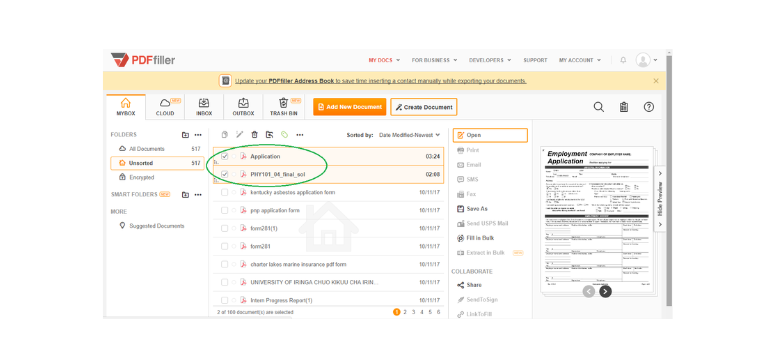
Merge brings multiple PDFs or supported file types together into a single document. Users upload two or more files, arrange them in the correct order, and export one unified PDF. This process keeps related materials such as contracts, reports, or multi-part forms grouped logically rather than scattered across attachments.
A single merged document simplifies review, storage, and sharing. It also reduces confusion when files move between collaborators or departments. Use Merge to consolidate information, maintain structure, and send one organized document instead of several separate files.
Rearrange – Fix Page Order Without Rebuilding Files
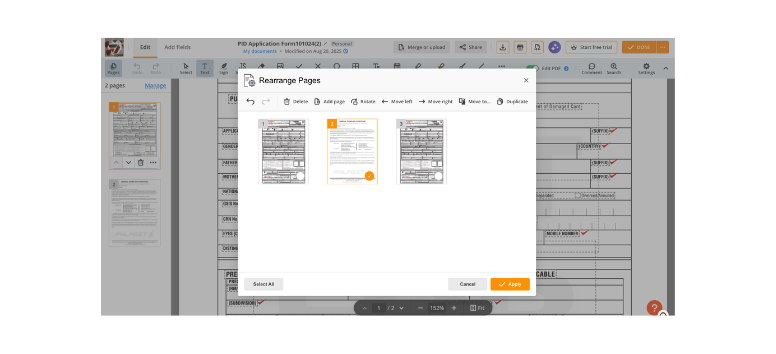
Rearrange allows full control over page layout within a document. Pages can be reordered using drag-and-drop, rotated to correct orientation, or deleted when sections are no longer needed. Changes apply instantly without rescanning or recreating the file.
This tool helps correct scanning mistakes, misplaced pages, or unnecessary inserts before documents are shared or signed. Adjusting layout takes minutes instead of starting over. Use Rearrange to clean up documents quickly and keep page order clear and intentional.
Collaborate – Shared Work Without Version Confusion
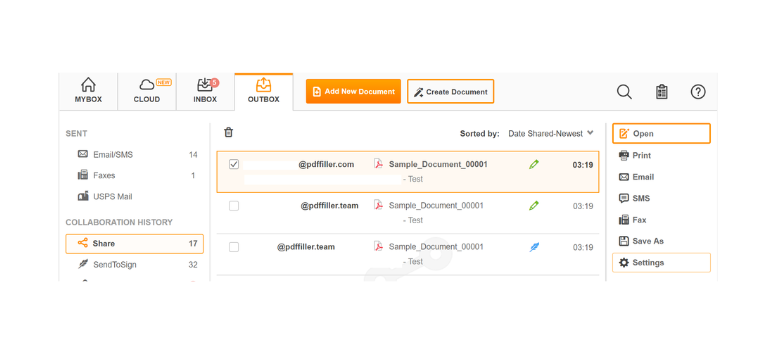
Collaborate enables multiple users to access and work on the same document through shared permissions. Files can be shared by email or secure link, with access levels set for viewing, editing, or filling. Comments and changes remain visible within one document.
Keeping collaboration centralized avoids long email threads and conflicting versions. Teams can review agreements, complete forms, or provide input without losing track of progress. Use Collaborate to maintain clarity when documents require input from more than one person.
Compress – Reduce File Size Without Losing Readability
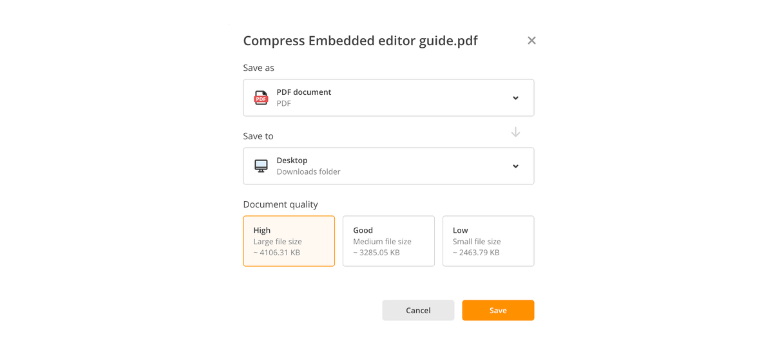
Compress reduces the size of PDF files while keeping text and visuals readable. Users upload a document, select a compression level, and export a lighter version suitable for storage or sharing. The process keeps content intact while minimizing file weight.
Smaller files upload faster, send more easily, and take up less cloud space. This becomes especially useful when dealing with email attachment limits or slow connections. Use Compress to prepare documents for efficient delivery without sacrificing clarity.
Convert – Switch Formats Without Losing Structure
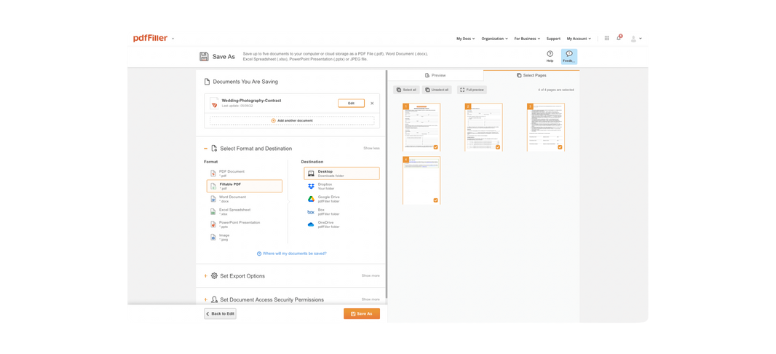
Convert transforms documents between formats such as PDF, Word, Excel, PowerPoint, images, and text files. Users upload a file, choose the desired output format, and download the converted version with layout preserved.
This flexibility allows documents to move between tools and workflows without manual reformatting. Editing, presenting, or analyzing content becomes easier when files match the task. Use Convert to adapt documents quickly as requirements change.
Create From Scratch – Build Documents Inside One Editor
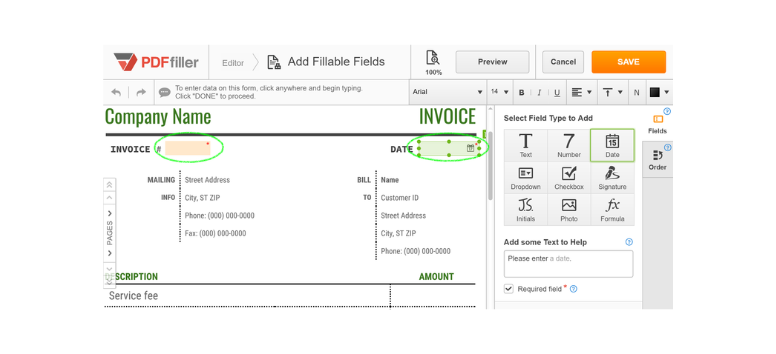
Create From Scratch allows users to design new documents directly inside the platform. Text, images, shapes, and fillable fields can be added without relying on external design software. Finished documents can be saved as PDFs or reusable templates.
This approach supports custom forms, contracts, and internal documents tailored to specific needs. Templates reduce repeated setup for recurring tasks. Use Create From Scratch when existing forms do not fit the job or when consistency matters.
Edit DOC – Update Word Files Without Switching Tools
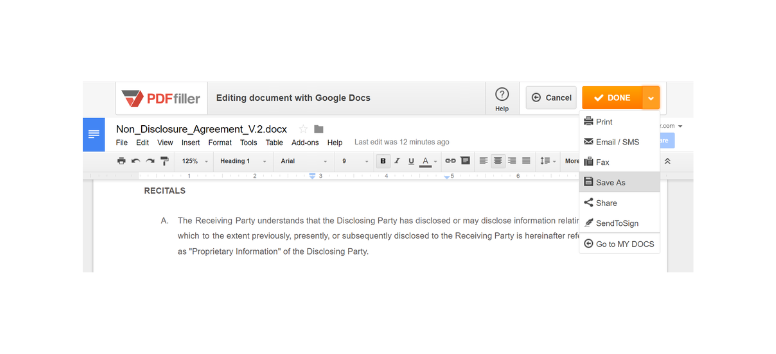
Edit DOC supports editing Word documents, including DOC, DOCX, and RTF formats. Users upload files, modify text and formatting, and save changes or convert the document into a PDF.
Keeping Word editing and PDF handling in one workspace removes unnecessary switching between tools. Files stay compatible and ready for distribution or signing. Use Edit DOC to manage Word files efficiently within the same document workflow.
Managing documents becomes far more efficient when every task stays within one system. From finding ready-made forms to editing, organizing, sharing, and finalizing files, each pdfFiller tool supports a specific step in the document process without adding extra complexity. Together, these features reduce manual work, limit errors, and keep files moving forward. Review the tools covered above and choose the ones that fit how you handle paperwork today, then apply them to build a smoother, more controlled document workflow.