Beyond the Basics: Designing a High-Converting "Services/Products" Page that Works Like a Salesperson
 By Rubi Northon
 Services
A services or products page does more than list what you offer. It speaks for your business when you’re not around. This page guides visitors, answers doubts, and nudges them toward action, much like a skilled salesperson would. Smart design, a touch of psychology, and a smooth user experience help turn interest into clicks and inquiries. With Squarespace, businesses can build polished, persuasive pages that feel intentional and credible, all without touching a line of code.
The Psychology of a High-Converting Page
Trust & Credibility
-
Testimonials build confidence. Most consumers read reviews before deciding, and authentic feedback reduces hesitation while helping visitors feel secure engaging with your brand.
-
Certifications and badges matter. Security seals and verification badges quietly communicate legitimacy, making users more comfortable taking the next step.
-
Professional design signals reliability. People often judge credibility within seconds, so clean layouts, consistent branding, and strong visuals help establish trust quickly.
Clarity & Simplicity
-
Cognitive load impacts decisions. When pages feel cluttered, users disengage. Simple structures help information land clearly.
-
Clear messaging reduces friction. Visitors should instantly understand the offer and the action to take. Focused headlines and direct CTAs guide behavior naturally.
-
Minimalism drives focus by removing distractions and highlighting what matters most.
Persuasion Techniques
-
Persuasion turns interest into action. Scarcity introduces urgency, while social proof reassures hesitant users that others have chosen wisely.
-
Strong storytelling adds emotional weight, helping visitors picture real outcomes instead of abstract promises. Strategic placement of these elements keeps momentum moving forward.
Ready to build a page that works like a salesperson? Start designing smarter, conversion-focused pages with Squarespace today.
Core Elements Every Services/Products Page Needs
Compelling Headlines

A headline decides if a visitor stays or leaves. Benefit-driven headlines grab attention fast by telling readers what’s in it for them, not just what you offer. Since most visitors scan in seconds, clarity and emotional pull matter right away. Curiosity, urgency, or aspiration keeps eyes moving down the page instead of bouncing away. Want headlines that work harder for you? Build and test them easily with Squarespace.
Visual Hierarchy
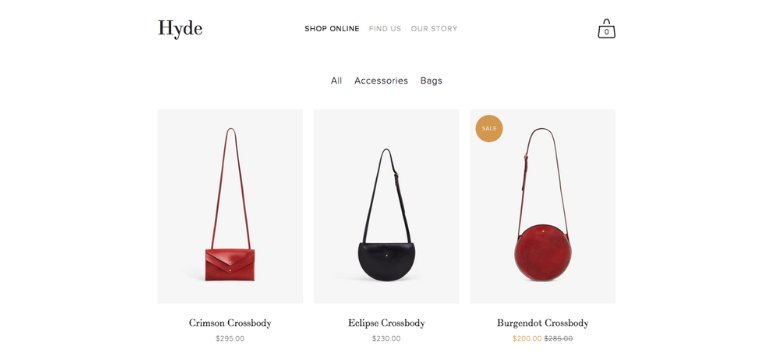
Visual hierarchy quietly controls how a page is read. Layout, spacing, fonts, and contrast guide attention toward what matters most, starting with key messages and actions. Consistent design reduces confusion and builds trust, while strong contrast improves readability. When users know where to look next, they stay longer and engage more. Create clean, intuitive layouts that guide behavior naturally using Squarespace’s flexible design tools.
Clear CTAs (Calls to Action)
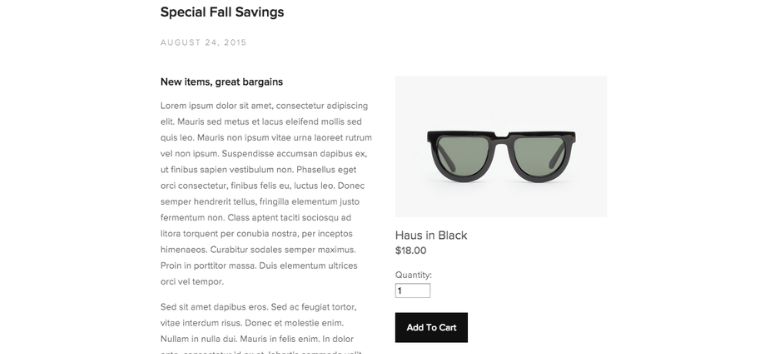
CTAs give direction when interest is high. Strong placement ensures they’re seen, while action-focused wording makes the next step feel obvious. Repeating CTAs across the page reinforces intent without pressure, reminding visitors what to do when they’re ready. A clear CTA removes hesitation and turns attention into action. Design, place, and refine high-performing CTAs with ease using Squarespace.
Detailed Descriptions
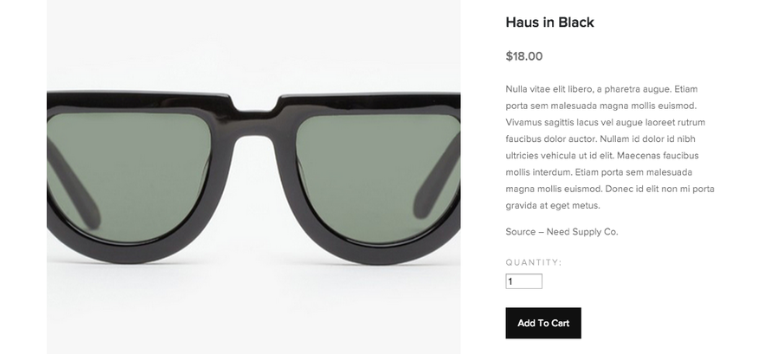
Detailed descriptions answer questions before doubts appear. Clear explanations show what your service does and why it matters, helping visitors picture real outcomes. When features connect to everyday use cases, they feel relevant and relatable. This clarity reduces friction and builds confidence in the decision. Present your offerings clearly and persuasively with structured content blocks inside Squarespace.
Pricing Transparency
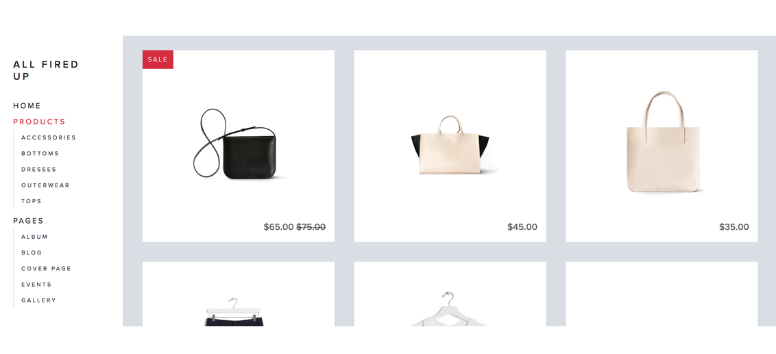
Pricing transparency builds trust quickly. When visitors see clear costs upfront, uncertainty fades and confidence grows. Smart comparisons and tiered options help people decide faster by showing value at a glance. Anchoring higher options can also make choices feel more appealing. Display pricing clearly and professionally with customizable layouts and sections in Squarespace.
Leveraging Squarespace’s Built-In Tools
Templates Optimized for Conversion
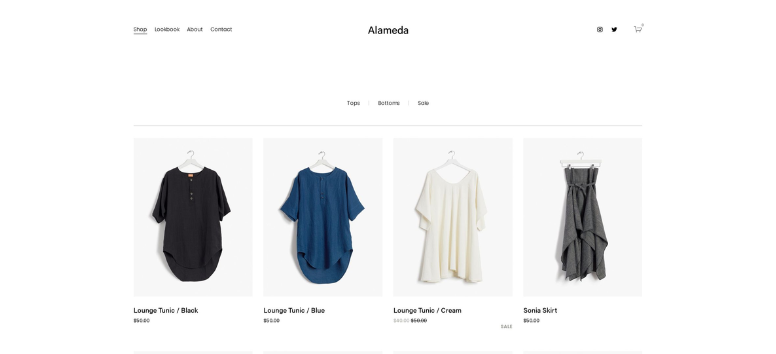
Templates do the heavy lifting before a visitor even reads a word. Professionally designed layouts create instant credibility and remove the guesswork from page structure. Clear visual hierarchy, balanced spacing, and intentional CTA placement guide attention naturally, helping users understand what matters first and what to do next.
Mobile responsiveness seals the deal. With most traffic coming from phones, pages must look sharp and function smoothly on any screen. These templates adapt automatically, so nothing breaks or feels cramped. If you want polished pages that guide action from the first scroll, build them confidently with Squarespace.
Integrated Commerce Features
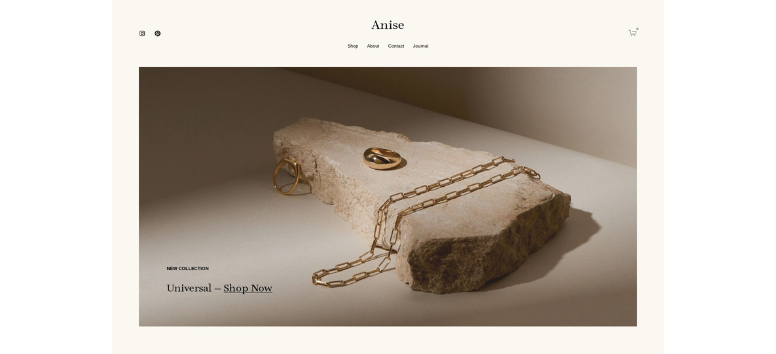
Selling products or services works best when friction disappears. Built-in commerce tools make it easy to display offerings with clean images, clear descriptions, and straightforward pricing. Everything feels organized, which helps visitors stay focused instead of overwhelmed.
For service-based businesses, scheduling tools turn interest into bookings without back-and-forth emails. Add secure checkout flows and multiple payment options, and you reduce drop-offs at the final step. When buying or booking feels simple, conversions follow. Set up smooth selling experiences from start to finish using Squarespace.
SEO-Friendly Structure
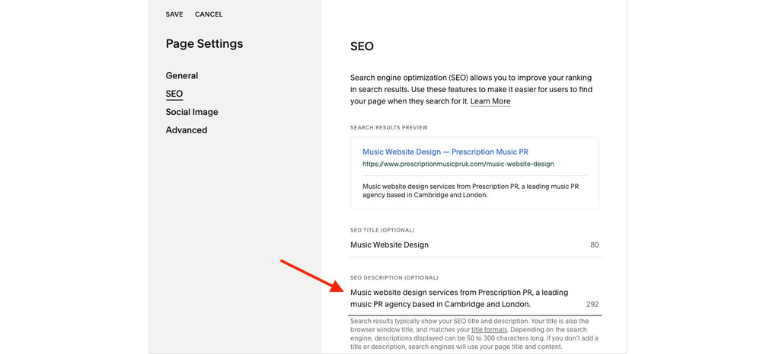
Strong pages need visibility, not just good looks. SEO-friendly structures help search engines understand your content while keeping pages clean for users. Custom meta titles, descriptions, and readable URLs support discoverability without adding complexity to your workflow.
Automatic sitemaps and fast-loading templates keep performance tight, while SSL security builds trust with visitors and search engines alike. These behind-the-scenes details quietly improve rankings and user confidence over time. If you want search-ready pages without technical headaches, Squarespace handles the groundwork for you.
Multimedia Support
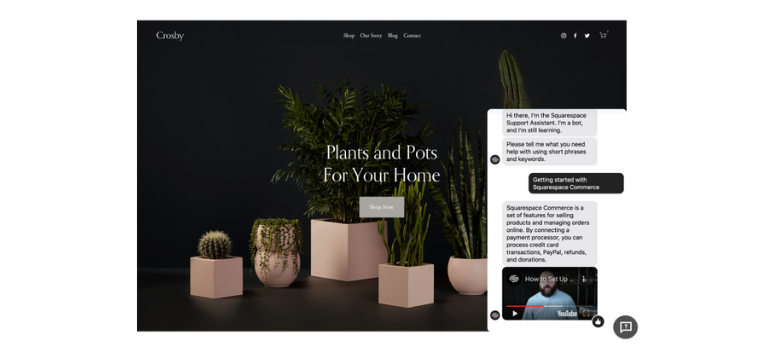
Words work harder when visuals back them up. Videos, galleries, and interactive elements help visitors grasp value faster and stay engaged longer. Showing a product in action or a service in context makes it feel tangible, not abstract.
High-resolution images and dynamic layouts also support storytelling. They guide emotion, reinforce credibility, and keep pages from feeling flat. When content feels alive, visitors remember it. Bring your stories, visuals, and motion together seamlessly by building with Squarespace.
Analytics Dashboard
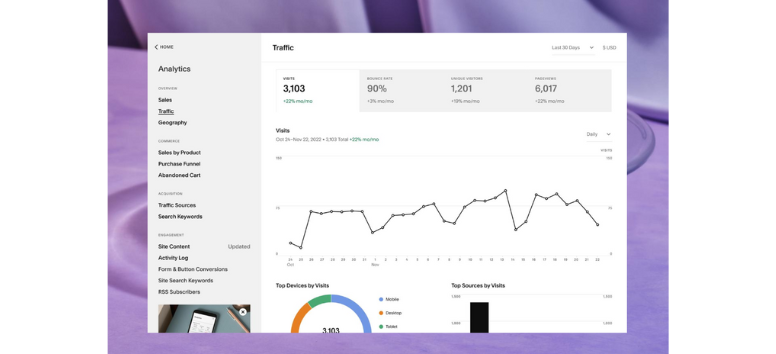
Good design improves conversions, but data keeps them improving. Built-in analytics reveal how visitors arrive, where they linger, and when they leave. These insights turn assumptions into informed decisions.
Tracking sales, bookings, and user behavior helps refine messaging, layout, and offers over time. Small tweaks backed by real numbers often lead to meaningful gains. When you want clarity on what’s working and what needs adjusting, Squarespace’s analytics give you answers without extra tools.
Design Beyond the Basics
Personalization & Branding
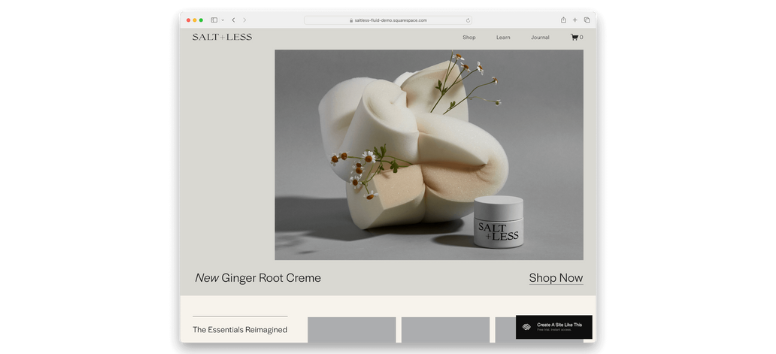
Design becomes powerful when it feels intentional. Consistent colors, typography, and visual cues help visitors recognize your brand instantly and remember it later. When every element aligns with your values, the page feels cohesive instead of generic. That sense of familiarity builds trust and keeps users engaged longer.
Personalization adds another layer. Small touches like tailored content sections or relevant suggestions make visitors feel seen, not sold to. These moments quietly increase loyalty and action. If you want branding and personalization to feel natural, not forced, start shaping your pages with Squarespace.
Mobile Optimization
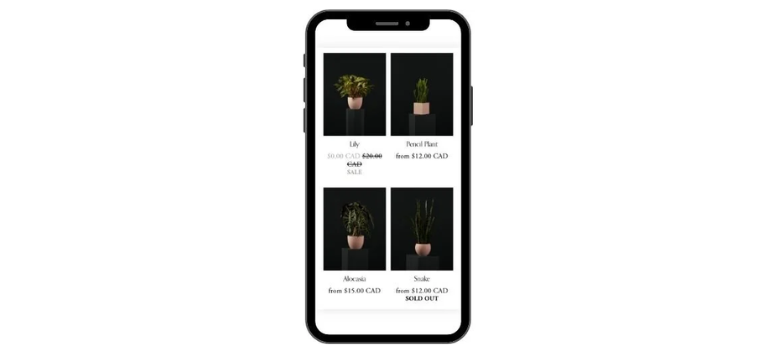
Mobile optimization is no longer optional. Most visitors arrive on phones, and their expectations are high. Pages need to load fast, read clearly, and respond smoothly to touch. When layouts adapt well, users stay longer and interact more confidently.
Speed plays a major role here. Even a short delay can push users away before they see your offer. Clean structure and responsive design reduce friction and maintain momentum. Build mobile-ready pages that feel effortless to use by designing directly in Squarespace.
Interactive Elements
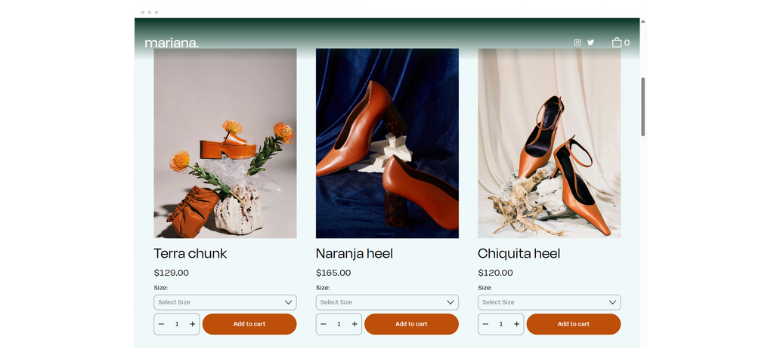
Interactive elements guide behavior without shouting. Hover effects signal what’s clickable, while expandable sections keep pages clean and focused. These subtle cues help visitors move confidently through content instead of guessing what to do next.
FAQs and interactive layouts also reduce hesitation. When answers appear instantly, doubts fade, and trust grows. The longer users stay engaged, the more likely they are to convert. Add purposeful interactivity that supports your goals using Squarespace’s built-in design features.
Upselling & Cross-Selling

Upselling works best when it feels helpful. Suggesting related services or complementary products at the right moment adds value instead of pressure. Context matters, and well-timed recommendations often increase order size naturally.
When suggestions align with what users already want, decisions feel easier. Clear presentation and thoughtful placement keep these offers relevant, not distracting. Turn smart recommendations into part of the experience by structuring them cleanly with Squarespace.
Testing & Iteration
Importance of A/B Testing Headlines, CTAs, and Layouts
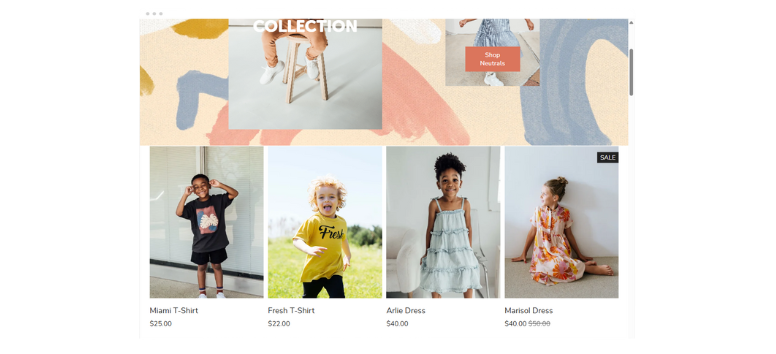
A/B testing replaces guesswork with evidence. Instead of relying on instinct, you compare real variations of headlines, CTAs, or layouts to see what actually drives action. Small changes often create noticeable lifts because they align better with how visitors think and behave.
Testing layouts also reveals friction points. Where users pause, scroll past, or drop off shows what needs improvement. Over time, these insights sharpen clarity and flow. To keep testing simple and actionable, pair your experiments with the built-in tools available in Squarespace.
Using Squarespace Analytics to Refine Strategies
Analytics turn traffic into insight. Built-in reporting shows where visitors come from, what they view, and which pages hold attention. This clarity helps identify what works and what needs refinement.
Tracking drop-offs in forms, bookings, or checkout flows exposes where hesitation happens. Once you know the weak spots, you can adjust copy, layout, or offers with purpose. Use these insights to refine decisions confidently and let Squarespace analytics guide smarter updates.
Continuous Improvement Mindset
A high-performing page never stays static. Like a good salesperson, it adapts based on feedback, behavior, and results. Regular updates keep messaging aligned with evolving expectations and market shifts.
Iteration compounds over time. Each improvement builds on the last, strengthening engagement and conversions steadily. When you treat your page as a living asset instead of a finished task, growth becomes sustainable. Maintain that momentum by continuously refining your site inside Squarespace.
A strong services or products page does more than explain what you offer. It earns trust, guides decisions, and persuades visitors the same way a skilled salesperson would. When design, clarity, and strategy work together, conversions follow naturally instead of feeling forced. With Squarespace, building that kind of page becomes far less complicated thanks to professional templates, built-in tools, and clear analytics that show what’s working. Take a moment to audit your current page, spot what’s holding it back, and explore Squarespace templates to turn everyday visits into confident actions.