Best AI Art Generator Tools
 By Gabi Thompson
 Services
AI art generation has quickly moved from novelty to everyday creative tool, changing how designers, marketers, and hobbyists produce visuals. Today’s best AI art generator tools use advanced machine learning to transform simple text prompts into detailed illustrations, concept art, and digital paintings in seconds. Platforms like OpenArt AI stand out by combining speed, customization, and accessibility, making high-quality visual creation possible even for users without formal art or design training.
Text to Image: Turn Prompts Into Professional AI Art
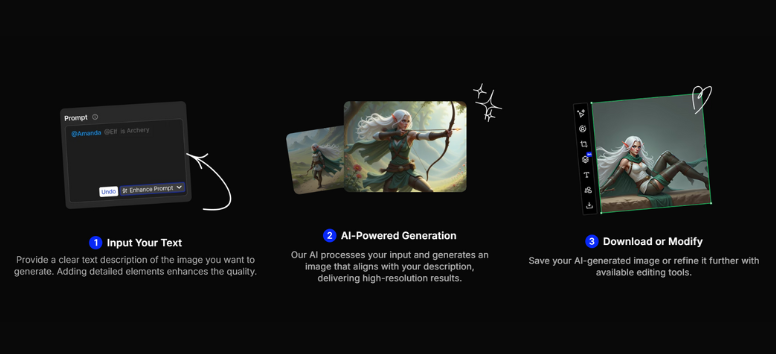
The Text to Image feature in OpenArt AI allows users to generate high-quality AI art directly from written prompts. With access to over 100 AI models, creators can control resolution, artistic style, and subject details to match specific creative goals. This makes it ideal for concept art, illustrations, social media visuals, and marketing graphics. If you want to create AI art quickly without advanced design skills, this feature makes it easy to start generating visuals from text in seconds.
Image to Image: Upgrade Existing Images With AI Precision
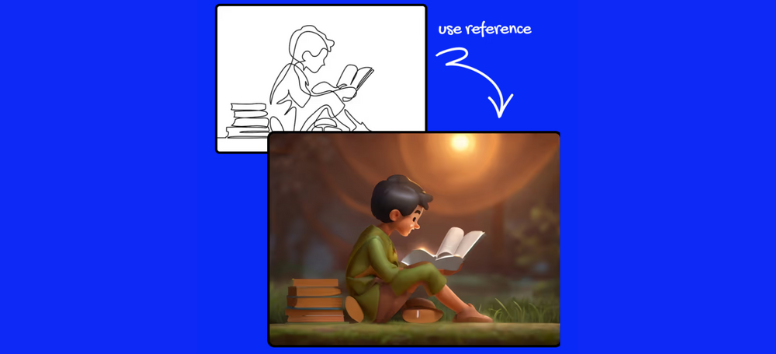
OpenArt AI’s Image to Image tool lets users transform existing images into new AI-generated artwork while preserving the original structure. By uploading a base image and guiding changes through prompts, artists can refine sketches, enhance photos, or explore alternative visual styles. This approach works well for controlled edits instead of random generations. If you want to improve or reimagine existing visuals using AI, this feature offers flexibility without starting over.
Style Reference: Keep a Consistent Visual Identity
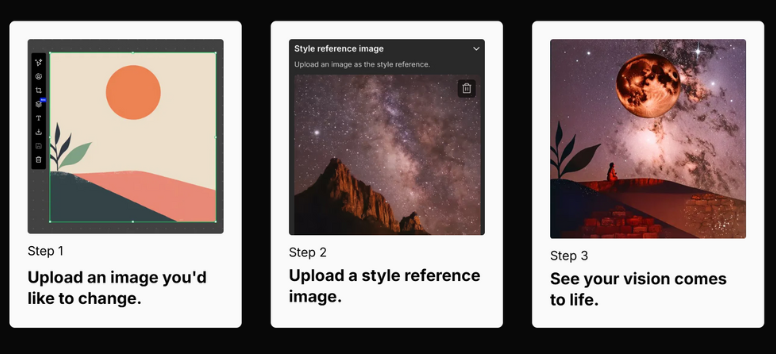
The Style Reference feature helps maintain artistic consistency by applying the visual style of one image to future creations. OpenArt AI analyzes colors, textures, and aesthetics from a reference image to ensure outputs stay visually aligned. This is especially useful for branding, storytelling, or multi-image projects that require a unified look. If a consistent AI art style matters for your workflow, this feature helps lock in a recognizable aesthetic.
Pose Reference: Control Character Positioning With Ease
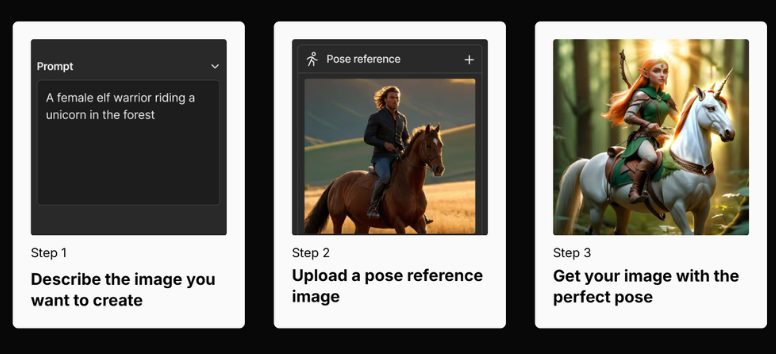
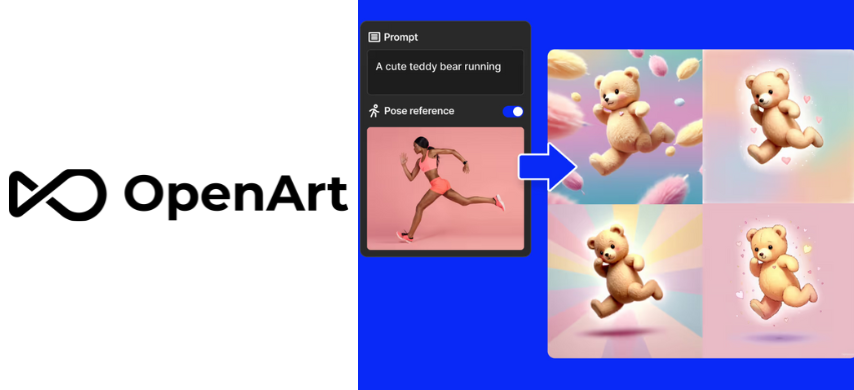
Pose Reference allows creators to generate AI images based on the body positioning of a reference photo. This ensures character poses remain consistent while allowing changes to clothing, style, or environment. OpenArt AI makes this especially valuable for character design, comics, and animation planning. If your creative work depends on accurate poses without repeated redrawing, this feature helps streamline character creation efficiently.
Composition Reference: Guide Layout, Framing, and Perspective
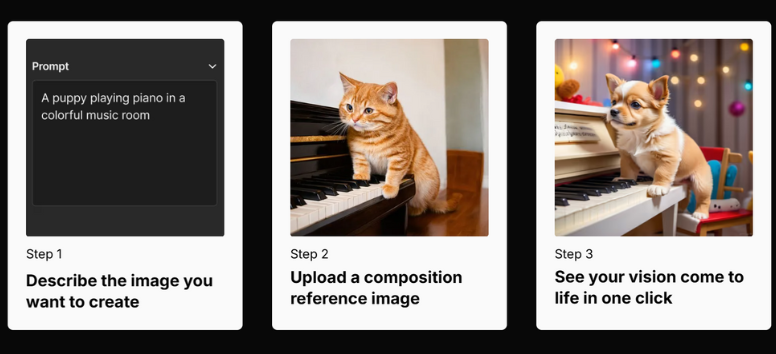
With Composition Reference, OpenArt AI uses a reference image to guide layout, framing, and subject placement. This helps creators maintain consistent composition across multiple AI-generated artworks, which is useful for storyboards, product visuals, or visual series. The feature balances structure with creative freedom. If maintaining layout consistency is important in your AI art workflow, this tool helps keep everything visually aligned.
Train Customized Models: Create AI Art That Matches Your Brand
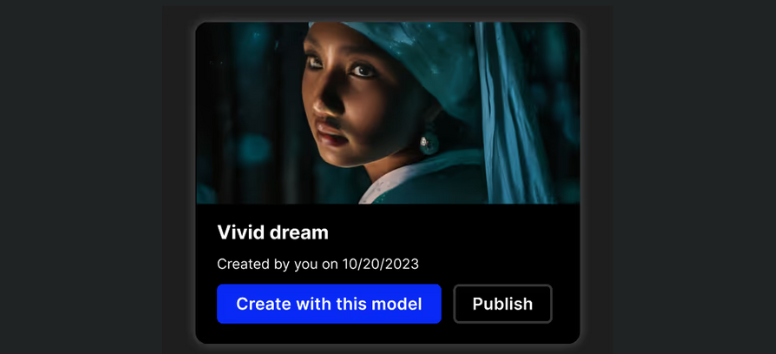
OpenArt AI allows users to train custom AI models using their own datasets, enabling personalized styles, characters, or branded visuals. This feature helps professionals produce consistent results tailored to their creative identity. By fine-tuning models, outputs become more predictable and aligned with long-term projects. If you want AI art that reflects your unique vision or brand, training customized models offers deeper creative control.
Bulk Create: Generate AI Art at Scale
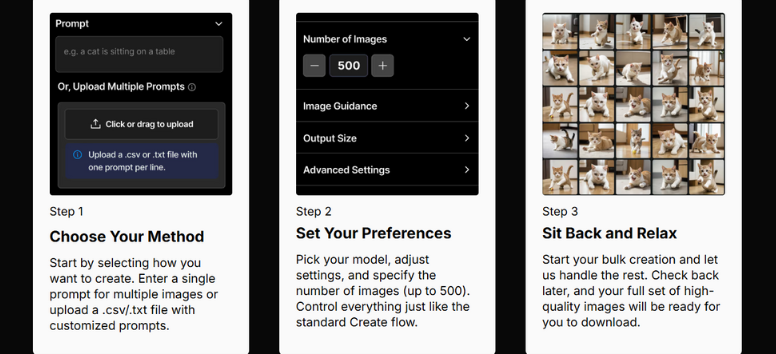
Bulk Create enables users to generate multiple AI images at once using a list of prompts. This feature is ideal for marketing campaigns, content libraries, or rapid concept exploration. Instead of creating images one by one, creators can test variations quickly and efficiently. If speed and scalability matter in your AI art production, Bulk Create helps deliver more visuals in less time.
Blend Image Layers: Build Seamless AI Compositions
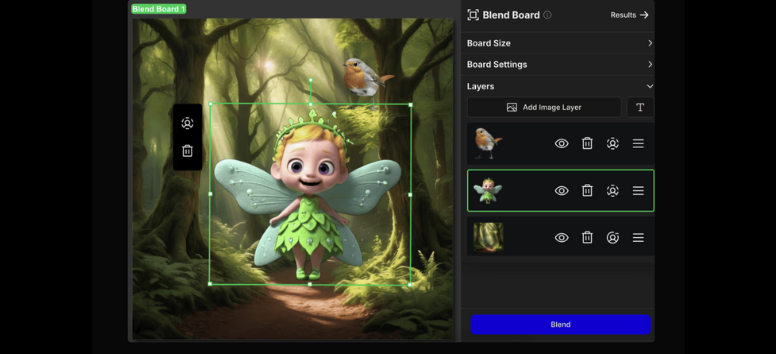
The Blend Image Layers feature in OpenArt AI allows creators to combine multiple images into a single cohesive composition. By layering and blending different visual elements, users can create collages, composite artworks, or complex scenes without manual editing. This tool is especially useful for merging backgrounds, subjects, and textures while maintaining visual harmony. If you want to combine multiple AI images into one polished design, this feature helps streamline the creative process.
Style Transfer: Transform Aesthetics Without Losing Detail
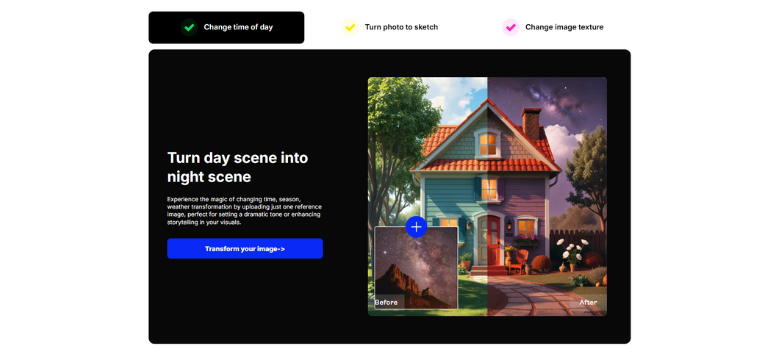
Style Transfer applies the artistic look of one image onto another while preserving the original subject and structure. OpenArt AI analyzes textures, colors, and brush styles to recreate a consistent aesthetic across images. This is commonly used to mimic famous art styles or unify visuals across a project. If you want to change how an image feels without altering its content, style transfer gives you creative flexibility with minimal effort.
Inpainting: Repair and Rebuild Images Intelligently
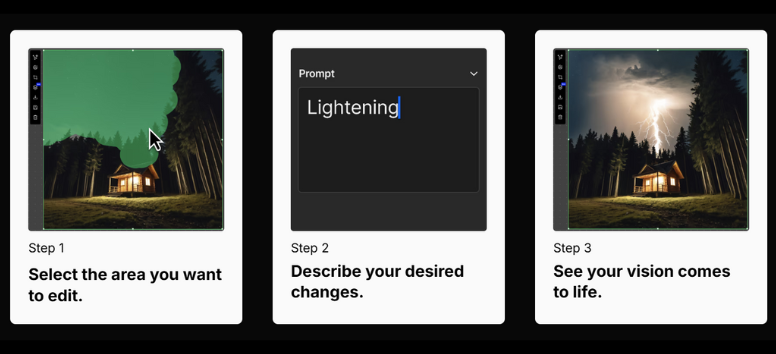
Inpainting allows users to remove or restore parts of an image using AI-generated content that matches surrounding textures and colors. OpenArt AI fills missing areas naturally, making it ideal for repairing damaged images or removing unwanted objects. The edits blend seamlessly into the original artwork. If you need clean image repairs without visible editing marks, inpainting provides a fast and reliable solution.
Fix Hands and Faces: Correct Common AI Errors
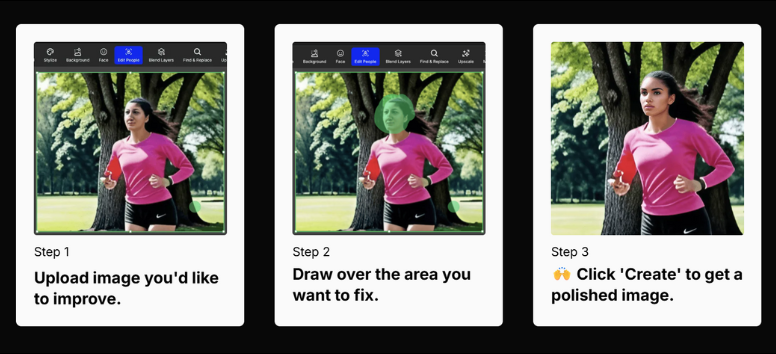
Fix Hands and Faces automatically improves distorted facial features and unrealistic hand shapes in AI-generated images. This tool enhances anatomical accuracy, addressing one of the most common issues in AI art. OpenArt AI refines details while keeping the subject’s identity intact. If your AI portraits need more realism and polish, this feature helps elevate final results quickly.
Change Facial Expressions: Adjust Emotion With Precision
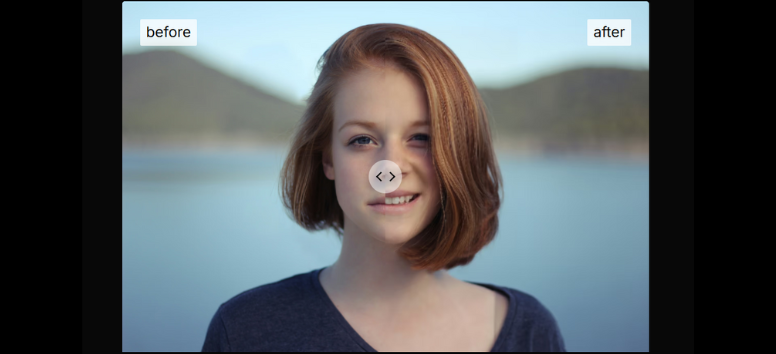
The Change Facial Expressions feature lets users modify emotions such as smiling, neutral, or surprised without altering the subject’s identity. OpenArt AI preserves facial structure while adjusting expression details naturally. This is especially useful for character design, storytelling, and marketing visuals. If you need emotional flexibility without regenerating an entire image, this tool gives you precise control.
Upscale Image: Increase Resolution Without Losing Quality
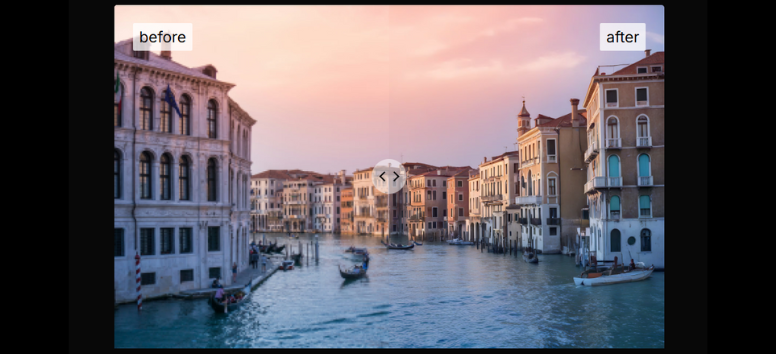
Upscale Image increases image resolution while preserving fine details and reducing pixelation. OpenArt AI enhances clarity, making visuals suitable for print, large displays, or professional use. This feature is commonly used to prepare AI art for commercial projects. If your artwork needs higher resolution without sacrificing sharpness, upscaling helps future-proof your visuals.
Enhance Image: Polish for a Professional Finish
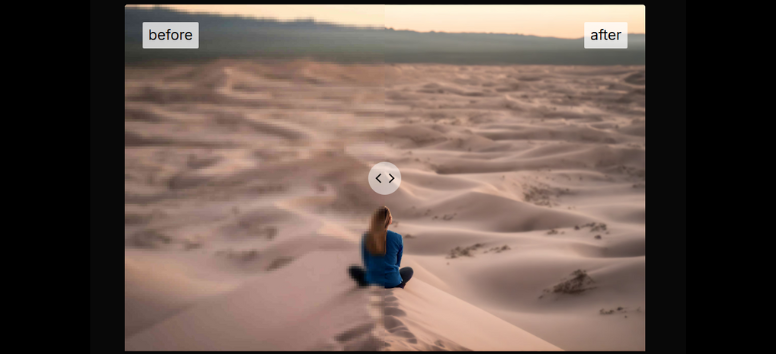
Enhance Image improves sharpness, contrast, and color balance to make visuals look more refined and visually appealing. OpenArt AI adjusts key image elements without overprocessing, resulting in cleaner, more vibrant outputs. This feature works well as a final step before publishing or sharing. If your AI-generated images need a professional touch, enhancement helps bring them to life.
Expand Image: Extend the Canvas With AI
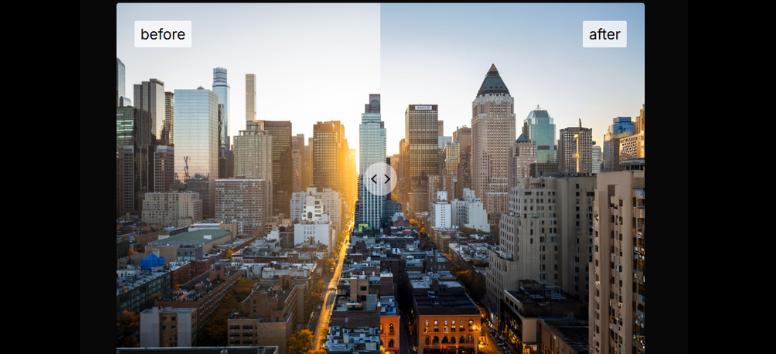
Expand Image allows users to extend an image beyond its original borders while maintaining visual consistency. OpenArt AI generates new background elements that match the original scene’s style and perspective. This is useful for reframing images or adapting them to different aspect ratios. If you need more space around your artwork without cropping important details, this feature makes expansion seamless.
Change Background: Instantly Shift Context
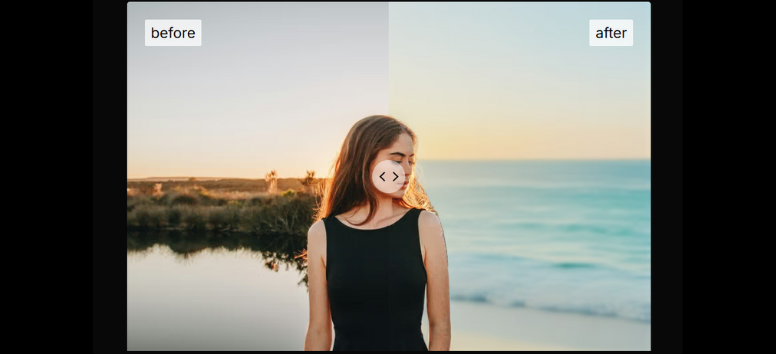
Change Background replaces an image’s background while keeping the main subject intact. OpenArt AI maintains clean edges and realistic transitions between the subject and the new environment. This tool is widely used for product images, portraits, and creative concepts. If you want to place your subject in a new setting without complex editing, background replacement simplifies the process.
Remove Background: Clean Subject Isolation Made Easy
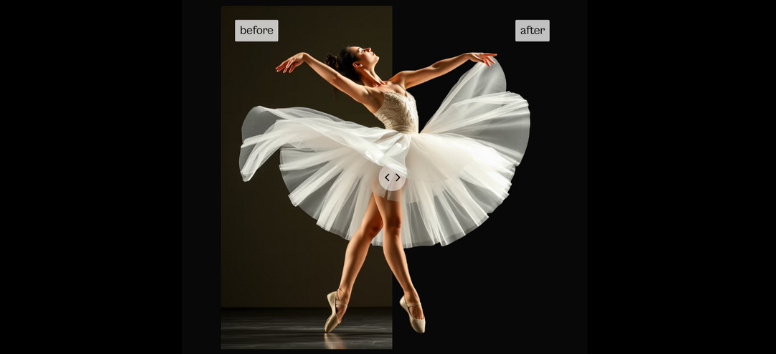
Remove Background isolates the main subject by eliminating the background entirely, producing transparent or plain backgrounds. OpenArt AI ensures clean cutouts suitable for graphic design, e-commerce, and marketing use. This feature saves time compared to manual masking. If you need fast subject isolation for design-ready assets, background removal delivers efficient results.
Magic Remover: Erase Objects Naturally
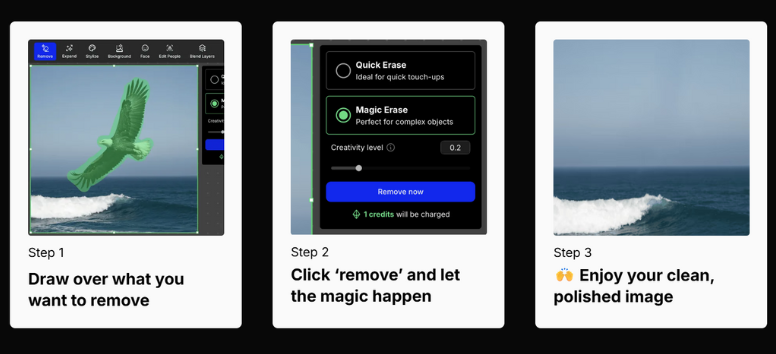
Magic Remover deletes unwanted objects, blemishes, or distractions from an image and fills the space naturally using AI. OpenArt AI analyzes surrounding areas to maintain visual continuity. This feature is ideal for cleaning up scenes without visible edits. If you want distraction-free images with minimal effort, Magic Remover handles object removal smoothly.
Find and Replace: Targeted Visual Edits at Scale
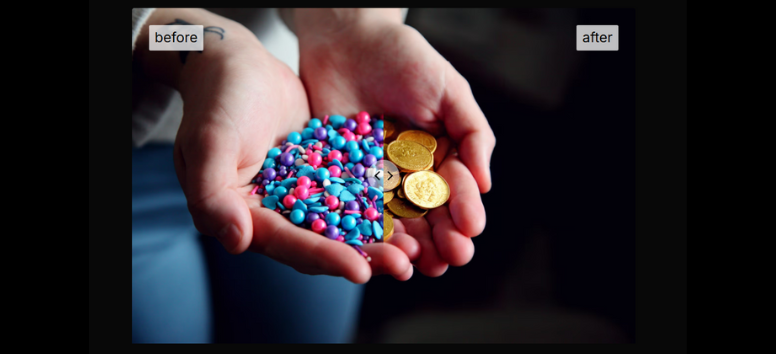
Find and Replace detects specific elements within an image and replaces them without affecting the rest of the composition. OpenArt AI enables precise swaps such as logos, colors, or repeated design elements across visuals. This feature is useful for branding updates or batch refinements. If you need controlled, targeted changes instead of full regenerations, this tool keeps edits efficient.
Image to Video: Turn Still Images Into Motion Stories
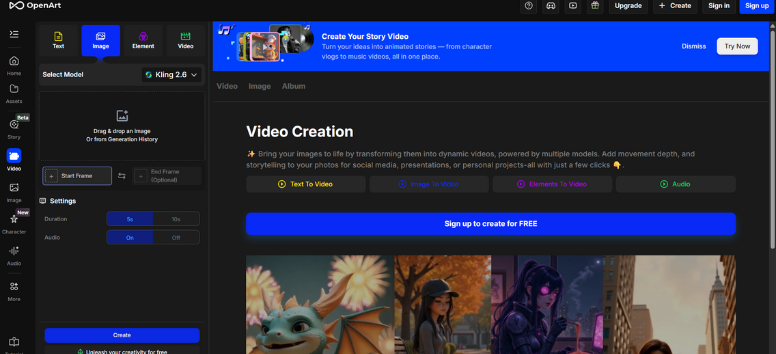
The Image to Video feature in OpenArt AI transforms static images into short animated videos by adding motion effects, transitions, and dynamic elements. This tool helps creators bring illustrations, portraits, and product visuals to life without complex video editing software. It works especially well for social media posts, marketing campaigns, and visual storytelling where motion captures attention. By animating a single image, users can quickly produce engaging content that feels modern and immersive. If you want to turn still visuals into scroll-stopping videos with minimal effort, this feature makes animation accessible.
AI Filters: Instantly Change Mood and Style
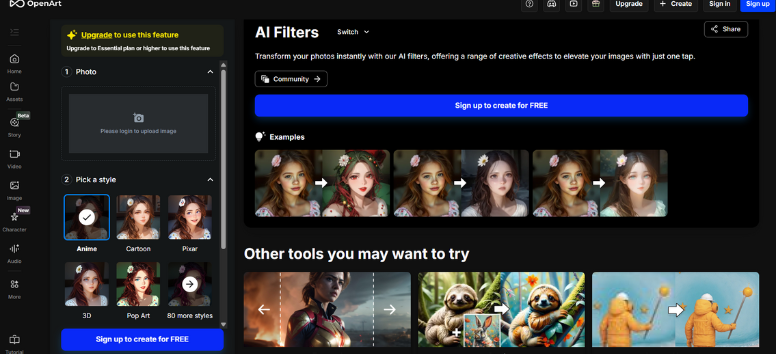
AI Filters in OpenArt AI apply intelligent visual effects that adjust color grading, mood, and artistic style automatically. Instead of manually editing contrast, tones, or aesthetics, users can instantly transform an image with a single selection. This is ideal for creators who want fast results while maintaining visual quality and consistency. AI Filters work well for enhancing photos, stylizing artwork, or aligning visuals with a brand’s look. If you need quick visual transformations without spending time on detailed edits, this feature helps streamline your creative workflow.
Sketch to Image: From Rough Lines to Finished Art
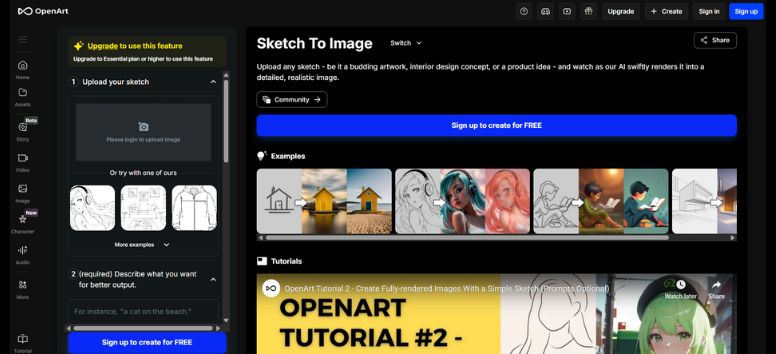
Sketch to Image allows users to convert hand-drawn sketches into fully rendered images using AI interpretation. The tool analyzes outlines and fills them with realistic textures, lighting, or artistic details based on prompts. This feature is popular for concept art, product ideation, and creative visualization, where ideas start as rough drawings. It removes the gap between sketching and final artwork, saving time during early design stages. If you want to see your sketches evolve into polished visuals quickly, this feature brings ideas to life with clarity.
Creative Variations: Explore More Ideas Faster
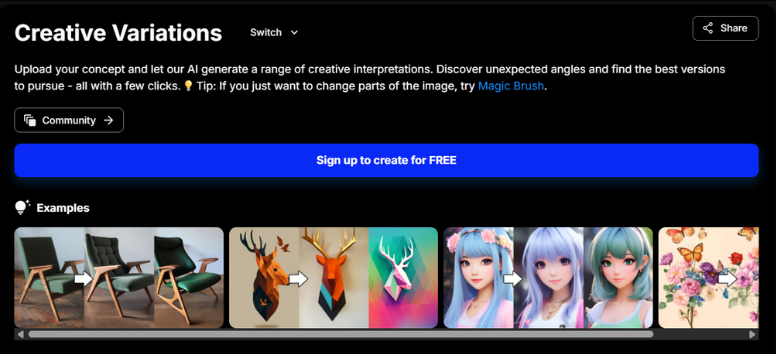
Creative Variations generates multiple alternative versions of an image from a single input. OpenArt AI adjusts style, composition, and visual details to present different creative directions without starting over. This feature is valuable during brainstorming, concept testing, or when clients want options to choose from. Instead of regenerating images manually, creators can explore possibilities efficiently. If you want to experiment with multiple looks and ideas in less time, Creative Variations helps expand creative exploration while keeping workflows efficient.
Image Blender: Merge Concepts Into One Visual
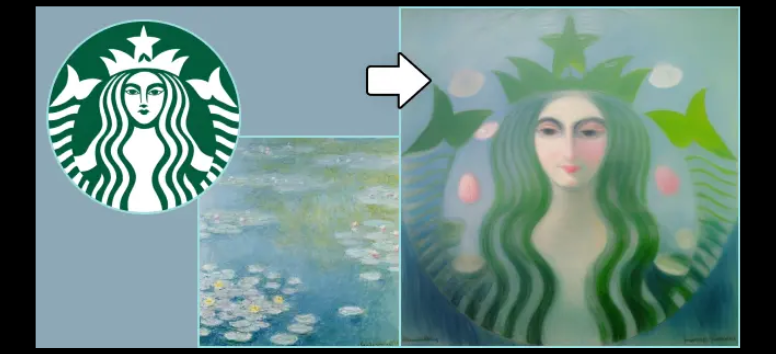
Image Blender combines two or more images into a single unified composition. OpenArt AI intelligently merges visual elements while maintaining balance and coherence across the final result. This feature works well for collages, mashups, and hybrid designs where multiple concepts come together. Artists and designers often use it to experiment with creative combinations that would take longer using traditional editing tools. If you want to blend visuals seamlessly without manual layering, Image Blender offers an intuitive way to combine ideas.
QR Code Generator: Functional Design With Creative Freedom
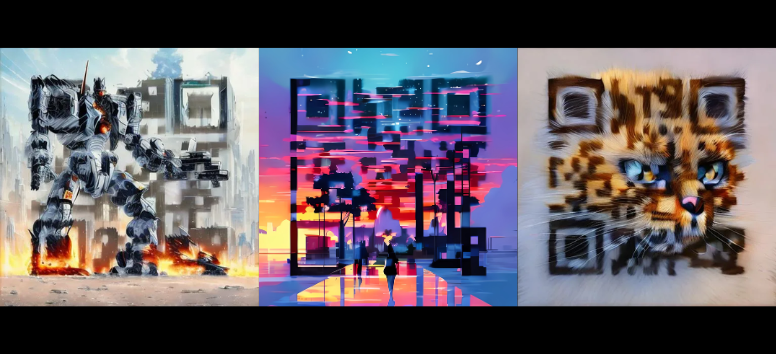
The QR Code Generator in OpenArt AI creates scannable QR codes that can be customized with colors, design elements, and embedded visuals. This tool blends practicality with creativity, allowing QR codes to function as both utilities and design assets. It’s useful for marketing materials, packaging, event promotions, and digital campaigns where visual appeal matters. By integrating QR codes into artwork, users can maintain brand consistency while keeping codes functional. If you want QR codes that look intentional rather than generic, this feature delivers both form and function.
For brands, marketers, and creative teams, speed and consistency matter more than ever. OpenArt AI delivers a streamlined approach to visual production by combining image generation, editing, and enhancement in one platform. From concept testing to campaign-ready assets, it helps teams produce high-quality visuals efficiently while maintaining creative direction.