Amazon Business for Small Businesses: Account Setup, Prime Business, and Purchasing Guide
 By Jack Dash
 Services
Keeping workplace purchases organized gets harder when paper comes from one employee's account, printer ink from another, and office furniture from somewhere else entirely. Add multiple locations or remote staff, and tracking everyday orders can get messy fast.
Amazon Business for small business puts workplace purchasing into an account designed for companies and organizations. Businesses can register for free, add authorized buyers, save delivery information, organize repeat purchases, and optionally add Prime Business when its extra features make sense.
Amazon Business at a Glance
Bring business purchases under one account without paying a registration fee.
Creating an Amazon Business account is free, with no long-term commitment or minimum spend required for registration. New customers generally provide a work email and company information. Amazon can request additional documents when it needs more information to verify the organization.
Once the account is active, administrators can invite employees, assign access, organize delivery addresses, create purchasing groups, and manage business settings.
Prime Business is separate from the free account and requires its own membership. Products, sellers, prices, delivery dates, and availability can still vary by order.
Create Your Amazon Business Account and start organizing company purchases in one place.
What Is Amazon Business?

Use the familiar Amazon shopping experience with additional features created for organizational purchasing.
Small companies can use Amazon Business to order workplace essentials, equipment, office furniture, shipping materials, cleaning products, and other supplies. The platform also supports shared purchasing tools that help companies manage several buyers or locations.
Businesses can:
- Shop for workplace products
- Order standard or larger quantities
- Add authorized employee buyers
- Create Business Lists
- Use Reorder Lists for repeat items
- Save business delivery addresses
- Set eligible delivery preferences
- Review purchasing activity
- Arrange repeat deliveries on eligible products
Amazon Business serves different organization types, including small businesses, independent professionals, schools, nonprofits, and larger companies.
Account features do not guarantee the same prices, discounts, credit terms, or shipping options for every customer. Individual product and checkout terms still matter.
Set Up Amazon Business and create a purchasing system around the way your company buys.
How to Register for an Amazon Business Account
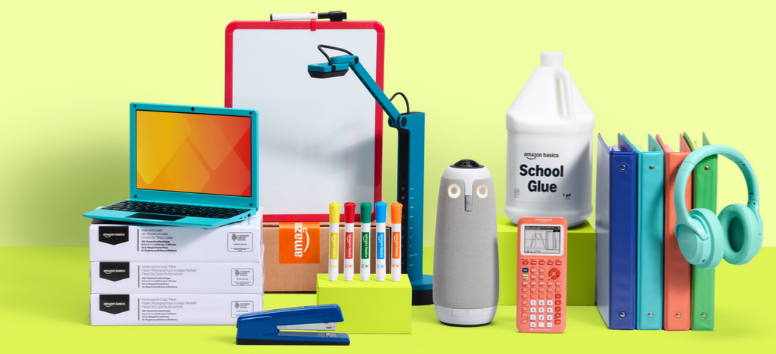
Start your Amazon Business registration with details that match your company records.
1. Use a Work Email
Begin the registration with a work email address. Amazon may require email verification during setup.
If you are creating a separate business account, using a work email that is different from your personal Amazon login can help keep personal and company purchasing separate.
2. Enter Your Business Information
Provide the requested company details. Use information that matches official records to reduce avoidable verification problems.
3. Prepare Additional Documents If Needed
Amazon states that some businesses may need to submit more information for verification.
Documents worth having available include:
- Employer Identification Number
- Business license
- State registration documents with an official seal
Not every applicant is required to provide every document.
4. Complete Amazon's Verification
Submitting the registration form does not always result in immediate verification. Amazon reviews the information and can request additional documentation when necessary.
5. Finish the Business Setup
After verification, administrators can configure payment methods, delivery addresses, account settings, purchasing groups, and employee access.
Register Your Amazon Business Account with accurate company information and complete the verification process.
What Does a Verified Amazon Business Account Mean?
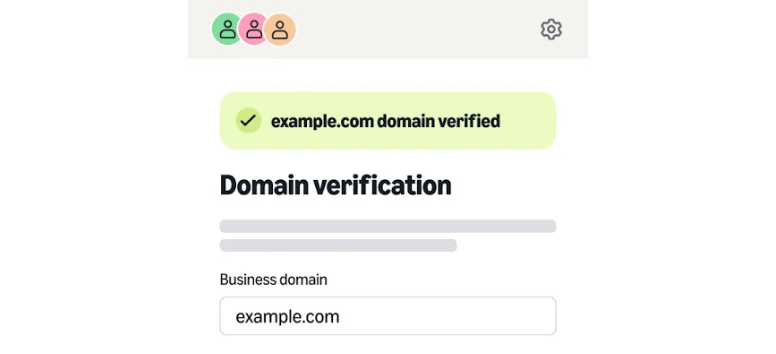
Confirm the company information before building purchasing activity around the account.
Amazon Business verification means Amazon has reviewed the organization details supplied during registration. It is not a certification, endorsement, or statement about the quality of the company.
Amazon may compare the information submitted with business records or request supporting documentation. Review times can vary between applicants, and completing the registration form does not guarantee immediate approval.
Accurate names, addresses, and company details can help prevent unnecessary problems during the process.
Once verified, the administrator can move on to adding buyers, setting payment options, organizing addresses, and creating purchasing rules.
Complete Your Amazon Business Registration before inviting the rest of your purchasing team.
Practical Ways Small Businesses Can Use Amazon Business
Stock Everyday Office Supplies

Organize commonly purchased Amazon Business office supplies such as:
- Printer paper
- Pens and markers
- Notebooks
- Folders
- Ink and toner
- Mailing materials
- Desk organizers
- Presentation supplies
Business Lists make preferred or frequently needed products easier for employees to find. Reorder Lists work well for products purchased regularly but not frequently enough to require scheduled delivery.
Set Up or Refresh an Office

Shop for desks, chairs, filing units, shelving, meeting-room furniture, desk lamps, and other workplace equipment from the business account.
Check measurements, assembly requirements, seller information, warranties, return conditions, and delivery details before ordering. Furniture and bulky items can have different shipping or return requirements from smaller office supplies.
Restock Workplace Essentials
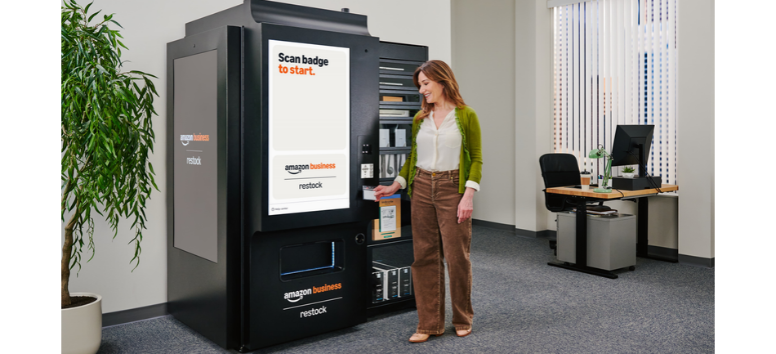
Use the account for cleaning products, paper goods, trash bags, breakroom supplies, coffee, shipping materials, and suitable workplace protective equipment.
Eligible products can also support scheduled purchasing through Subscribe & Save.
Support Remote Teams or Several Locations

Administrators can save shared business addresses and make them available to appropriate purchasing groups. Delivery preferences can also include business hours and specific drop-off instructions for eligible Amazon deliveries.
Shop Supplies for Your Business and organize frequently purchased workplace essentials for easier reordering.
Plan Your First Amazon Business Purchase

Review the first order carefully before expanding access to the rest of the company.
Before checkout:
- Confirm the product specifications.
- Review the seller.
- Compare standard and bulk unit costs.
- Check the current delivery estimate.
- Review warranty information.
- Read the return conditions.
- Choose the correct business address.
- Confirm the approved payment method.
- Add relevant business order information when required.
- Save repeat items to a list.
- Check the complete order total.
Do not assume that a larger package automatically delivers better value. Compare unit pricing with actual workplace demand and available storage.
The first order is also a useful chance to establish basic internal purchasing rules before several employees begin buying through the account.
Place Your First Amazon Business Order after checking the seller, total, delivery details, and purchase requirements.
How to Add Users to Amazon Business
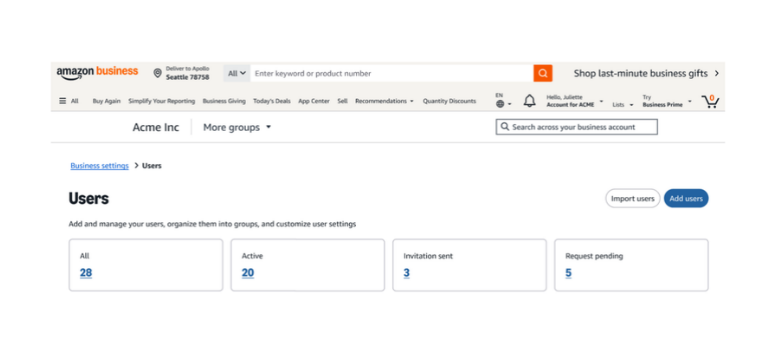
Give employees their own authorized access instead of sharing one account password.
To learn how to add users to Amazon Business, start from the administrator account:
- Open Business Settings.
- Go to the user-management area.
- Select Users.
- Choose Add Users.
- Select an invitation method.
- Assign the appropriate permissions or group.
- Send the invitation.
Amazon currently supports three main methods for adding users.
Email invitations allow administrators to enter user email addresses and choose permissions. The current interface supports inviting up to six people at once through this window.
Shareable invitation links let administrators distribute an account-specific link through email, work chat, or another approved communication channel.
Spreadsheet uploads support larger user additions and allow administrators to assign users to groups and roles in bulk.
Review access when employees change positions or leave the business. Removing unnecessary accounts helps keep purchasing permissions current.
Invite Your Team to Amazon Business and assign access based on each employee's purchasing role.
Prime Business Essentials: What Small Teams Should Know

Consider Prime Business Essentials when your company wants more than the features included with free Amazon Business registration.
Prime Business is an optional membership for Amazon Business customers. The current Essentials plan is designed for accounts with up to five users and costs $179 per year.
Qualifying accounts may also be offered a 30-day free trial.
Current Essentials features include:
- Fast, free business delivery on eligible purchases
- Access for up to five users
- Spend Visibility
- Guided Buying capabilities
- Additional Prime Business benefits
Amazon expanded the Essentials user allowance from three people to five in 2025, which makes older references to the three-user limit outdated.
Prime Business shipping benefits still apply only to eligible items and destinations. The actual delivery estimate shown during checkout remains the one to review before ordering.
Explore Prime Business Essentials and compare its features with the way your team currently purchases supplies.
Manage Repeat Purchases Without Losing Oversight

Automate predictable purchases while keeping inventory under control.
Amazon Business offers several ways to organize repeat buying.
Business Lists
Create lists around preferred products, departments, projects, or common supply needs. This gives buyers an easier way to return to approved or frequently used items.
Reorder Lists
Use Reorder Lists for products purchased regularly but not often enough to justify a scheduled delivery.
Subscribe & Save
Set up Amazon Business recurring delivery with Subscribe & Save for eligible products your company consumes on a predictable schedule.
Current tools allow customers to manage upcoming subscriptions, including changing, skipping, or canceling eligible deliveries.
Avoid putting every repeat purchase on autopilot. Staffing changes, storage space, project schedules, and seasonal demand can quickly change how much a workplace needs.
Build Business Lists and recurring orders around the supplies your business consistently uses.
Important Limitations to Keep in Mind
Check the details before assuming every account or order receives the same benefits.
A free Amazon Business account does not include all Prime Business features. Prime Business requires a separate membership.
Product prices and quantity offers can change. Some products are sold by third-party sellers, and shipping speed depends on product eligibility, inventory, destination, and seller terms.
Recurring delivery is available only for eligible products. Business verification may require additional documents, and user-management changes require appropriate administrative access.
Return conditions and warranties can also differ by seller or product.
Eligible tax-exempt organizations must separately enroll in the Amazon Tax Exemption Program before applying qualifying exemptions to purchases.
Review the account feature, seller, delivery, warranty, and return terms that apply before placing each business order.
Amazon Business Frequently Asked Questions
Is an Amazon Business account free?
Yes. Creating an Amazon Business account is currently free. Prime Business is a separate optional membership.
What information is needed for registration?
Amazon generally requests a work email and company information. Additional verification documents can be requested.
Can several employees use one Amazon Business account?
Yes. Administrators can invite authorized users and assign permissions. Employees should use their individual authorized access rather than share one password.
Is Prime Business Essentials included with registration?
No. Prime Business Essentials is a separate paid membership for eligible Amazon Business customers.
Can businesses schedule repeat purchases?
Yes, on eligible products. Subscribe & Save supports recurring delivery, while Business Lists and Reorder Lists help organize other repeat purchases.
Review Amazon Business features and choose the account tools that match your company's purchasing needs.
Organize workplace purchasing before another round of office supplies, furniture, cleaning products, or shipping materials needs to be ordered.
Amazon Business for small business gives companies a way to bring authorized buyers, business addresses, repeat-purchase tools, delivery preferences, and everyday purchasing into one business-focused account. Prime Business Essentials adds another layer for small teams that want eligible fast delivery, Spend Visibility, and Guided Buying.
Start with the free account and build from there. Complete verification, invite the employees who actually need purchasing access, organize shared addresses, create lists for frequently ordered products, and review Prime Business only if its benefits make sense for your team.
Most importantly, keep checking the details that can change from order to order: seller, unit cost, delivery estimate, warranty, return policy, and final checkout total.
Create Your Amazon Business Account and build a more organized purchasing setup before your next business order.