AI Tools You Must Know In 2026
 By Rachel Jerris
 Services
AI now sits quietly behind how work gets done in 2026. You see it in faster planning, sharper visuals, cleaner workflows, and even in how ideas take shape from a rough thought into something usable. The shift feels subtle at first, then obvious once you notice how much time it saves. Tools like GitMind help organize scattered ideas into clear structures, while PicWish handles image edits that used to take skill and patience. This guide walks through key AI tools shaping how people create, plan, and keep up.
GitMind AI Productivity Tools - Smarter Mind Mapping for Faster Workflows
GitMind AI Audio & Video Tools That Turn Content Into Clear Insights
Audio and video content stacks up fast. One lecture leads to another, then a podcast, then a long meeting recording. GitMind handles that overload by converting spoken content into summaries, transcripts, and even mind maps. You’re not just reading text after, you’re seeing structure. That shift makes it easier to review, organize, and actually use what you consume.
YouTube Video Summarizer - Watch Less, Understand More
Best for: Students, professionals, researchers
Use case: Lecture review, content scanning, quick learning
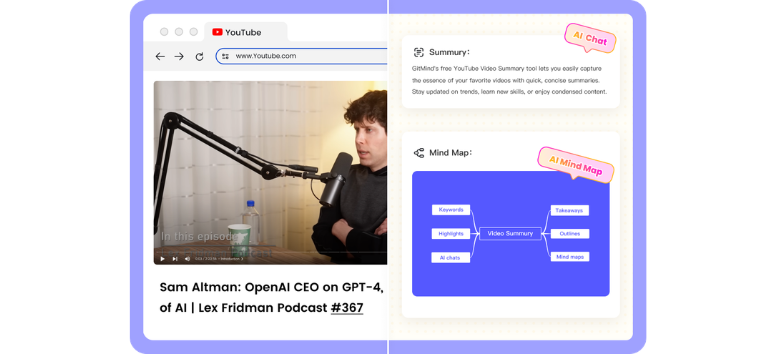
GitMind YouTube Video Summarizer pulls key ideas from videos and turns them into structured summaries in seconds. It processes subtitles and audio, then presents the content in formats like bullet summaries or visual mind maps.
This helps when time is tight and you need the core message fast. Instead of sitting through the full video, you can scan the highlights and revisit only the parts that matter.
Summarize your next video and get straight to the important points.
YouTube Transcript Generator - Turn Videos Into Usable Text
Best for: Writers, content creators, researchers
Use case: Quoting, referencing, repurposing content
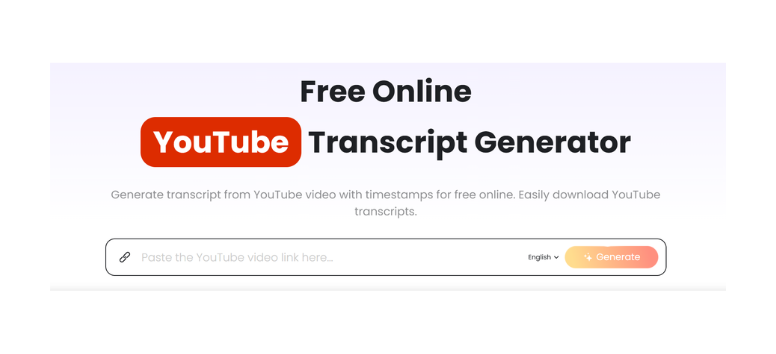
GitMind YouTube Transcript Generator converts video speech into clean, timestamped text. Once generated, the transcript becomes searchable, which makes it easier to locate specific lines or sections without replaying the entire video.
This is useful when extracting quotes, verifying details, or turning video content into written formats. It cuts down the time spent scrubbing through timelines.
Generate a transcript and work with video content more efficiently.
Audio to Text Converter - Capture Conversations Without Missing a Word
Best for: Teams, students, interviewers
Use case: Meeting notes, lectures, voice recordings
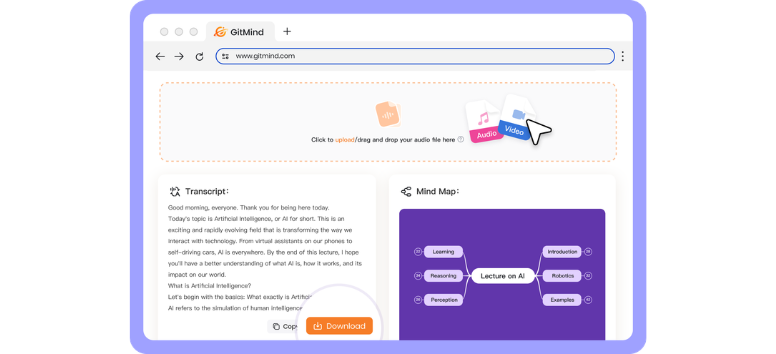
GitMind Audio to Text Converter transcribes recordings into editable text while supporting common formats like MP3 and WAV. It can also detect speakers and organize the output into summaries or structured formats.
This allows you to stay present during conversations instead of focusing on note-taking. Afterward, you get a clean version of what was said, ready for editing or review.
Upload your recording and turn spoken content into something you can revisit anytime.
Video to Text Converter - Pull Dialogue From Video With Ease
Best for: Educators, editors, content teams
Use case: Captioning, documentation, content repurposing
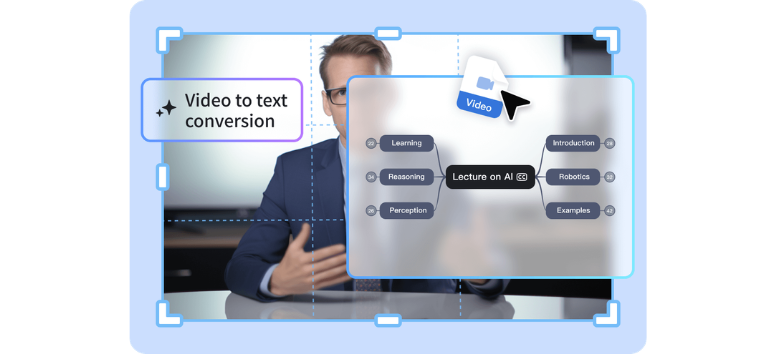
GitMind Video to Text Converter extracts spoken dialogue from video files and converts it into readable text. It works alongside summarization features, so you can generate transcripts and condensed insights in one process.
This reduces the need to replay clips repeatedly. You can scan the text, identify key sections, and reuse content for different formats more efficiently.
Convert your video into text and start working with the content immediately.
Podcast Summarizer - Stay Updated Without the Full Listen
Best for: Busy professionals, learners, researchers
Use case: Podcast review, insight extraction
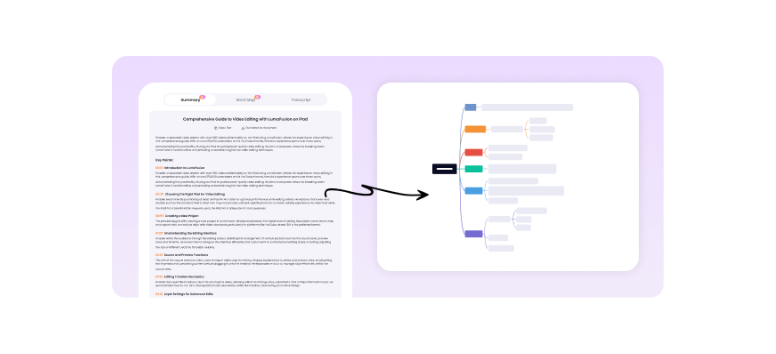
GitMind Podcast Summarizer breaks down long episodes into concise summaries, along with transcripts and visual mind maps. It highlights key ideas so you can understand the discussion without listening from start to finish.
This is useful when keeping up with industry conversations or revisiting insights later. You get the essence of the episode without committing to the full duration.
Paste a podcast link and catch the key takeaways in minutes.
GitMind AI Diagram Tools for Clear System Thinking
Diagrams used to take time. You sketch, revise, adjust, then redo everything when one detail changes. GitMind shifts that process. You describe what you need, and the system builds it. Flowcharts, UML, and data models appear structured and editable. It feels less like drawing and more like shaping logic as you think.
AI Flowchart Generator - Turn Instructions Into Visual Logic
Best for: Project managers, operations teams, students
Use case: Process mapping, workflow planning
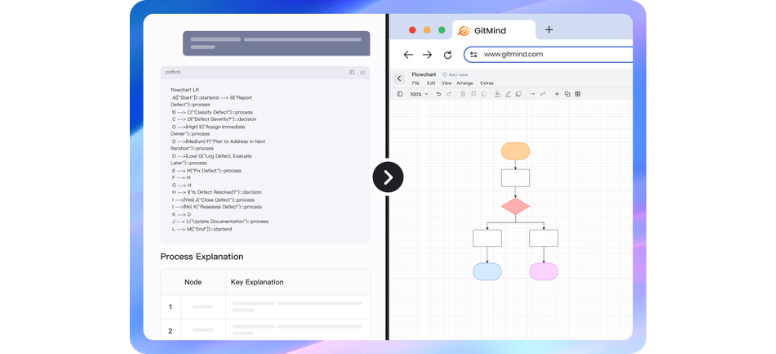
GitMind AI Flowchart Generator converts written steps into structured flowcharts in seconds. You can type out a process in plain language, and the tool organizes it into decision paths, sequences, and branches automatically.
It’s especially helpful when outlining workflows or simplifying complex routines. Instead of dragging shapes one by one, you focus on the idea while the structure builds itself.
Sketch your next workflow in words and let the diagram follow.
Class Diagram Generator - Visualize Object Structures Without the Guesswork
Best for: Software developers, system architects
Use case: Object-oriented design, system modeling
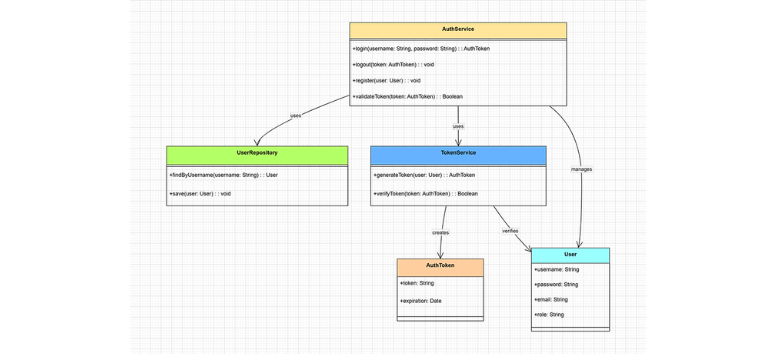
GitMind Class Diagram Generator translates class definitions into visual diagrams. You define relationships, attributes, and hierarchies, then the tool arranges everything into a clean structure that reflects system design.
This makes it easier to review architecture and explain logic without relying on raw code. It also helps teams stay aligned when working on shared systems.
Lay out your system structure and see how each component connects.
ERD Diagram Builder - Simplify Database Design Visually
Best for: Data analysts, backend developers
Use case: Database planning, schema visualization
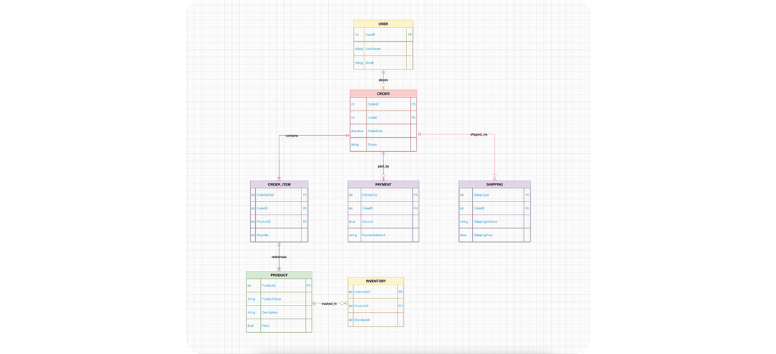
GitMind ERD Diagram Builder generates entity-relationship diagrams based on your inputs. It maps out how data entities relate, including keys and dependencies, in a format that’s easy to scan.
Instead of piecing together relationships manually, you get a visual model that helps you refine and validate your database design quickly.
Map your data relationships and keep your structure easy to follow.
Sequence Diagram Generator - Track Interactions Step by Step
Best for: Developers, system analysts
Use case: System interaction mapping, debugging
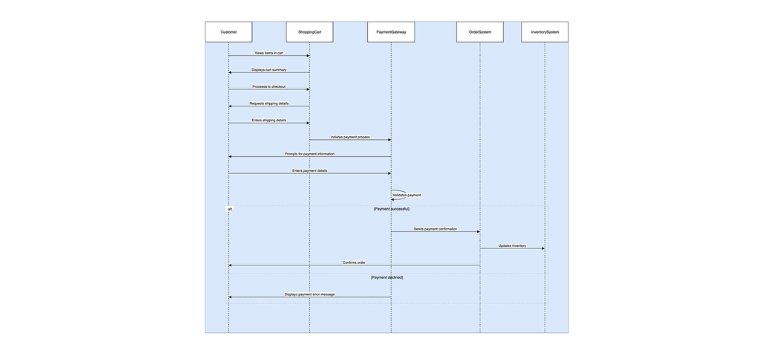
GitMind Sequence Diagram Generator outlines how components interact over time. You describe the sequence, and the tool builds a timeline that shows how actions move between users, systems, or services.
This is useful when reviewing flows or identifying breakdowns in communication between components. It brings clarity to processes that are usually buried in text.
Trace your system interactions and follow each step with precision.
UML Chart Maker - Design Complex Systems With Structure
Best for: Engineering teams, technical planners
Use case: Full system design, multi-diagram modeling
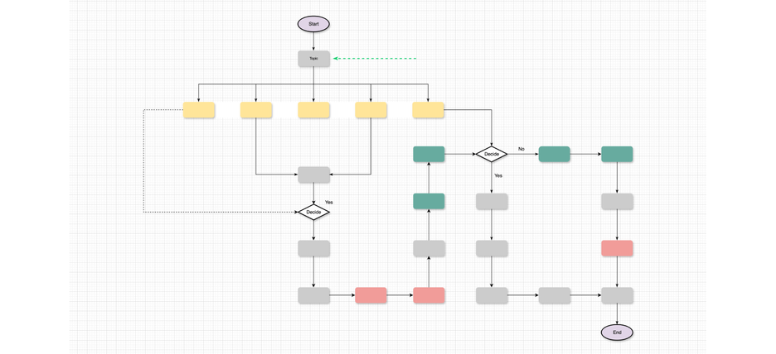
GitMind UML Chart Maker supports a wide range of UML diagrams within one workspace. You can create activity diagrams, component models, and more without switching tools or rebuilding structures from scratch.
This keeps your documentation consistent as your system evolves. It also helps teams maintain a shared understanding of complex designs.
Build your system models and keep everything aligned in one place.
GitMind AI Mind Map Tools That Turn Information Into a Clear Structure
Ideas rarely arrive in neat order. Notes scatter, documents pile up, and important points get buried in long content. GitMind approaches this by converting raw input into visual maps that show how everything connects. Instead of reading line by line, you see relationships instantly. It’s a different way to process information, one that feels faster and easier to revisit later.
One-liner Mind Map - Capture Ideas in a Single Line
Best for: Quick thinkers, students, solo planners
Use case: Brainstorming, idea capture
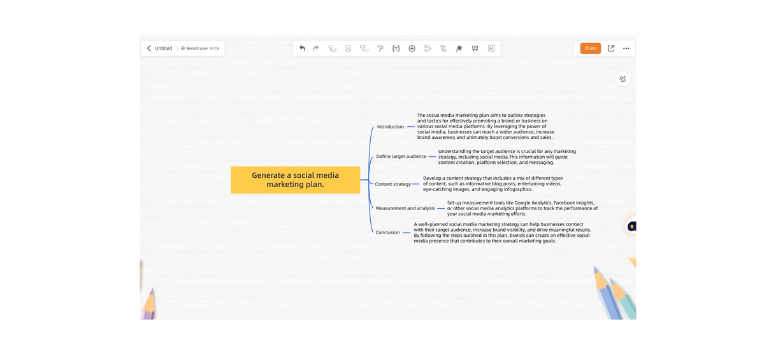
GitMind One-liner Mind Map turns a short phrase into a structured set of connected nodes. You type a single idea, and the system expands it into related branches that organize your thinking visually.
Perfect for moments when ideas come quickly, and you don’t want to lose momentum. Instead of writing long notes, you get a clean structure that you can build on or refine as your thoughts develop.
Start with one idea and watch it grow into something you can actually use.
Article to Mind Map - Break Down Content Into Key Ideas
Best for: Researchers, readers, content creators
Use case: Article review, knowledge digestion
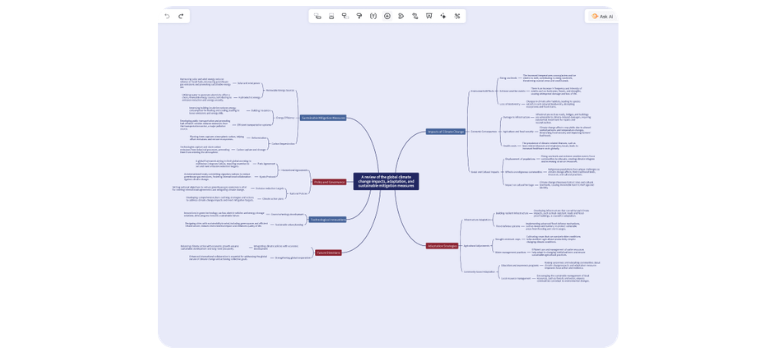
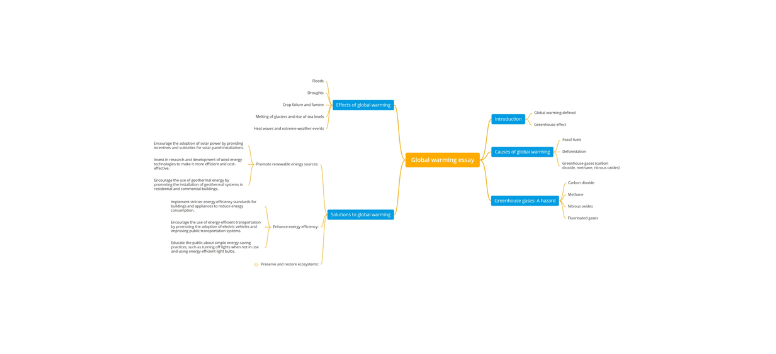
GitMind Article to Mind Map converts written content into a visual outline of main ideas and supporting points. It pulls structure from long-form text and presents it in a format that’s easier to scan and understand.
Great for working through dense material. Rather than rereading paragraphs, you can focus on key takeaways and how they connect across the article.
Turn your next article into a map and see the bigger picture instantly.
File to Mind Map - Turn Documents Into Visual Overviews
Best for: Professionals, students, analysts
Use case: Document review, report summarization
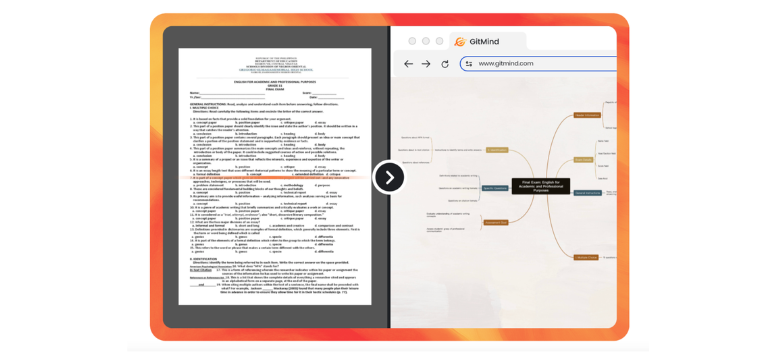
GitMind File to Mind Map transforms documents like Word files or PDFs into organized visual maps. It extracts important sections and arranges them into nodes that reflect the structure of the content.
A helpful option when reviewing reports or study materials without scanning every page. You get a high-level view first, then decide where to go deeper.
Upload your document and get a clearer view of what’s inside.
Audio to Mind Map - Turn Spoken Ideas Into Structured Notes
Best for: Meeting participants, lecturers, students
Use case: Lecture capture, discussion summaries
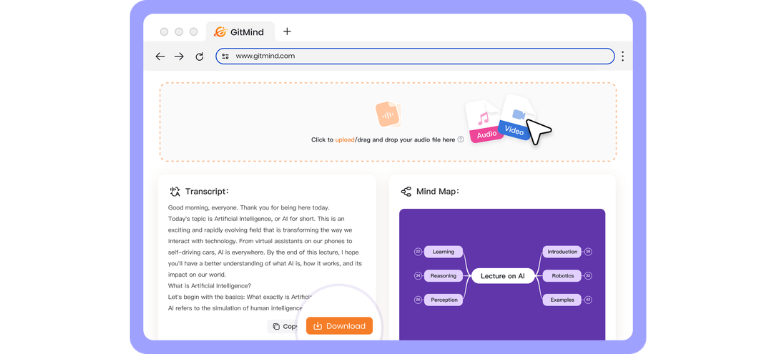
GitMind Audio to Mind Map converts spoken content into visual structures that show how ideas connect. It processes recordings and organizes key points into nodes, making it easier to review conversations later.
Ideal when listening takes priority during meetings or lectures. You can revisit the structure afterward instead of relying on fragmented notes.
Record your ideas and see them mapped out clearly after.
Image to Mind Map - Extract Text and Organize It Visually
Best for: Students, researchers, content teams
Use case: Screenshot notes, scanned materials
GitMind Image to Mind Map uses OCR to extract text from images, then arranges that content into a structured map. This allows you to turn screenshots, notes, or scanned pages into something more usable.
Useful when information isn’t already in text form. Instead of rewriting everything, you can convert and organize it in one step.
Upload an image and turn static text into something interactive.
Excel to Mind Map - See Patterns Beyond Rows and Columns
Best for: Analysts, planners, business users
Use case: Data visualization, pattern recognition
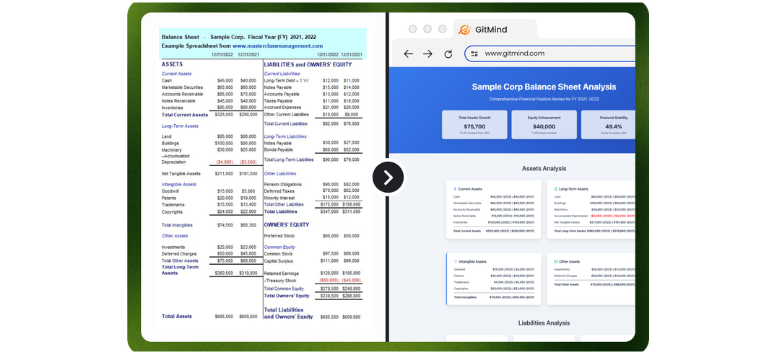
GitMind Excel to Mind Map converts spreadsheet data into a visual layout that highlights relationships and groupings. Instead of scanning rows, you can see how data points connect across categories.
A smart way to read spreadsheets differently. Patterns and insights become easier to spot when they’re presented visually rather than in rigid tables.
Convert your spreadsheet into a map and uncover insights more naturally.
GitMind AI Education & Office Tools That Keep Work Clear and Manageable
Work and study often revolve around long materials. Books, PDFs, spreadsheets, presentations. The challenge isn’t access, it’s time. GitMind reshapes that experience by turning dense content into summaries, visuals, and interactive outputs you can actually use. Instead of staying stuck in reading mode, you move faster between understanding, organizing, and applying information.
AI Book Summarizer - Turn Full Books Into Key Insights
Best for: Students, professionals, lifelong learners
Use case: Study support, quick knowledge review
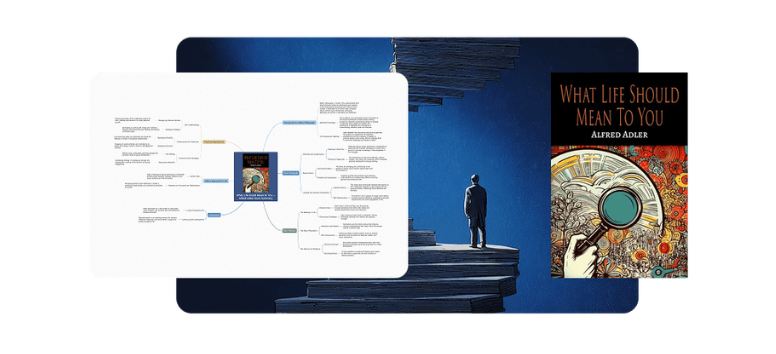
GitMind AI Book Summarizer condenses full-length books into structured insights that highlight core ideas, themes, and key takeaways. It processes large volumes of text and presents them in a format that’s easier to scan and retain.
Helpful when time is limited and reading cover to cover isn’t practical. You still get the main concepts, which makes it easier to prepare for discussions, reports, or personal learning goals.
Get the essence of a book without committing to every page.
AI Infographic Generator - Turn Information Into Visual Stories
Best for: Educators, marketers, presenters
Use case: Reports, presentations, visual communication
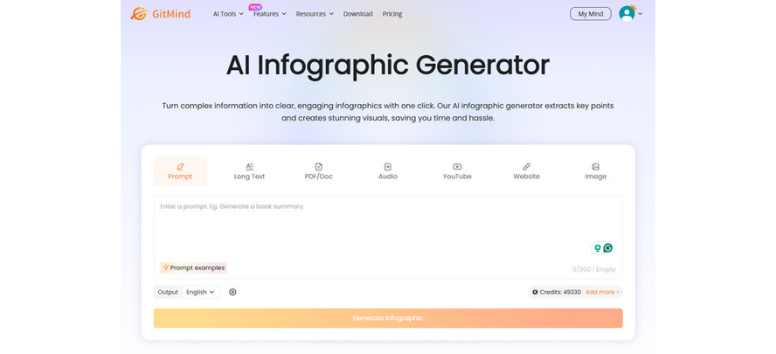
GitMind AI Infographic Generator converts text into visually organized graphics that highlight key points and data. Instead of manually designing layouts, you provide the content and the system arranges it into a clear visual format.
A solid option when presenting ideas to an audience that prefers quick understanding over long explanations. Visual structure helps information stick and makes presentations easier to follow.
Create an infographic and present your ideas in a more engaging format.
PDF Summarizer - Break Down Lengthy Documents Faster
Best for: Researchers, students, office professionals
Use case: Report review, academic reading
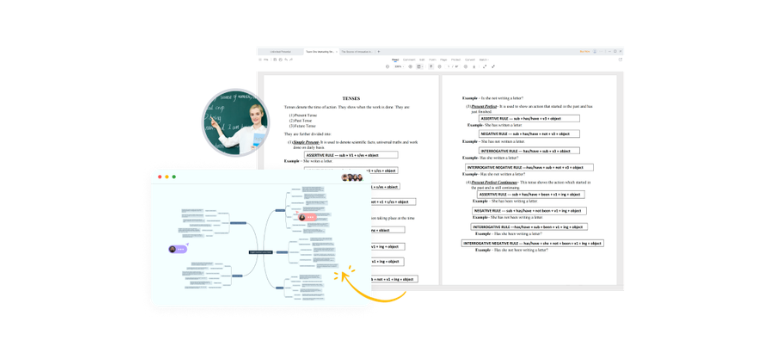
GitMind PDF Summarizer extracts the main points from long documents and organizes them into concise summaries. It scans the content and highlights key sections so you can understand the material without reading every page.
Useful when dealing with reports, research papers, or reference materials. You can decide quickly which sections deserve deeper attention and which ones can be skipped.
Upload your PDF and focus on the parts that matter most.
Article Summarizer - Turn Long Reads Into Quick Takeaways
Best for: Readers, writers, content researchers
Use case: Content review, idea extraction
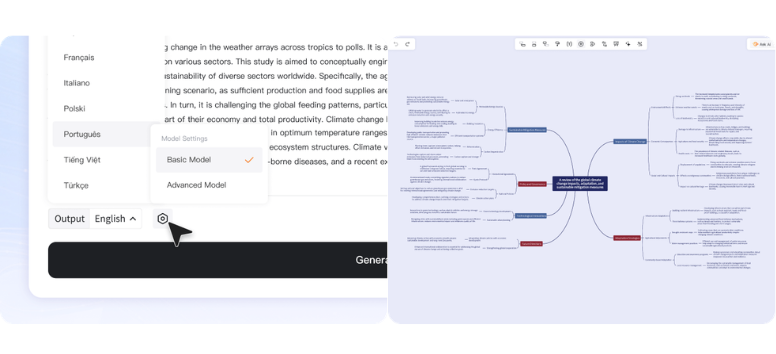
GitMind Article Summarizer condenses long-form content into shorter, easy-to-read summaries. It identifies main ideas and supporting points, then presents them in a format that’s simple to scan.
A practical tool when browsing multiple articles or gathering information for writing. You can move through content faster while still capturing the essential points.
Summarize your next article and keep your reading efficient.
Image to Text - Convert Visual Content Into Editable Words
Best for: Students, office workers, researchers
Use case: Note digitization, document extraction
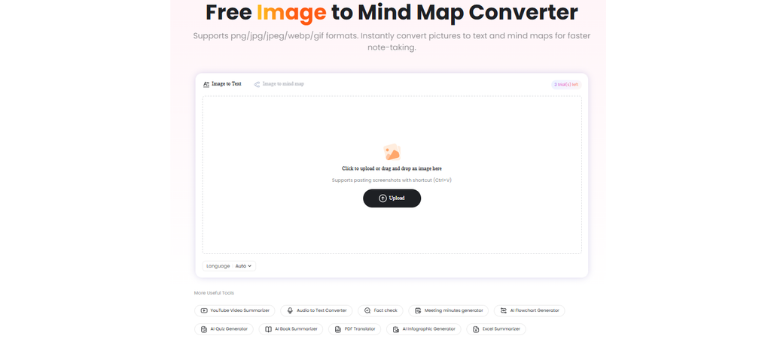
GitMind Image to Text uses OCR to extract written content from images and convert it into editable text. Screenshots, scanned notes, and printed documents can all be turned into usable digital content.
This removes the need to manually retype information. Once converted, the text can be edited, organized, or reused across different tasks.
Upload an image and turn it into text you can actually work with.
Excel Summarizer - Highlight Insights From Raw Data
Best for: Analysts, business users, planners
Use case: Data review, insight extraction
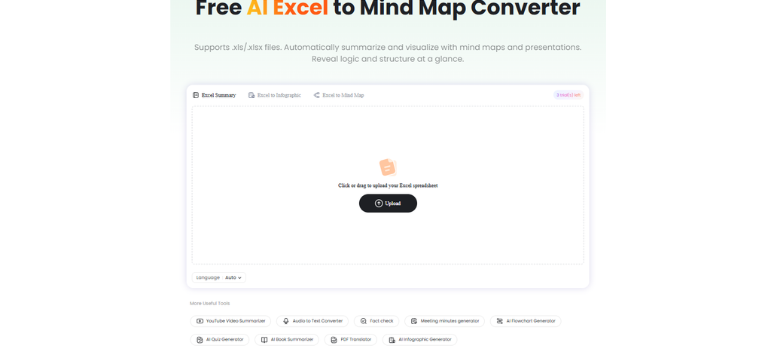
GitMind Excel Summarizer analyzes spreadsheet data and highlights key insights automatically. It identifies patterns, trends, and important values, then presents them in a clearer format for quick understanding.
Instead of scanning rows and columns for meaning, you get a focused view of what stands out. That makes it easier to interpret data and act on it.
Upload your spreadsheet and see the insights without digging through every cell.
PDF Translator - Read Documents Across Languages
Best for: Researchers, global teams, students
Use case: Multilingual reading, cross-border research
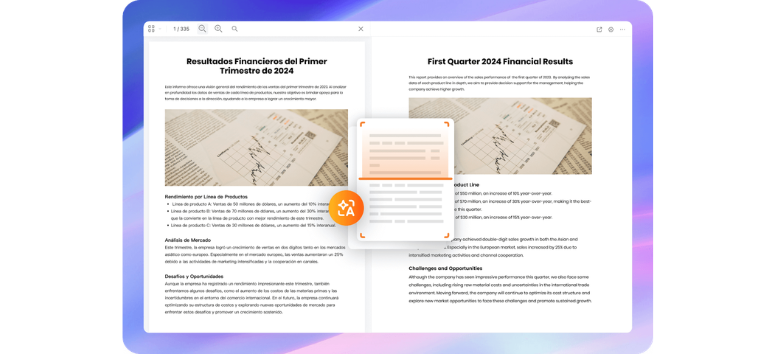
GitMind PDF Translator converts document content into different languages while keeping the structure intact. It allows users to work with materials that would otherwise require manual translation or external tools.
This opens access to a wider range of sources. You can review international content and still follow the original flow of the document.
Translate your PDF and expand the range of information you can use.
AI Quiz Generator - Turn Study Materials Into Practice Tests
Best for: Students, educators, trainers
Use case: Knowledge checks, exam preparation
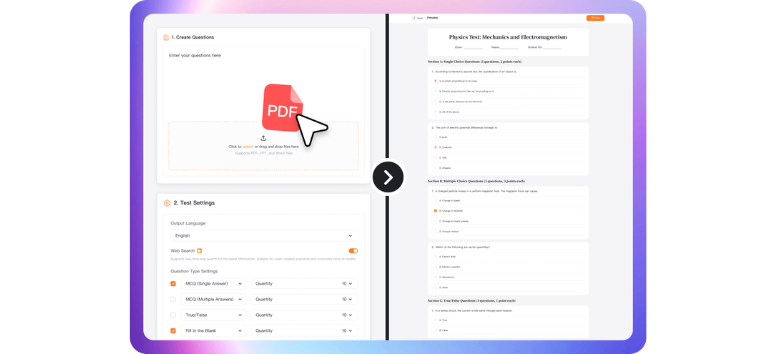
GitMind AI Quiz Generator creates questions from study materials, turning notes or documents into interactive quizzes. It helps reinforce learning by encouraging recall and self-testing.
A useful way to check understanding after reviewing content. Instead of passively reading, you engage with the material and see what you actually remember.
Generate a quiz and test how well you know your material.
GitMind AI Creation Tools That Turn Ideas Into Output
Creation looks different now. Ideas don’t stay stuck in your head for long. With the right tools, a rough thought can turn into text, visuals, or structured plans almost instantly. GitMind focuses on that early stage where ideas are still forming, then helps shape them into something usable. You move from thinking to creating without slowing down.
AI Chat - Think, Ask, and Build Ideas in Real Time

Best for: Writers, students, professionals
Use case: Brainstorming, research, idea generation
GitMind AI Chat works as a conversational assistant that helps you explore ideas, answer questions, and expand thoughts as you go. You can ask for explanations, outlines, or even quick drafts, and the system responds in a way that keeps the flow moving.
Great for moments when you need direction or a second perspective. Instead of staring at a blank page, you can start a conversation and build from there.
Start a chat and shape your ideas as they come.
AI Art Generator - Turn Words Into Visual Concepts

Best for: Designers, marketers, creatives
Use case: Visual content, concept design
GitMind AI Art Generator creates images based on text prompts. You describe what you have in mind, and the system produces visuals that match your concept, style, or mood.
Useful for quick mockups, social content, or creative exploration. It shortens the gap between imagination and output, especially when you need visuals without going through a full design process.
Describe your idea and see it come to life visually.
Idea Flow - Capture Thoughts and Shape Them Into Plans

Best for: Planners, founders, creative thinkers
Use case: Workflow building, idea organization
GitMind Idea Flow captures spontaneous thoughts and organizes them into structured workflows. Instead of letting ideas sit as loose notes, the tool connects them into steps, making it easier to move toward execution.
A helpful way to turn scattered thinking into something actionable. You can refine ideas as they develop and see how they lead into actual tasks or projects.
Capture your next idea and turn it into a working flow.
GitMind Planet - Explore and Share AI-Generated Ideas
Best for: Learners, creators, collaborative teams
Use case: Inspiration, idea sharing, community learning
GitMind Planet serves as a shared space where users can explore and publish AI-generated content. It brings together ideas, maps, and outputs from different users, creating a stream of inspiration and practical examples.
Spending time here often sparks new approaches or ways of thinking. You can learn from how others structure their ideas and apply those insights to your own work.
Explore GitMind Planet and see how others are building their ideas.
PicWish Core Enhancement Tools That Bring Images Back to Life
Photos don’t always come out the way you expect. Some look soft, others lose detail over time, and older images fade or pick up damage. PicWish focuses on fixing those issues without adding complicated steps. You upload an image, and the system enhances, restores, or rebuilds it with better clarity and color. It feels less technical and more like giving your photos a second pass.
Enhance Photo - Sharpen Details and Boost Resolution
Best for: Content creators, online sellers, everyday users
Use case: Product photos, social media images, personal shots
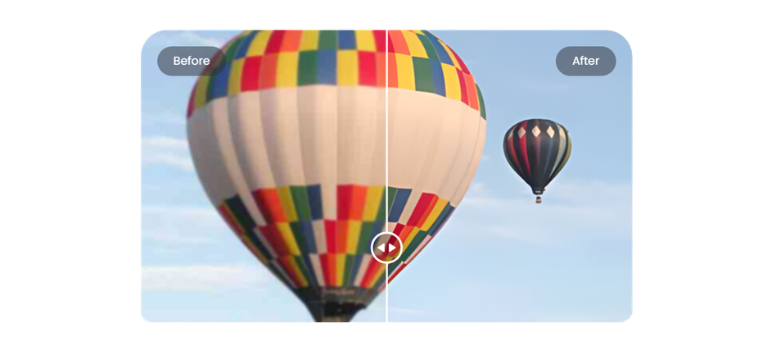
PicWish Enhance Photo improves image clarity by increasing resolution and refining details that appear soft or blurred. It sharpens edges, restores texture, and adjusts overall quality so images look more defined even when enlarged.
A useful option for product listings or profile photos where clarity matters. Cleaner images tend to look more polished, especially when viewed on larger screens or high-resolution displays.
Upload your image and bring out details that were hard to see before.
Restore Old Photo - Repair and Revive Vintage Images
Best for: Families, archivists, photo collectors
Use case: Old family photos, damaged prints, scanned images
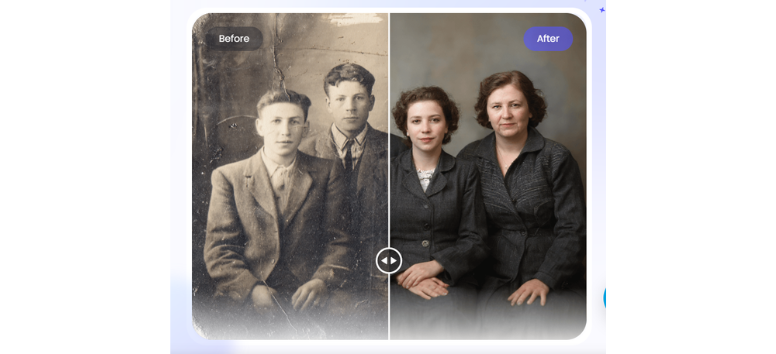
PicWish Restore Old Photo repairs visible damage such as scratches, fading, and worn-out sections. It analyzes the image and fills in missing details while improving overall sharpness and tone.
Older photos often carry memories that are hard to replace. Restoring them makes it easier to preserve and share those moments in a clearer, more complete form.
Restore your old photos and keep those memories looking clear again.
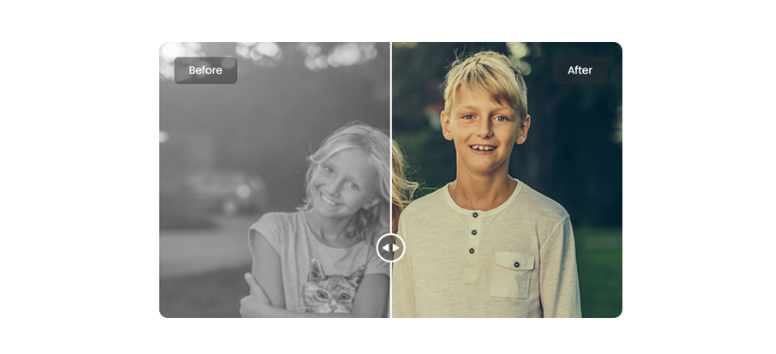
Colorize Photo - Add Realistic Color to Black and White Images
Best for: History enthusiasts, families, creative users
Use case: Photo restoration, creative projects, archival work
PicWish Colorize Photo transforms black-and-white images into colored versions using AI-generated tones. It applies realistic color mapping to different elements in the photo, giving a more lifelike appearance without manual editing.
Seeing an old image in color can change how it feels. Details become easier to notice, and the photo often feels closer to the present.
Upload a black-and-white photo and see it reappear in color.
PicWish Background & Object Editing Tools for Clean, Focused Visuals
A strong image often comes down to what stays and what goes. Background distractions, random objects, or unwanted text can pull attention away from the subject. PicWish handles these edits quickly, so you can clean up visuals without going through complex software. A few clicks can shift an image from cluttered to clear, which makes a big difference for content, listings, or brand visuals.
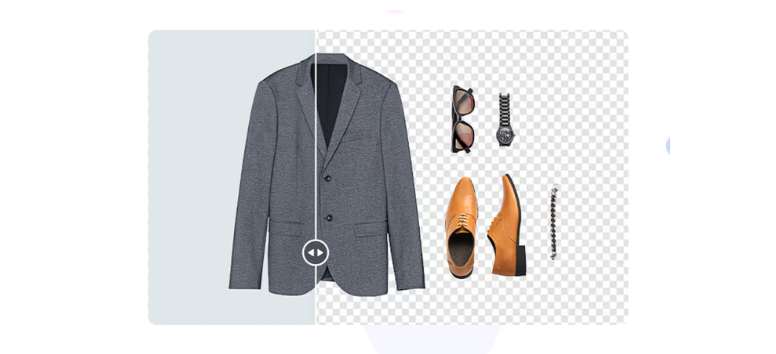
Remove Background - Isolate Your Subject Instantly
Best for: Online sellers, marketers, social media users
Use case: Product listings, profile images, clean cutouts
PicWish Remove Background detects the main subject and removes the surrounding background in seconds. Edges stay sharp while fine details like hair or product outlines remain intact, which helps the final image look natural.
A clean cutout works well for e-commerce, ads, or any visual that needs a neutral or transparent background. It also saves time compared to manual selection tools.
Remove your background and focus attention where it belongs.
AI Background - Replace Scenes With Styled Visuals

Best for: Creators, brands, content teams
Use case: Marketing visuals, themed content, branding
PicWish AI Background allows you to replace plain or distracting backgrounds with custom scenes. You can generate designs that match a theme, season, or brand style, giving your image a more polished look without a full photoshoot.
This opens up creative options without needing design skills. A simple product shot can turn into a styled visual that fits campaigns or social posts.
Change your background and match your image to your message.
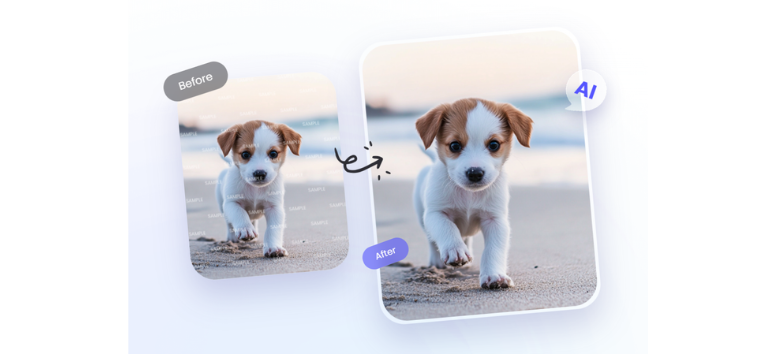
Remove Object - Clean Up Visual Distractions
Best for: Photographers, casual users, editors
Use case: Photo cleanup, clutter removal, retouching
PicWish Remove Object erases unwanted elements such as people, logos, or background clutter. The tool fills in the removed area with surrounding textures, keeping the image consistent without obvious gaps.
Small distractions can change how a photo feels. Cleaning them out helps the main subject stand out more clearly, especially in busy scenes.
Remove what doesn’t belong and keep your image focused.
Watermark Remover - Clear Overlays Without Damage

Best for: Designers, content creators, business users
Use case: Image cleanup, asset reuse, content editing
PicWish Watermark Remover detects and removes text overlays or watermarks while preserving the quality of the original image. It reconstructs the affected area so the result looks smooth and usable.
Working with images often means dealing with unwanted marks or labels. Removing them allows you to reuse visuals in a cleaner format without heavy editing.
Clean your image and keep it ready for use anywhere.
PicWish Portrait & Face Tools for Clean, Polished Visuals
Faces draw attention fast. A slight blur, uneven lighting, or a distracting background can change how a photo feels. PicWish focuses on refining portraits without turning them artificial. From quick face cutouts to ID-ready photos and subtle retouching, these tools help clean up images while keeping them natural enough for everyday use or professional needs.
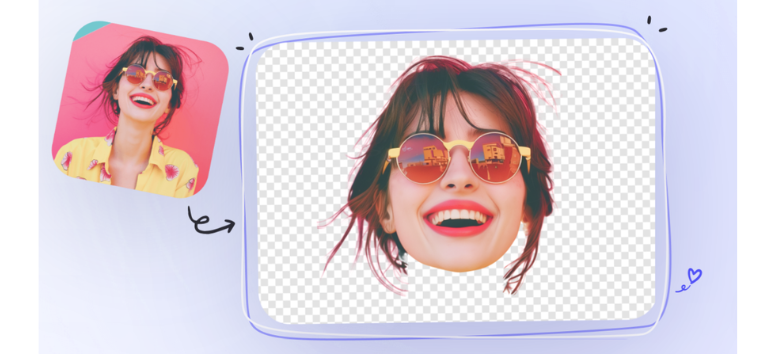
AI Face Cutout - Isolate Faces in Seconds
Best for: Creators, students, casual users
Use case: ID layouts, collages, creative edits
PicWish AI Face Cutout detects faces and separates them from the background automatically. You upload an image, and the tool isolates the subject while removing unwanted elements around it. The cutout stays clean, even around tricky areas like hair or edges.
Useful for quick edits where precision matters but time is limited. It also works well for playful designs like oversized cutouts or simple profile visuals.
Upload your photo and get a clean face cutout ready to use.
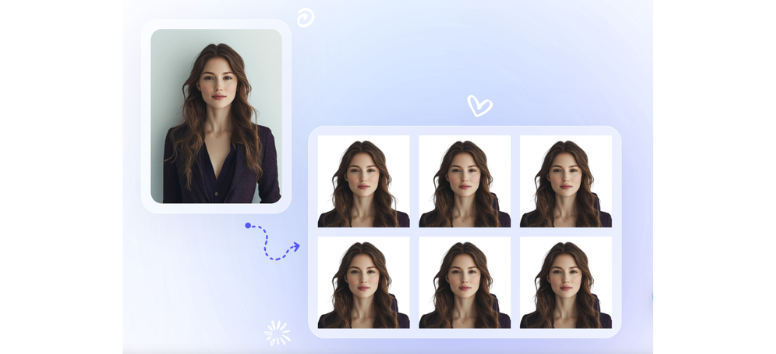
ID Photo Maker - Create Standard ID Photos Easily
Best for: Job seekers, students, travelers
Use case: Passport, visa, and ID requirements
PicWish ID Photo Maker converts regular photos into standard ID formats for passports, visas, and other official uses. It resizes images to the required dimensions and allows background adjustments to meet formal guidelines.
Instead of visiting a studio, you can prepare ID photos at home with the correct sizing for digital submission or printing. The process stays simple and quick.
Upload your photo and get an ID-ready image in the right format.
Edit Photo - Refine Details Without Overediting

Best for: Online sellers, content creators, everyday users
Use case: Portrait cleanup, product retouching
PicWish Edit Photo uses AI-powered retouching to improve skin texture, lighting, and overall clarity. It can reduce blemishes, smooth rough areas, and enhance details like edges, color, and sharpness without making the image look overly processed.
It also extends to product visuals, where surface details, lighting balance, and texture matter. Cleaner images help present subjects more clearly across different platforms.
Enhance your photo and bring out cleaner, sharper details naturally.
AI tools in 2026 are no longer optional add-ons. They shape how work gets done, how ideas form, and how content comes together from start to finish. Tools like GitMind help structure thinking, turning raw input into clear maps, diagrams, and workflows you can actually act on. On the visual side, PicWish handles the polishing, cleaning images, refining details, and making content ready to use without slowing you down.